(mb)buttons (just css)
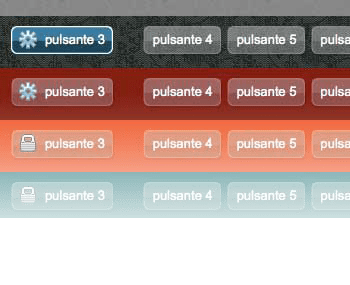
An alternative to the ugly default buttons
Build your own custom buttons easily just with CSS using the sliding doors technique!
demo page:
http://www.open-lab.com/mb.ideas/index.html#mbbuttons
download page:
http://www.open-lab.com/mb.ideas/demo/jquery.mbButtons/jquery.mbButtons.zip


Hi Bromo,
let me know when your app is on.
Thnx,
Matteo
Hello boss …
Currently I’m building a WebOS for my CMS application for my game service business … I’m a small starter who has no money … I plan to use your components to run on top of portlet container.
Once my gameservice business can produce some income … I will donate to you … but currently I can’t …. hopefully will be.
I wont forget what you contribute into my business.
Thank you.
I went through almost all your posts and all I can say is great work. There is a very small thing that I think you should add to the styles.css and that is “cursor: pointer;” in the “a.button” class that will make your cursor a pointer when hovering the buttons in IE browsers.
Thank you and good luck!
Adrian
Very nice article but not in english. Appreciate if we can have some write on english atleast for me to understand and appreciate your work
Satish
[…] DIRECT LINK » […]
Thnx Michael,
I’ll implement img in background as you say.
bye,
Matteo
very nice! they look really great. thanks for sharing.
but i see a problem with your code. you use an img tag for the icon. That is not semantically correct and may unnecessarily degrade performance, you should try to better use bg images.
continue the great work!