jQuery (mb)ContainersPlus 2.2 (iconize where you want!)
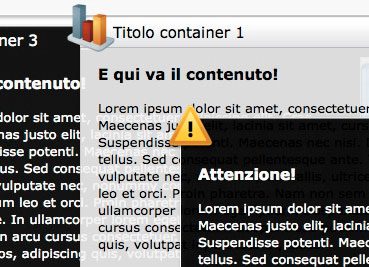
Let your contents look great!
Post out of date.
Read that:
http://pupunzi.open-lab.com/mb-jquery-components/mb-containerplus/
Post out of date.
Read that:
http://pupunzi.open-lab.com/mb-jquery-components/mb-containerplus/

Subscribing the "Pupunzi newsletter" you'll be staying on top of the most recent Pupunzi's developments. More or less one email per month that informs you about latest updates, works in progress, new releases.
So, keep in touch!


Search for answers or add your issue on GitHub

cheap ugg on sale
jQuery (mb)ContainersPlus 2.2 (iconize where you want!)
jQuery (mb)ContainersPlus 2.2 (iconize where you want!)
Ciao Vincenzo,
Le skin che ho messo a disposizione sono realizzate tutte utilizzando png come sfondo e la trasparenza è data dall’opacità dell’immagine stessa. per cambiare puoi o fare una skin che non usa immagini ed in questo caso puoi gestire l’opacità utilizzando RGBA ( background-color:rgba(255,255,255,0.7) ) oppure rifare le immagini di background senza opacità.
Ciao
Matteo
Ciao Matteo,
complimento per il plugin davvero molto bello. Avrei una domanda. Vorrei togliere la trasparenza della finestra quando scelgo lo skin:default.
Ho provato ad aprire il mbContainer.css ma non credo che venga gestita da lì.
Mi puoi aiutare?
Grazie
I use the changeContainerContent referring to another html. I set the container’s width but don’t set its height, but the container can’t show all its content. I need the container to fit the content’s height. Is it possible?
Hi Mark,
to manage z-index you can find the
method you can apply to your DIV elemnt once you show it; this method calculate the highest z-index used on your page and use it for your element.
Hope this can help you,
Bye,
Matteo
Hi Matteo, fantastic plugin!!!
I have a question, if I want to show a div on hover/mouseover for example within a container, how can I adjust the z-index / fading to get the div to show correctly. Currently it appears above the container faded out and not within the container itself.
thanks in advance…
Mark
Hi Chris,
If you are trying to get content from another domain, this is not allowed by the HTML itself. To do that you need to get your content via JsonP and it’s a little bit more complicate.
If this is not your problem, than the path to content url is intended from the caller page to the content page.
For ex.: if the caller page is deeper than the content page, your url should be “../contentFolder/contentFile.ext”;
you can even set an absolute url from the root as “/contentFolder/contentFile.ext”, in this case the content will not work if the caller page runs locally as c:\myFile.html but it will work once on your web server.
Bye,
Matteo
Great script btw..just downloaded it. Question is in relation to absolute vs relative urls. {content:.’file.ext’}
will not grab the path outside of root. I have tried several methods with no luck. Please advise if you can..Thx.C
Matteo, I have only 1 issue with the mixing of JQuery UI and MBContainers. That is the z-index’ing! When user clicks on container its z-index is so high that nothing else on the page ever retains a high enough z-index to ever end up on top of a MBContainer. I have designed my software to accept JQuery UI theme downloads. Designed it so that all a user does is upload the CSS folder from the theme roller and new theme added to list. However, the z-index on the UI never goes over a container after a focus. Meaning, example, dialogue modal falls behind MBContainer. I actually tried to call your bring to front container function within the UI parts but it does not work seamlessly. It of course bring things out just as (too) far.
So, I was wondering if you have a solution for this, or does this latest copy contain what is needed to solve that.
Awesome to get a response and your support. Thanks.
Please keep in mind that the container ID is used by the database and has a random number appended. Ex. id=”ELM5_352416″ This translates to
ELM5_352416
[Associated content ID]_[Unique Container ID]
Just an FYI while you ponder the ajax idea…
MbContainer serves as an exe-like popup in the program. Let’s call 1 container with its ID, initial content, ajaxed response content (2nd, Nth level user action), a single instance. More than one instance can be created, so the ID is appended a random number. Containers and all possible states are $.get’ed to the database.(get for client-side log response) I save their x/y, width, length and last action. (move, collapse, minimize, maximize) Thus allowing a person to logout/refresh/power-out and everything is right where it was.
This means things can get tricky! So please keep in mind that the container ID needs to be flexible.
I can’t wait to see what you come up with. 🙂
I also tweaked mbcontainers.js to $.get X/Y width length and last action to a database. Was wondering if you would like to see it, hehe have it back, or even desire to check my work for stability? Once I release my program you may not desire to have a flimsy ajax.mbcontainer.js floating around.
Thanks.
Hi Cory,
you can initialize your containere in the code fragment you are loading via ajax in your main page using the ID instead of the class; include all the scripts in the main page; set a link that invoke the ajax call to the fragment containing the container and its initialization using $.ajax(); once the code is loaded into your page the container will be initialized.
I’ll publish an example on how to call external containers via ajax.
Bye,
matteo
Following up my own post.
Question was…
Question)How to Ajaxify MBContainers? Will the container downloaded via ajax see the buildcontainers function.
Answer:) NO! it will not. However ajaxed content will see the , , JQuery and pretty much anything you need except for the build container function.
Solution: Make 2 build container functions.
1) $(“.containerPlus”).buildContainers({ … })
2) $(“.containerPlusAjax”).buildContainers({ … })
Send 1 with the initial html and #2 use an onload $.get() in the initial html calling the 2nd container via ajax wrapped in a function.
HTML>>>
$.get(‘ajax.php’, { ACTION: ‘Code’},function(data){
$(‘#idCardArea’).html(data);
});
PHP>>>
if ($_GET[‘ACTION’] == ‘Code’){
echo ”
function FindMe(){
$(“.containerPlusAjax”).buildContainers({ … })
}
“;
}
NOW, WHEN USER REQUESTS A CONTAINER SEND YOUR MB CONTAINER DIV SET WITH THIS JUST ABOVE IT…
FindMe();
<div id="$ElmID" class="$BtnID containerPlusAjax draggable resizable … ETC ETC ETC
This took a long time to figure out, but works like a charm. Also go into mbcontainer.js and find the close container function and replace container.hide(); with container.remove();
With the container being sent via AJAX is it not good to hide the element, consumes way too much browser memory fast. Removing is ok because user can simply download container again.
Shortly I will allow my work to be viewed. Again, it is pretty much a windows on the internet. Multi-Desktop, folders, file system, exec like popups (which is the mbcontainer), right-click properties functions etc etc etc. 99.9% Ajaxified. I wont release what the platform is for yet though. 🙂 hehe
Cory
Sorry Bas,
the grid works only for dragging, not for resizing…;
to perform grid to resize event add after line 272:
2
3
4
var grid= container.attr("grid")? [container.attr("grid"),container.attr("grid")]:[container.attr("gridx"),container.attr("gridy")];
container.resizable( "option", "grid", grid);
}
Bye,
Matteo
Hi Matteo,
If I define my container with:
class=”containerPlus resizable {buttons:’m,c’, skin:’white’, gridx:50, gridy:50}”
Still the resize doesn’t constrain to the grid.
Hi Bas,
you have “gridx” and “gridy” meta-attribute (the once you add in the class attribute of your mbContainerPlus element) to define the resize grid.
Bye,
Matteo
Hi Tom,
If I exclude the “body” area of the mbContainerPlus from making the call to the mb_bringToFront call than the container will not get the front position once you click on it;
I fix this behaviour by adding a new parameter “zIndexContext” to the buildContainers() (default: “auto”) that accept a css selector to specify which DOM elements are affected by the mb_bringToFront() function.
This feature is not published yet but you can download the latest release from the gitHub repository: http://github.com/pupunzi/jquery.mb.containerPlus
Once you have the latest 2.4.9 release just add: zIndexContext: “.containerPlus” to your buildContainers() function; now mb_bringToFront() will affect only mbContainerPlus elements.
Bye,
Matteo
Anyone knows how I can do this. What I want is to define a grid for all resizable containers.
Amazing plug-in.
I had an issue recently using this plug-in in combination with CKEditor where whenever I would select one of it’s built-in drop-down lists, CKEditor would open the down-down list, and then mb_Container would register the mouse click used to open the drop-down (which has is a DIV with absolute positioning) and then mb_Container would execute mb_BringToFront making it impossible to see the drop-down selector as it would then be behind the mb_Container. mb_Container and CKEditor both generate a new z-index, and mb_container would get the higer number each time.
The temp solution I have is to comment out the onmousedown call to load mb_BringToFront (on lines 158-160). However, this is a temp solution, as now a container will never come to the front when you click on it if it is behind another container.
I was wondering if you had considered this problem of clicking content within the “body” area would be excluded from making a call to mb_BringToFront.
I’m not sure of the correct functionality here.
I’m using version 2.4 of mb_Container.
Designing a site/internet program which is like a desktop. Minimize to toolbar, send to desktop-create short cut, complete with a file system. Can’t release any further detail, but….
I am using MBContainerPlus and JQuery UI. (Tweaked the heck out of it already 🙂 ) Made a template changer which allows someone to use ThemeRoller, download and place only the CSS folder in the themes folder and Whallah! Crazy figuring out a theme system for MBContainer but I pulled it off.
As I suspected, even with a 3 digit named ID tags for cookies still running into bad request errors. I of course made the desktop icons indexed in the database. And now will have to do the same for MB containers as well. Whoever made the cookies program should not have made the suffix and prefix to the cookie name so darn long.
I could re-write the cookie script to save data in a single cookie as x|y|150|275|etc… or could duplicate my save xy to database Ajax style.
Reason for this post… assuming jQuery means to query content via JavaScript I think the best way would be to Ajaxify the containers as well as the content. Is that possible? Will the $(“.containerPlus”).buildContainers() script see the dynamically appended content? I assume the answer is yes because it just addes it to the stack and jquery see the stack. Well, anyway I guess the question is how would you process a page with possibly hundreds of containers. Way too many for a GET or POST can process. Ajaxify the containers and content?
Hi Matteo,
Thanx this indeed solves the problem. You fixed it in the demo.html however not in the demo_divlayout.html.
I found also a minor error in the documentation. You refer to:
jQuery.fn.mb_resizeTo(w,h)
However this should be:
jQuery.fn.mb_resizeTo(h,w)
Anyway I’m very happy with this beautiful plugin.
Is there a way to snap the resizable to a grid?
Bas
Hi Bas,
This bug behave only on the on line demo due to a wrong jqueryUI.js inclusion; it doesn’t happens on the downloadable version. Anyway Now it’s been fixed, thnx for your help.
Bye,
Matteo
Hi Matteo,
I can reproduce this with your online demo in all my browsers (IE8, Chrome4.1, Firefox3.5.8). Just collapse (minimize not iconize) a scalable container and drag the shadow edge at the bottom. The helper rectangle is shown but the container keeps collapsed. However if you restore the container again the bahavior is very different than expected. I suppose resize should never be possible if a container is collapsed.
Here is a screenshot:
http://i42.tinypic.com/2qsunie.jpg
Hi Bas,
This doesn’t happen in the demo and in all my usages…
Do you have any javascript error in yor console?
Bye
Matteo
If a container is collapsed you still can resize it. The resize cursor does not appear but the resize helper is shown. This results in strange behavior and seems to be a bug. Is there a quick fix I can use?
Thanks it’s working now. I just copied your first post and did not check the quotes.
I really like your Container Plus plug in.
Tom
Ok, your script doesn’t work because “alter” doesn’t mean nothing and you are using wrong doublequotes:
$(function(){
function myClose(){ alter(“alert”);}
$(“.containerPlus”).buildContainers({
onClose:myClose
});
});
replace with:
2
3
4
5
6
function myClose(){ alert("alert");}
$(“.containerPlus”).buildContainers({
onClose:myClose
});
});
bye,
Matteo
Hi Matteo,
Thanks about the photos, I hope you checkout the site in a couple of weeks when it is finished.
I’m using 2.4.7.
Here is a link: http://www.nudebodyproject.com/test_container_issue2.php
Thank you,
Tom
Hi Tom,
the onClose callback function should work… I can’t see why it doesn’t; can’t I see your page somewhere published?
Which version of mb.containerPlus are you using?
Bye,
Matteo
P.S.: great photos; really like your work!
Thanks but the onClose still not working.
Let me explain why I’m even interested in accessing the onClose event in the first place.
I am placing a flash (swf) movie in a container and then having users click a link to display the container. The swf is a progressive download. No problems in FireFox. When using IE, if you close the container while the movie is playing, you can still hear the audio until the movie finishes.
Now if the swf is not a progressive download there is no problem.
Here is an example: http://www.nudebodyproject.com/test_container_issue.php
There again it works fine in FireFox and fails to stop the audio in IE.
If there is a solution to this then I don’t need to pursue the onClose event thing.
Thank you.
Tom
Hi Tom,
your myClose function should be declarated inside the jQuery closure:
2
3
4
5
6
function myClose(){ alter(“alert”);}
$(“.containerPlus”).buildContainers({
onClose:myClose
});
});
Bye,
Matteo
Hello,
I am new to mbcontainer.
I have it working but I am now trying to access the onClose event. I need help with the syntax please.
This is not working:
function myClose()
{
alter(“alert”);
}
$(function(){
$(“.containerPlus”).buildContainers({
onClose:myClose
});
});
Thank you
Thanks Matteo,
Unfortunately I dont have any public URLs to demonstrate the behaviour 🙁
The border images and the container layout goes for a toss, but guess I’ll have to sort that out myself. I’ll let you know if I manage to fix this.
Also, will post on http://jquery.pupunzi.com for any further queries 🙂
Cheers,
Kamal
Hi kamal,
the best place where to post questions about mb.jQuery components is: http://jquery.pupunzi.com.
1. There should be no conflicts with window.open…
Do you have an URL where I can see this behavior?
2. You are right, there’s no specific method to reposition containers; I’ll include one in next release, Thanks
3. We are using those containers for several our web apps; I don’t know your intention, but just think that javascript is rendered client side and not server side.
So 2 or 3000 connections to the same App will be solved once for each client… there shouldn’t be no problem.
Bye,
matteo
Hi Matteo,
I’ve posted this on your google code page too.
I’m using mbContainerPlus in my app to display containers. My root page has 4 iframes and they work fine. Good!!
Now when I open a new window using window.open from one of these iframes, and set the focus to new window, the root page when refreshed throws all the container boundary images out of sync and they all look rather clumsy.
Is there a conflict with window.open? FYI, my new window will also have 4 or 5 iframes.
P.S: I needed to reposition my containers in the root frame but couldn’t find any function to do that so I’ve made a small addition (pretty easy and obvious) to your code 🙂
Nice stuff !! Also, have you stress tested this? I mean javascript will be intensive hogger of memory, but how about 2000 concurrent connections to one app running this script?
Apologies for asking so many questions, but if I do find answers to these questions, will surely like to include this in my app.
Cheerio,
Kamal
hi matteo,
please can you change line 200 and 201 in the next release from:
200: minWidth: 350,
201: minHeight: 150,
into:
200: minWidth: (container.attr(“minWidth”) != null) ? container.attr(“minWidth”) : 350,
201: minHeight: (container.attr(“minHeight”) != null) ? container.attr(“minHeight”) : 150,
Then you can pass minWidth and minHeight as optional attributes, for each conatainer individual.
again, thank you for support!
hi matteo,
there are scenarios in which you can use both
onclose and onclosed functions.
i’d prefer to add the second one, instead of replacing the first one.
a) actually there’s no property for minWidth and minHeight; if you want you can modify lines 204 and 205 of mbcontainer.js
b) to get the width and the height while resizing:
2
3
4
var w= o.outerWidth(), h=o.outerHeight() ;
console.debug(w , h) //shows in the console (FF, Chrome, Opera) the width and the height value for the container.
}
Hi El Al,
I’ll modify the onClose callback function to be executed after the transition; I think that this is the right behaviour.
Bye,
Matteo
hi matteo,
a) is there a method for setting the minWidth and minHeight property?
b) When trying to use the onResize function (which could be a workaround), I missed the proper method to get the width and height of the container?
Is there something like obj.getWidth and obj.getHeigt?
Solution for the DOM is:
onClose: function(obj){
setTimeout(function() {$(obj).remove(); } , 1000);
}
Tom Reed did mention the answer already on this blog.
I just added the setTimeout, in order to have the sliding effects.
But the idea / question of having a onClosed handler still remains. Please add one to mbContainer!
hi matteo,
i built a page with a dynamic creation of the containers (i did use your description which can be found as a comment here in the blog).
Now, if i take a look at the generated sourcecode after adding and closing some containers, the source code of each remains in the page.
Imagine, you have a winLIKE application, reloading the entire html page is not intended….
The sourcecoude will explode while using mbContainer !?
a) Why don’t you call something like
$(“#myContainerId”).remove(); ?
b) Using the onClose method is possible, but not nice or some additional hacks to be done: The container will disappear at once, the sliding effects of your close method will not appear.
Can you add a new event “onclosed” whick is called after the container has closed?
c) How do you access the container in the onclose, oncollapse, etc. methods (if you do not know their id for example). Do you pass a reference to these functions?
thank you for help!
Hi el al,
the navigation bar is another mb component: b.extruder. Yo can find it on http://pupunzi.com.
The table widget is: TableSorter 2.0 by Christian Bach – http://tablesorter.com
This is still a work in progress for a client of mine… I’ve some documantation but it’s not public.
Bye,
Matteo
hi,
me again.
Another question is (i am new to jquery …):
do you care about WAI?
What about accessibility in mb.containerplus?
Is it possible to have two instances of the same container open (e.g. the mimic form), an the input fields are accessible with keyboard shortcuts?
Hi Matteo,
thank you for the link.
I am very interested in your “mockup” application.
How did you realize the navigation bar? Is it done with the mb.menu?
Did you use an existant table widget for the (generic) container table, or did you make your own?
Especiallly the table widigt looks very smooth, tight integration in the design of the complete mockup!
Do you have (or sell) a howto and an api description for the gui part of the mockup application?
Best regards,
el al.
Hi elle,
Our teamwork application uses those containers as main GUI (in the truth it uses mb.containers that is the first release of this plugin…).
You can see a use of it either on teamwork online demo or on this application mockup I’m working on(just click on enter to see it.
It seems to be quite stable in my usage, if you find some bug you can post it on jQueryExchange.
Bye,
Matteo
hello,
your “widgit” looks great.
i have general questions about your container plugin:
– can you recommend to use it in a productive application?
(is it stable?)
– i’m missing something like a destroy mehtod. what does happen to the memory usage, if a container is closed?
Imagine, I want to build a web application:
The user opens lists in a window, after a click on a record opens another window, with tabs and a lot of content. From there you can reach other windows with heavy content. A typical session contains really a lot of windows. The user closes them an reopens them with other filters.
What about memory in such a scenario? Do you have any (reliabble) experiences.
Thank you for an answer, and thanks so far for your widgets. One of the best jQuery widgets I’ve seen so far.
I think you have done great work.
Though im not sure this should actually be a plugin as its listed. It really does not play nice with other plugins.
To much css built into the javascript is my thinking that makes it not play nice.
Just spent the better part of 72 hours messing around with this with other plugins. Managed to get most of it workign nicely but a large amount of effort to make it play nice.
I added
onClose:function(obj){ $(obj).remove(); }
to the buildContainers and it removes the container from the DOM when I hit the close button now.
The default behavior, it seems is to change the container wrapper from:
div id=”container” class=”containerPlus draggable resizable {buttons:’m,i,c’,skin:’default’,icon:’default.png’,width:’800′,dock:’main_content’,rememberMe:true} default ui-draggable ui-resizable” style=”margin: 0px; top: 0px; left: 200px; width: 800px; position: absolute; z-index: 11; visibility: visible;” inited=”true” iconized=”false” collapsed=”false” closed=”false” skin=”default” icon=”default.png” buttons=”m,i,c” dock=”main_content” rememberme=”true” width=”800″
to:
div id=”container” class=”containerPlus draggable resizable {buttons:’m,i,c’,skin:’default’,icon:’default.png’,width:’800′,dock:’main_content’,rememberMe:true} default ui-draggable ui-resizable” style=”margin: 0px; top: 0px; left: 200px; width: 800px; position: absolute; z-index: 1004; visibility: visible; display: none;” inited=”true” iconized=”false” collapsed=”false” closed=”true” skin=”default” icon=”default.png” buttons=”m,i,c” dock=”main_content” rememberme=”true” width=”800″ w=”800″ h=”309″ t=”0″ l=”200″
I added
onClose:function(obj){ $(obj).remove(); }
to the buildContainers and it removes the container from the DOM when I hit the close button now.
The default behavior, it seems is to change the container wrapper from:
to:
If I use $(‘#container_id’).mb_close(); to close a container, it makes the container go away, but doesn’t seem to remove it completely as I am still able to reference IDs in it and retrieve their values.
How to I completely remove the container and its contents when I close it?
It doesn’t matter if rememberMe is true or false.
Thanks for the fast reply.
The system I wanted to use it in is unfortunately for IE only, so there is nothing I can do?
Hi Jacob,
without DOCTYPE it should work with Firefox, Chrome, Safari and Opera, but not in IE.
Bye,
Matteo
Is it possible to get this plugin to work without DOCTYPE?
I have a rather big system I wanna use it on, but if I introduce DOCTYPE I break alot of things in the current system, and its the missing DOCTYPE which seems to make the plugin bug.
Hey
Hope you are able to help me with getting this plugin to work, tried the demo and it looks real nice.
JQuery works fine on my page, but when I include mbContainer.min.js I get an error in my JQuery js on line 4352 saying “document.body” is null or not an obejct.
Anything obvious I have missed to get this to work?
Hi there Matteo, I like your work and I’m interested in using it on a site of mine, however I’m not understanding from the previous comments on how to create the windows (ajax content) on the fly, so it’s possible to create as many as I need in a web 2.0 environment, without having to predefine them.
To do this before I used prototype-ui with the window extension (for if you would like to look it up and see), if you wouldn’t mind making a quick demo of this functionality it would be much appreciated.
Best regards,
Steve
Hi John,
it should work as
but there’s a little bug in the method… you should change the $.fn.mb_iconize() method as below:
2
3
4
5
6
7
8
9
10
11
12
13
14
15
16
return this.each(function(){
var container=$(this);
var el=container.get(0);
if (!container.mb_getState('closed')){
if (container.mb_getState('iconized')){
var icon=el.dockIcon;
$(icon).click();
container.mb_BringToFront();
}else{
container.containerIconize();
if(el.options.onIconize) el.options.onIconize($(el));
}
}
});
};
Anyway, this function switch from the two state, so, if you have already some iconized container, they restore the state and viceversa…
the solution could be:
Bye,
Matteo
Hi,
Thanks for an excellent control. I am trying to use it with JQuery selectors and having some issues. The issue could also be on the JQuery side. As earlier it does work if I specify the ID like
$(‘#[myContainerID]’).mb_iconize()
however is there anyway to get this working with something like
$(“.containerPlus”).each (function () {
this.mb_iconise()
});
if not it’s not a huge problem, it just limits the usefulness.
Thank you for your answer.
I found a better way – using AJAX Search API Key from Google and similar API from Yahoo.
Good Luck!
Dima
Hi Dima,
you should set an iframe inside the container where to load your extenal URL page; cross domain content manipolation is not allowed by the browsers due to security policy…
Bye,
matteo
Excellent work, Matteo.
I’m not good in jquery yet, sorry for my question:
is it possible to load thirt-party URL into container? For example: http://www.google.com/search?&q=ajax+jquery – load search results. If no, what is the best way for this?
May be download it using ajax and parse on client?
Thanks in advance,
Dima
Hi Ryan,
did you try setting wmode to “transparent” as param and attribute of your embed?
That should solve your issue.
Anyway post your question to jQueryExchange.
Bye,
Matteo
Heya,
I’m just using your simple lightbox version. I’m wondering if you or anyone has had an issue with flash objects (like embedded video) not containing itself within the container?
I have a wordpress blog that’s being queried into a container, and while text from the posts fit inside the container just fine, flash objects will – when I scroll up or down – continue OVER the container (so, like, the flash objects overflow incorrectly).
Oh, and this does not happen in IE, but it does in Firefox (yeah, weird!).
Hi Joe,
in the next release there’ll be a new parameter to pass to the function: “mantainOnWindow” as boolean that define if the containers should reposition once out from the viewable screen area; another parameter tha alterate the container behavior if it doesn’t feet the window is the “containment” one; if you want to allow containers to stay out of the window it should be set to false (intead of “document”).
For the first issue (the floating containers) could you describe better your environment?
Bye,
Matteo
Was there ever a solution for the floating containers issue described by Ric Castagna on February 13, 2009? I seem to be running into the same issue. I love the plugin it has made fro some interesting designs! It seems that after the containers have loaded on the screen, if actual view resolution of the monitor/browser window does not fit everything in the page, the element will automatically move to the right and down…90% off the screen and stretch the body. Any suggestions?
Hi eertan,
the mb_changeContainerContent() changes only the content of the container at the moment; but if you want to change the icon and the title… well:
1. the title is inside the “.n” DIV of your container… so
2. for the icon is a little bit more complex… the image is built by the component itself into the “.ne” DIV and the image has the class “icon”; so to change it:
.
Once you change thi icon you have to change also the atrrtibute “icon” used to manage the iconize behavior:
; it’s important that the image you are changing has the same path of the default one, otherwise, when you’ll iconize the container, you’ll loose the image.
Hope this can help you and I’ll get this as a suggestion for a new feature of the next release.
Bye,
Matteo
Hi Matteo,
is there a way that I can change the icon and the header of the container when I call mb_changeContainerContent() function?
thank you.
best.
I published the 2.3.2 version of mb.containerPlus; now there’s a “closed” state.
Bye,
matteo
When will the new release be published?
Because I really need that fix
Hi ekmel,
A. the mb_BringToFront() function, at the moment, works only with absolute positioned elements. your container has a fixed position. You can change its behavior at line 451 of mbContainer.js like :
B. I realize that the function is called mb_BringToFront and not mb_bringToFront; that’s why an error returned.
hope this can help you,
Matteo
Hi Matteo,
unfortunately, mbcontainers are always in the front!
mb_bringToFront functions seems not working?
Shadowbox.init({
language: ‘en’,
handleOversize: ‘drag’,
onOpen: moveFront,
players: [‘img’, ‘html’, ‘iframe’, ‘qt’, ‘wmp’, ‘swf’, ‘flv’]
});
function moveFront() {
$(“#sb-container”).mb_bringToFront();
}
this opens it in a blank page!…
and other ways I tried did not work either
I would be really happy if I could use this as I intended; otherwise lightbox (I am using shadowbox actually) with mbcontainers is useless.
thank you again
best.
Hi Ekmel,
in your page, once the lightbox is on the page, you have an element that contains the lightbox itself and its overlay; it has an ID: “sb-container”;
the best whay to solve your proble is to use the $.fn.mb_bringToFront() (a built-in method mbContainerPlus) to bring your lightbox on the top once you invoke it:
Hope this can help you,
Bye,
Matteo
Hi Matteo
to have your attention I am creating a new user to hit the moderation 🙂 Sorry for that but I couldnot find a solution for below problem… Thanks in advance.
The the only problem with lightbox is that the lightbox opens behind the containers. Did you have time to test it?
http://www.a-m-b-e-r.org/assosfestival/demo.html click on assos test>click on 95 in up coming container> click on image in new container>there comes lightbox container> click on the image and it is behind the containers? what should I do?
Hi Gail,
I’m sorry, here is the right code:
but as can I understand you need to toggle between collapsed and restored state; so the function is:
bye,
Matteo
Hi Matteo,
I am so new at this, trying to wrap my brain around it and not waste your time. I do appreciate the help!
This is what I am trying to do. At http://gaillaforest.com/owm the biography opens when clicking on the balloon basket. I would like the same container to open by clicking on “David Ossman & Judith Walcutt” in the menu container.
I copied and pasted the suggested code and changed the appropriate information but had no luck making this happen.
Thanks for the link to the Google Code site, that will come in helpful for me once I get a better understanding of things. You definitely have my respect for your project.
Thanks again,
Gail
Hi Gail,
yes, you can open a closed container invoking the $.fn..mb_open() function in that way:
and if you want you can even change its content by passing the url to the function : $(“#[yourContainerID]”).mb_open([yourURL.html]), so that when it’s back its content is changed.
You can find all the documentation at: http://code.google.com/p/mbideasproject/wiki/mbContainerPlus
bye,
Matteo
Hi Matteo,
I have another question now . . . .
Is there a way to use LightBox so that if a window is closed, instead of minimized, it can be reopened again via the text link?
Thank you for your help, I really appreciate it.
Peace,
Gail
Greetings Matteo,
That worked, thank you so much.
Peace,
Gail
Hi Gail,
as I can see from bugzilla (the Firefox debugger), your server doesn’t axcept an Ajax POST request; you can solve this problem by changing in the mbcontainers.js file all the POST call with a GET call.
line 452 :
with:
Anyway it would be better if your server let you use a POST method instead.
bye,
Matteo
Greetings,
First I’d like to say that I appreciate the really beautiful work you’ve done. Very nice, thank you!
Now, why I am writing. I am using the latest version of mbContainers (2.2) downloaded yesterday, Sept 24. Everything is working quite well except when I use content:’filename.html’. The appropriate contents for the container show up in the local version of the web site but not after they are uploaded.
It should be working, it works great on my computer, but breaks when loaded onto the server.
Any help is much appreciated! I do not want to place all of the content for all of the containers into a single html page.
The URL in question is listed above, the link to the container is the basket under the balloon. The contents for the container are at http://gaillaforest.com/owm/biography.html.
Thank you for any and all help with this.
Peace,
Gail
Hi Matteo
The the only problem with lightbox is that the lightbox opens behind the containers. Did you have time to test it?
http://www.a-m-b-e-r.org/assosfestival/demo.html click on assos test>click on 95 in up coming container> click on image in new container>there comes lightbox container> click on the image and it is behind the containers? what should I do?
Here is the javascript and django code I used for saving positions of multiple containers in a database, based in JranZu code above. The only problem outstanding is that even though it records a container as being iconised it doesn’t iconise it when I redisplay. Is this because I have no DockID, am just docking to left hand side?
The Javascript for the template:
——————————–
$(function(){
$(“.containerPlus”).buildContainers({
containment:”document”,
elementsPath:”/js/jquery.mbContainerPlus/elements/”,
onCollapse: function(id){
saveWindowState(id)
},
onIconize: function(id){
saveWindowState(id)
},
onResize: function(id){
saveWindowState(id)
},
onDrag: function(id){
saveWindowState(id)
}
});
function saveWindowState(thisID){
var left = thisID.css(“left”);
var top = thisID.css(“top”);
var height = thisID.outerHeight();
var width = thisID.outerWidth();
var dockID = thisID.metadata().dock; //We use the dockID (with username) as the unique identifiers
var iconized = thisID.mb_getState(‘iconized’);
var collapsed = thisID.mb_getState(‘collapsed’);
$.ajax({
type: “POST”,
url: “/savepos/”,
data: ({id: thisID[0].id, type: ‘updateWindowsDB’, left: left, top: top, height: height, width: width, dockID: dockID, iconized: iconized, collapsed: collapsed }),
dataType: “script”
});
};
});
The MODEL:
———
class SavedSettings(models.Model):
owner = models.ForeignKey(Who, blank=True, null=True)
url = models.URLField()
name = models.CharField(max_length=20)
settings = models.TextField()
class Meta:
unique_together = (“owner”, “url”, “name”)
The view code:
————–
def savepos(request):
data = request.POST
stgs = “””
style= ” top:%s; left:%s”
iconized=”%s”
collapsed=”%s”
width=”%s”
height=”%s”
dockID=”%s”
“”” % (data[‘top’], data[‘left’], data[‘iconized’], data[‘collapsed’], data[‘width’], data[‘height’], data[‘dockID’])
hat = get_hat(request)
try:
s=SavedSettings.objects.get(
owner = hat,
url = request.META[‘SERVER_NAME’],
name = data[‘id’],
)
s.settings = stgs
except SavedSettings.DoesNotExist:
s=SavedSettings(
owner = hat,
url = request.META[‘SERVER_NAME’],
name = data[‘id’],
settings = stgs,
)
# can’t just do force_update because multiple primary key
s.save()
return HttpResponse(‘ok’)
The custom template tag:
————————-
@register.simple_tag
def saved_settings(hat, url, name):
html = “”” style= ”
top:160px; left:50px”
width=”400″
height=”200″
“””
try:
stg = SavedSettings.objects.filter(owner = hat, url = url, name = name)
html = stg[0].settings
except :
pass
return html
And finally, the template:
————————–
(not the last argument of the saved_settings must be the name of the id)
I’m sure this can be tidied up but might be a help to someone.
Hi eertan,
you could try to use the method builtin the mbContainerPlus to bring your gallery on the top:
Or see the highlight documentation about this problem…
bye,
Matteo
Hi,
sorry for taking your time. it is working! But, the only problem is lightbox is behind the containers and z-index doesn’t help.
Hi Matteo,
thank you for your reply.
I am opening an nmcontainer which loads another php, then in that loaded page I am opening another mbcontainer… this works only if I include ” $(function(){function wConsole(o, prop){…..” part in loaded php.
in the page you click on ASSOS a container opens click 95, another container opens with ajax content then click on texts or image a new container opens. the container which is open when you click on the image has lightbox php which works alone but not when it is in the container…
thank you again.best.
Hi eertan,
I can’t find where you are using lightbox on your page, but I notice that you are including mbContainerPlus as in my demo with all the wconsole calls… you should clean the code from all the callbaks of my demo… than the ajax page you are including doesn’t need all the js concerning mbContainerPlus to be included, they are already in the page…
When yo are working with AJAX call you should think at the code you are including not as a different page but as a part of your actual page; it’s not as working with iframes… so… first you have to remove all the headers and footers from the ajax parts; than, you don’t have to include scripts that already exist on your page..- I can’t see the lightbox container, but I think the problem is in the way you are working more than an incompability…
Anyway I’ll make some tests.
Bye,
Matteo
hi,
jquery.lightbox does not work in an mbcontainer. Do you know where the conflict is? you can check it here:
http://www.a-m-b-e-r.org/assosfestival/pages/demo.html
jquery.lighntbox does not work in an mbcontainer. do you know where the conflict is?
[…] it axcept “true” or “false” (desault “false”). Web Site Demo Download AKPC_IDS += "211,";Popularity: unranked [?] Share and […]
Hi Tymen,
I fixed this problem by adding a new parameter “closed” to be passed as the others on the class attribute; you’ll find the fix as soon i’ll publish the new release.
Thnx,
Matteo
Hi Matteo,
I have a question for you about the containers.
I’ve succesfully implemented them into my code,
but there is one small problem, and I don’t know
how to get rid of it.
At the moment after I’ve created the containers,
I immediatly close them. But when you load the
website, you will allways see them popup for just
half a second, and than they will be closed.
How can I make shure that they are immediatly
hidden when I load my website, and I will never
see them?
I’ve tried “display: none;” on the containers id
(#main_dialog). I’ve tried to hide it with jQuery
before they are created. But none of those helped.
I hope you know a way to fix my small problem.
Thanks in advance,
Tymen
Hi TRM,
just add an ID to the top DIV; as you can see from my demo page you can operate several behaviors method on demand (ex.: $(‘#[containerID]’).mb_close();)
Bye,
Matteo
Hi Matteo,
I need to be able to target a particular container that is open, how do I assign an “ID” to the containers so that I can control them programmatically? I can’t seem to find any mention of this in the API docs?
Cheers.
Hi Georgi,
I’ll make a method to do that in next release,
Thnx for suggestions,
Matteo
Hi Tymen,
You are right…
not:
$(“# [yourContainerID]”).find(“.ne:first img”).attr(“src”,”[the full path of your new icon]”);
but
$(“# [yourContainerID]”).find(“.ne:first img.icon”).attr(“src”,”[the full path of your new icon]”);
Sorry,
Bye,
Matteo
Hi Matteo,
It did not completly work, if you use your code, then
the other icons (for minimizing and closing the container)
will change in to the new given icon as well.
So I changed it a bit an put it into a function. What I
am now using is:
// Set new container icon
function setContainerIcon(div, icon_name, icon_path)
{
jQuery(‘#’+div).attr(‘icon’,icon_name);
jQuery(‘#’+div).find(‘.icon’).attr(‘src’,icon_path);
}
example for call:
setDialogWindowIcon(‘main_dialog’,’edit_page.png’,’img/window_assets/icons/edit_page.png’);
Thanks for the heads up and support
It would be great to see possibility to center the containers
in the middle of the screen
I have a question, I really like your code, but have a little problem…
I am using thouse containers instead of windows by a call of a button on a page, but when they are minimised I still have the icon on the top left of the page…
How do I get rid of it? Here is My code.
2
3
4
5
6
7
8
9
10
$("#").buildContainers({
containment:"document",
elementsPath:"elements/"
});
});
<div id=""
class="containerPlus draggable resizable {buttons:'m', icon:'chart.png', skin:'white', width:'', content:'', collapsed:'false',width:'',iconized:'true'}"
style="top: 50px; left: 50px">
Thanks Matteo! Now it works fine!
Hi Shirley,
the script had been tested on IE 6,7,8 and it works fine;
the wornings you described are probably due to the fact that jquery.js in the page is called from the jQuery server that, unfortunatly, sometime is down.
Try to load a local jQuery.1.3.2.js instad of:
Bye,
Matteo
Hi!
Great script! I have one problem… It don’t work in IE..
There are several warnings…
For example: jQuery is undefined and Object expected.
How can I solve this problem?
I hope someone can help!
Greetz
Nevermind, Matteo. I isolated the problem. The problem was in the div id I had surrounding that instance of your container. I didn’t assign that div any style (I was just using it as an id to call open that container), so I just assumed it couldn’t be getting in the way. How wrong I was.
Sorry to waste your time!
Hi Matteo, yes it does. I’ve been stripping everything out, and adding in code piece by piece to see exactly where it breaks. It breaks when I put the slider div inside the container (The js calls – their placement, order, etc. – don’t seem to make a difference).
Two examples:
With the slider inside the container (click “news”): http://blueskiesabove.us/pgrls/foo.html
Outside the container: http://blueskiesabove.us/pgrls/foo2.html
Nevermind, I found a much simpler work around. Maybe someone will also find this usefull…
Change mb_BringToFront() so that it statically sets the zIndex, then add the following click event after the initialization:
jQuery(“.containerPlus”).buildContainers({
containment: “document”,
elementsPath: “elements/”
}).click(function() {
jQuery(this).css(‘zIndex’, ‘100000’);
}
If you have a jQuery UI Accordion inside the mbContainerPlus, you’ll need to pass in the following initialization option to keep the change event from bringing the container to the top:
changestart: function(){
jQuery(‘.containerPlus’).css(‘zIndex’, ‘100000’);
}
Does that sound about right, Matteo?
Hi Matteo,
I am using mbContainerPlus along with jQuery UI’s dialog. I am trying to make the dialog stay on top of the mbContainerPlus window. I noticed as soon as you click anywhere in the container, it is brought to the top. I dug into mb_BringToFront() and changed it to a static zIndex (100,000), as well as put an onDrag() function that sets it’s zIndex to 100,000. That seemed to fix it unless the container is clicked without any drag movement. The container moves on top of the dialog in that case. So I dug a little deeper, and changed the container.draggable() call to statically set { zIndex: 100000, delay: 0, distance: 0 }. This fixed it, except if you click inside of the container (not the top draggable header) or click anything within the container (a button for example).
As far as I can tell, it is the draggable plugin that is catching the click, and bringing the container to the top.
Is what I’m trying to accomplish even possible? Any tips/ideas?
Thanks,
Rob
Hi Tymen,
there’s no method to change icon on the fly to a container but there’s an hack 🙂 …
first you have to change the “icon” attribute of your container:
than you have to change the src of the image:
Let me know if it works; anyway I’ll implement a function to change the icon on the fl on next release.
Bye,
Matteo
Hi Matteo,
I am currently using your jquery containers and
really like the way they look and work.
I have two instances of the jquery container.
The first container I use as a main_dialog and
the second one I use as an edit_dialog.
In the main_dialog info will be shown, and when
you want to edit that info, the edit_dialog will
open.
I allways use the same two dialogs, but the
content, title and icon change in different cases.
For example user info and editing the selected user.
I succeeded in changing the content and title dynamicly,
but I could not find out how to change the icon.
Is there an easy way to change the icon, if so
can you give a simple example?
Thanks in advance,
Tymen
Hi romrom,
I saw your problem…
does your slider work if it’s set outside my container?
bye,
Matteo
Ugh, I feel stupid.
Can you tell me if there is anything in the mbcontainer.js that would affect lists? I am having a heck of a time getting my lists that are within a container to be inline. I need my items to be horizontal, so that a slider plugin can work. But this container, as far as I can tell, is mysteriously forcing the list items to be on top of one another.
(on the test site linked in my name – the slider is under “photograph”.)
any advice would be appreciated
Ryan
thank you for the upgrade.
Hi Rob,
As you can see from the documentation, the component offers a set of callback functions for most of the container state; that is useful to easly build your own persistence method.
The component itself doesn’t manage cukies to preserve the state of containers; this is one of the issue for next releases.
Bye,
Matteo
If this is used on a website, can a user save (and retrieve) state, so next time they return to my site, a cookie or some other method is used to retrieve a user’s preferences?
Rob
Hi georgi,
hope tomorrow you’ll finde the downloadable new release with this bug fixed.
Bye,
Matteo
The module works very good, just one problem I noticed.
While loading the page, the container and it’s content is being
displayed, and when the page it’s fully loaded then the container is being hidden.
Dear Matteo,
I’ve solved the problem, it didn’t work because of IE security, i had to reset all to default and it’s run.
Thanks so much,
Nghia
Hi Mitch,
this particular use of class attribute is a workaround to set custom attribute value to any DOM element and to guaranty the W3C validation. Setting custom attribute directly to the element is W3C compliant, anyway you can use both syntax: write params into the class or directly as a attribute of the element, the component axcept both.
Bye,
Matteo
I’ve been away from Web work for a while, so I stand to be corrected if this seems like an odd question. Is the use of invalid markup a standard practice these days? I’m not trying to be rude, just trying to understand if this is a common idiom in the AJAX world.
The class attribute is supposed to be a sequence of QNAMEs, and with the css-like { prop:value; …} syntax this component breaks my XSLT process. I could dig into the source and I suppose there must be other ways of using it within a toolchain that has to process valid markup, but it is easiest to move back to the tables version of the component that doesn’t use invalid class syntax.
[…] このデスクトップっぽいインターフェイスを作っているプラグインはmbContainersPlusなので、これをダウンロードする。 […]
Hi nghia,
it sounds strange… I tested it with IE6 (with some display problems) IE7 and IE8 without bugs…
try this url: http://www.markware.gr/
That guy is making an amusing site with mbContainerPlus component and it works fine on IE too…
Bye,
Matteo
dear all,
i found that it’s doesn’t work on IE 8. do we have other version run on IE8,
Thanks in advance
Nghia
This is a great plugin. I am going to use it instead of a tooltip script on my services page. Going to spend the next couple of days getting it set up….cheers!
Thanks Matteo.
I agree, extra icons should be kept apart from the window-structural icons.
I’ve found that simply appending them to the title seems to work well enough.
Aiming for the popup effect you can see on the headers here http://wagn.org/wagn/Documentation. I think mbContainersPlus can do a better job than you see there.
Hi Colin,
the HTML elements where you can insert content are the “n” for the container title and the “mbContainerContent” for your content; all the other elements are structural and can’t have extra contenet inside.
if you need a different structure for your content you could work inside the content area adding a toolbar on the top or whatever you need.
If you need extra buttons in the container’s buttonbar on the top-right, you can add more in the jQuery.fn.containerSetButtons method at line 168 in the script; but those buttons are the ones functional for the container behaviour and I think that all extra functions should set in a different place. Hope this can help you.
Bye,
Matteo
Matteo, the HTML structure used by mbContainers is rather confusing and deeply nested. Any chance you can tell us what each component does? I’m generating the containers programmatically, and it would probably help.
I’m also trying to add more stuff into the header, and would appreciate the extra documentation.
Thanks Matteo,
Here is how I have achieved it:
1. I have hidden the dock div – so that the iconize feature works but the icons are not shown.
2. Instead – created a new div – myDockBar.
2. While a new container is opened
– I take the icon of the container and place it in myDockBar (as .
– Each one “li” for each container – each an attribute called containerID – this is the ID of the container
3. On click of an icon in myDockBar – it fetches the containerID, checkes the state of the container – if it’s not iconized – then it’d bring it in front, if it is iconized then it’d open up the container.
Basically it behaves like the windows task bar.
Kumar
Hi Kumar,
This is an issue for next release; at the moment the little icon is generated just once you iconize the container so there’s no way to met it appears before…
hope soon to work on it;
bye,
Matteo
Hi,
First of all thanks a ton for this excellent plug-in. Need a small help.
I want slight change in the behaviour. Currently, the icon appears in the dock window only when the container window is iconized.I wanted a facility by which, the icons would always appear in the dock window – even if container is open.
Clicking on the icon would bring the container in front, or restore it (if it is minimized).
Seeking your guidance -how do I achieve this – if you could guide where do I have to make changes to your JS.
Kumar
replying to myself: while that extra tag for some reason changes the characteristics of the container (to more of a “fit to content, height-wise” container), and for some reason also looked a little different (shading-wise), it also did not work in IE. IE is strict! Can’t double close an item…
I think I may have found a very subtle bug. I notice occasionally when i go to press the minimise/maximise button I accidentally hold the mouse button down and highlight the titlebar div of the container. If the div is already minimised this will cause the container to maximise incorrectly.
For IE, this may result in the content area of the container disppearing and a small scroll bar displaying in its place, or the div boundaries (where you can resize the container) becoming out of sync with the visible container.
Has anyone else experienced this?
I have a question (a newb javascript question).
I’m wondering why when I add an extra }); to the javascript in the lightbox demo
e.g.
$(function(){
$(“.containerPlus”).buildContainers();
$(“.lightBox”).click(function(){$(“#box”).fadeOut()})
});
});
it completely changes the look of the container? I accidentally did that when making the site linked in my name, and it really surprised me. But I went with it! I ended up liking that look/feel better than the resizable version. But hopefully I’m not violating a rule or something by have that extra bit.
Thanks for the cool plugin. I added an onclick fadeout to it, and used the jquery tooltip plugin to an area mapped image (had some trouble getting other tooltips plugins to work with mbcontainerplus when using area maps).
oh no.. Problem not solved in Chrome.
Hi Matteo Bicocchi! First of all I would like to say that you are genius and your scripts are awesome! I want to inform you about bug. Bug when you try to drag the container with iframe content and then it’s begin to follow the cursor . Also I found the way to solve the problem. The bug is in the ui.draggable script. This one : (function(a){a.widget(“ui.draggable”,a.extend({},a.ui.mouse,{_init:function(){if(this.options.helper==”original”&&!(/^(?:r|a|f)/).test(this.element.css(“position”))){this.element[0].style.position=”relative”}(this.opti
Should be that one :
(function(a){a.widget(“ui.draggable”,a.extend({},a.ui.mouse,{_init:function(){if(this.options.helper==”original”&&!(/^(?:r|a|f)/).test(this.element.css(“position”))){this.element[0].style.position=”absolute”}(this.opti
The bug issue was here: .style.position=”absolute”} .
Hi Uros,
As I told you, if you whant to opent a content from another site url than your container should have an iframe where to manage your urls; otherwise, if your content is a new ajax contentpage than there’s a method that get the page and set it as content of the container:
jQuery.fn.mb_changeContent(url, data);
so your link should be an onclick event that invoke this function:
onclick="$('#myContainerID').mb_changeContent(myAjaxContentUrl.php , eventually some data to be passed at the call);"
hope this can help you,
Matteo
Hi Matteo,
thank you for quick response.
Could you please give me a simple example?
I have the following code in html:
div class=”containerPlus draggable resizable {buttons:’m,c,i’, icon:’alert.png’, skin:’white’, width:’500′, content:’http://localhost/test.php’,dock:’dock’,iconized:’true’}” style=”top:100px;left:500px”
What should I write into “test.php” that the link will change the content of the same container?
Thank you in advance,
regards,
Uros
Hi Uros,
I tink the only way you have is to create an iframe as content of the container and pointing to that as target of your links.
Bye,
Matteo
Hi Uros,
I tink the only way you have is to create an iframe as content of the container and pointing to that as target of your links.
Bye,
Matteo
Hi!
I have the following problem on this great plugin.
I have:
The container with sample.php loads fine, but I have problem with hyperlinks.
How should I change hyperlink(s) that will not open a new website, but will open
the site inside the container (like browser in browser).
Any idea?
Thanks in advance,
Uros
Hi Matteo,
Thanks for that tip..
Feel free to not publish this comment..
Cheers,
J
Hi Nasir,
What do you meen for more thanone place?
In my example there are several containers in a page all working fine…
bye,
Matteo
Hi Jason,
Containers can have a relative position if are not draggable, otherwise it has to be absolute positioned to work.
bye,
Matteo
Hi Matteo,
Just wondering if there was a simple way to change the positioning of the ContainerPlus objects ‘relatively’.
I would like the containers to not have a specified top and left attribute and just default to the top of the current div, or below the container at the top.
Is this possible?
I’ve modified the js so the containers are relative to the div, but they are not then relative to each other.
Cheers,
J
I am implement this plug in for more than one places in a single page but it is not working , it shows only one place. How can I use this plugin for multi-places in single page.
Awating for your reply…
Regards,
Nasir Ali Shah
Another suggested improvement, this one allows you to specify any URL for an icon, as long as it’s an absolute path.
***************
*** 156,162 ****
jQuery.fn.containerSetIcon = function (icon,path){
if (icon && icon!=”” ){
! $(this).find(“.ne:first”).prepend(“”);
$(this).find(“.n:first”).css({paddingLeft:25});
}else{
$(this).find(“.n:first”).css({paddingLeft:0});
— 158,168 —-
jQuery.fn.containerSetIcon = function (icon,path){
if (icon && icon!=”” ){
! if (icon[0] != “/”) {
! $(this).find(“.ne:first”).prepend(“”);
! } else {
! $(this).find(“.ne:first”).prepend(“”);
! }
$(this).find(“.n:first”).css({paddingLeft:25});
}else{
$(this).find(“.n:first”).css({paddingLeft:0});
I have a suggestion for improvement which avoids resizing the container unnecessarily.
***************
*** 65,74 ****
if (!container.find(“.n:first”).html()) container.find(“.n:first”).html(” “);
container.containerSetIcon(container.attr(“icon”), this.options.elementsPath);
if (container.attr(“buttons”)) container.containerSetButtons(container.attr(“buttons”),this.options);
! container.css({width:”99.9%”});
if (container.attr(“width”)){
var cw= $.browser.msie? container.attr(“width”):container.attr(“width”)+”px”;
container.css({width:cw});
}
if (container.attr(“height”)){
— 65,76 —-
if (!container.find(“.n:first”).html()) container.find(“.n:first”).html(” “);
container.containerSetIcon(container.attr(“icon”), this.options.elementsPath);
if (container.attr(“buttons”)) container.containerSetButtons(container.attr(“buttons”),this.options);
!
if (container.attr(“width”)){
var cw= $.browser.msie? container.attr(“width”):container.attr(“width”)+”px”;
container.css({width:cw});
+ } else {
+ container.css({width:”99.9%”});
}
Hi Trent,
There’s no functions to buld containers on the fly in the mbContainerPlus code; I made a function that I’m using in my mb.ideas site that build containers from a JSON file:
2
3
4
5
6
7
8
9
10
11
12
13
14
15
16
17
18
19
20
21
22
23
24
25
26
27
28
29
30
31
32
33
34
35
36
37
38
39
40
41
42
43
44
45
46
47
$.getJSON(json,
function(data){
$.each(data.containers,
function(i,item){
$("<div/>")
.attr({id:item.id, width:item.width, height:item.height, buttons:item.buttons,skin:item.skin})
.css({left:-2500})
.addClass("containerPlus")
.addClass(item.properties)
.addClass(item.type)
.append(
$("<div/>").addClass("no").append(
$("<div/>").addClass("ne").append(
$("<div/>").addClass("n").html("<a href="#" onclick="$(this).parents('.containerPlus').find('.minimizeContainer').click();">"+item.title+"</a>")
)
).append(
$("<div/>").addClass("o").append(
$("<div/>").addClass("e").append(
$("<div/>").addClass("c").append(
$("<div/>").addClass("content").html(
(item.image?"<img src=""+item.image+"" alt=""+item.id+"" />":"")+
item.description +
(item.link?"<p style="float:right;"><a class="button special" href="#" onclick="loadPage('"+item.link.url+"'"+(item.type=="develop"?",'"+item.type+"'":"")+")"><span>"+item.link.desc+"</span></a></p>":"")
)
)
)
)
).append(
$("<div/>").append(
$("<div/>").addClass("so").append(
$("<div/>").addClass("se").append(
$("<div/>").addClass("s")
)
)
)
)
)
.appendTo(item.parent)
.buildContainers({
containment:"document",
elementsPath:"elements/"
});
});
});
}
}
and the JSON model is:
2
3
4
5
6
7
8
9
10
11
12
13
14
15
16
17
{
id:"mbMaskedGallery",
type:"develop",
parent:"body",
properties:"draggable resizable",
buttons:"m,c",
width:"400",
height:"",
skin:"white",
title:"<strong>mb</strong>MaskedGallery:",
image:"images/elements/maskedGallery.png",
description:"Slide your images into a mask!" +
"Build your own mask and slide images inside",
link:{desc:"go to demo page",url:"demo/jquery.mbMaskedGallery/"}
}, ...
]
Than the call in the page is:
Hope this can help you,
Matteo
Hi Matt,
I’m either incredibly blind, or incredibly dense, but how do i create containers on the fly? What is the javascript code that allows the containers to be created, once i know that i can write up my xajax function.
Cheers,
Hi Alex,
That should be due to the time your ajax contents take to load…
You could try to make asynchronous calls by adding “async:true,” at line 401 as param of the ajax call…
Let me know,
Bye
Matteo
I have a problem, it takes for the container too long to load…
I have 4+ diferent containers on 1 page, all using AJAX.
For some reasone, if I have them all initialized with 1 call for CLASS (like in the demo) it hangs… If i have 4 different initialization it works, but all page hungs until the request is finished…
Why is that?
Thank you so much for adding the ability to iconize wherever I want, that was the missing piece in what I want to do with mbContainerPlus.
THANKS for all of your work on this, I am very grateful for your efforts.
Peace,
Gail
Hi,
Not sure if this issue actually relates to mbcontainers or not, but someone may have come across this before…
Basically im building a chat where the chat text content appears in a container so it can be resized etc etc. The content within the container is held via an iframe, and the script within the iframe is controlled by the parent frame.
First time you open a chat window this works fine in all browsers.
2nd time (after closing the mbcontainer and re-opening it) however it simply will not work in firefox. Basically when the parent frame tries to call a function in the mbcontainer iframe for the 2nd time, it simply errors saying ‘not a function’…its really weird.
My question is, when mbcontainer closes, and then re-opens one with an iframe inside, is there any change to how that iframe gets referenced in Firefox? its almost like its been given a different id tag reference or something – i really cant get my head around it 🙁
Its made even more strange by the fact that i can access any of the variables in the iframe 2nd time around – just cant call any function within it!
Any help would be MUCH appreciated!
Hi Trygve,
yes, it’s true, I don’t know why but containment for resizable doesn’t work…
Instead I realized that if I had a nasted container resizable once I tried to resize the inner container it resized also the outer one; now I solved this but not published jet.
The latest .resizable(“disable”) works fine for me.
Bye,
Matteo
Thanks for the response. That is exactly the approach I was taking to work around this. However I also noticed that I can’t use the containment property for resizable. I tried to modify your code slightly to use parent as the containment but it looks like that causes conflicts. Thanks again for all your work. You really help and inspire!
BTW, have you noticed an error in the latest .resizable(‘disable’) method? It applies the ui-state-disabled class but you can still resize. Is it just me?
Hi Trygve,
You don’t miss anything, there’s no properties to set the draggable grid at the moment, but you can do it yourself by the UI method:
just after initializing the container add the grid property in that way:
$(“# your container ID”).draggable(‘option’, ‘grid’, [50, 20]);
I’ll add this property as a param to pass to the mbContainerPlus in next release.
Bye,
Matteo
I have been following your projects for a while now. You have done some amazing work! Thank you for sharing. I’d love to use this plugin but my current usage of jQuery’s resizable and draggable uses the grid property to snap to a grid. Does your container support this? Forgive me if I missed it but I didn’t see anything in your documentation. Thanks again.
dynamic load content to container when they initialized and iconazed. when container shows load data.
$(“.containerPlus”).buildContainers({
containment:”document”,
elementsPath:”images/elements/”,
});
$(“.containerPlus”).live(“mouseenter”, function(){
if ($(this).attr(“iconized”)==”false”)
{
var contentToChange = $(this).find(“.mbcontainercontent:first”);
contentToChange.mb_changeContent($(this).attr(“url”));
}
});
———————————————————–
<div url="url_to_load_data" class="containerPlus …etc
Hi Cody,
I like this integration!
At a first look I would solve your issue setting for each container a specific element as “dock” inside your Fisheye (just create as many span as your containers with an unique ID and set this as Dock for its corrisponding container);
than you shouls initialize the fisheye specifying as “items” element the “span”; in that way, when you iconize your containers, they get always the same position without breaking the fisheye logic.
Let me know,
Bye,
Matteo
I am trying to integrate your mbContainers plugin with the Fisheye menu from Interface ELements here: http://interface.eyecon.ro/docs/fisheye.
You can see my attempt here: http://homepride.w3bvision.com
I had to edit the mbContainers output HTML a bit to make it work as it is. Any ideas on how to refresh the menu before and after iconizing?
hello Mateo,
this is a great plugins,
ii will try this mbcontainer
thanks
Hie Matteo,
Wonderfull mbContainer Plus !
I don’t know if you plan to evoluate it; anayway here is an idea dealing with icons.
We can do lot of things with mbContainer Plus window : resize, move, minimize, iconize, close…
Why not giving more possibilities to deal with icon ?
I mean : SET INITIAL POSITION and MOVE IT WITH MOUSE
I hope this idea will please you.
Thierry.
I need to show a pseudo-window, loaded with the contents of a DIV on the SAME page. That DIV could be hidden or not.
Is this possible with mbContainersPlus ?
Hi Frazzoli,
the fullScreen method works only if the container is in its default state (not collapsed, not minimized, not closed);
the function to invoke this method is:
Bye,
Matteo
Just wondering how to make the window go fullscreen…
Hi JranZu,
I’ll work on events callback soon.
Bye,
Matteo
Hi Leviathan,
Great!
hope to see your customization soon.
Bye,
Matteo
i love this.. i ‘ve made a custom container ..too custom… including …
– ie6 png fix
– effect on hover
– custom center dock
–two more themes! (nope)
when i will finish with it and comment it i will send it to you
thanks for great inspiration and the best plugin ever
That second set of code was suppose to start with:
function saveWindowState(thisID){
— I miss copied
I figured out almost everything that was in my question…
I still do not know how to have an event fire when the container has been restored(unIconized & unCollapsed) — I think this would have to be built into the plugin for it to work. But maybe you know another way. I also couldn’t retrieve the containers ID but I found a way around that. If there is a way I would like to know what it is.
— Thanks again, Tony
Here is the code I am using to help other out that want to do the same thing, the idea is there — would have to be changed slightly to work for most users:
$(“.containerPlus”).buildContainers({
//TODO: add functions for unCollapse & unIconize
containment:”document”,
elementsPath:”./library/windows/images/” ,
onCollapse: function(id){
saveWindowState(id)
},
onIconize: function(id){
saveWindowState(id)
},
onResize: function(id){
saveWindowState(id)
},
onDrag: function(id){
saveWindowState(id)
},
});
——————————————————
var left = thisID.css(“left”);
var top = thisID.css(“top”);
var height = thisID.outerHeight();
var width = thisID.outerWidth();
var dockID = thisID.metadata().dock; //We use the dockID (with username) as the unique identifiers
var iconized = thisID.mb_getState(‘iconized’);
var collapsed = thisID.mb_getState(‘collapsed’);
if (iconized == true){
$.ajax({
url: “jsAjaxScripts.php”,
data: ({type: ‘iconizeWindow’, dockID: dockID }),
dataType: “script”
});
}
else if (collapsed == true){
$.ajax({
url: “jsAjaxScripts.php”,
data: ({type: ‘updateCollapseWindowsDB’, left: left, top: top, dockID: dockID, iconized: false, collapsed: true }),
dataType: “script”
});
}
else{
$.ajax({
url: “jsAjaxScripts.php”,
data: ({type: ‘updateWindowsDB’, left: left, top: top, height: height, width: width, dockID: dockID, iconized: iconized, collapsed: collapsed }),
dataType: “script”
});
}
};
—————————————————
php:
if($ptype == ‘iconizeWindow’){
$username = sanitize($_SESSION[‘username’]);
$dockID = sanitize(substr_replace($_POST[‘dockID’], “”, 0, 8));
$data[‘iconized’] = 1;
$database->query_update(‘windows’, $data, “username = ‘$username’ AND dockID = $dockID LIMIT 1”);
}
if($ptype == ‘updateCollapseWindowsDB’){
$username = sanitize($_SESSION[‘username’]);
$dockID = sanitize(substr_replace($_POST[‘dockID’], “”, 0, 8));
$data[‘left’] = sanitize(substr_replace($_POST[‘left’],””,-2));
$data[‘top’] = sanitize(substr_replace($_POST[‘top’],””,-2));
$data[‘collapsed’] = 0;
if($_POST[‘collapsed’] == ‘true’){ $data[‘collapsed’] = 1; }
$database->query_update(‘windows’, $data, “username = ‘$username’ AND dockID = $dockID LIMIT 1”);
}
if($ptype == ‘updateWindowsDB’){
$username = sanitize($_SESSION[‘username’]);
$dockID = sanitize(substr_replace($_POST[‘dockID’], “”, 0, 8));
$data[‘left’] = sanitize(substr_replace($_POST[‘left’],””,-2));
$data[‘top’] = sanitize(substr_replace($_POST[‘top’],””,-2));
$data[‘height’] = sanitize($_POST[‘height’]);
$data[‘width’] = sanitize($_POST[‘width’]);
$data[‘iconized’] = $data[‘collapsed’] = 0;
$database->query_update(‘windows’, $data, “username = ‘$username’ AND dockID = $dockID LIMIT 1”);
}
————————————————————–
I can do that! Tony@noctys.com — SLC, UT – USA
Hi Matteo – Thanks again for the great plugin.
I am having a really hard time getting the data so I can update a database to store window positions, state & size.
The first issue I am running into is figuring out when a window has been uniconized & uncollapsed (getting the data for iconzing and collapsing is easy)
Also I can not figure out how to get the ID of the window that was last changed.
Lastly — is there (or could you build) a function that returns an array or list off all the currrent info for the window.
Thanks — Tony
Hi.
I have’t publish page.But
I found tnat problem on my page not only because big table,
but also because I have dir = rtl.If I change to dir=ltr
I have no problem.
Thanks for resplonse.
Hi Benedict,
di you have your page published somewhere?
I need some more info to understand your issue.
Bye,
Matteo
Hi Alex,
Are you testing my dmo page?
It sounds really strange… like if the mbContainer.js has not been loaded…
which version of mbContainer.js are you testing?
Hi,
I run with IE7.
If I have table and width more than 1100px and I try to drag
containerPlus div it disappear or relocate to right side of the screen.
Thanks in advance.
Benedict.
I ahve a strange problem…
I am getting in FF3 that:
$(“#getState”).mb_iconize is not a function
while in IE7 it works…
Any help?
My problem is solved. Simply by changing the zindex of jquery ui dialog, we can make the overlay always on top. Thx anyway!
Thanks for the great work!
I am using the mbContainerPlus with the modal dialog of JQuery. I found that when I popup a modal dialog (something like $(‘…’).dialog({modal: true});), the popup window do comes out, but any mbContainerPlus window will always be on top of the modal dialog.
May I know how I can make the modal dialog always on top of widgets of mbContainerPlus?
A million thx!
I’m looking for someone to create a nice layout style page for users to have multiple “widgets” with news and other containers. Anyone looking for work? Please reply
Hi David,
just don’t write “draggable” in the style attribute.
Bye,
Matteo
Is it support to make the window not dragable?
OK, disregard that last comment (sort-of) — After looking at your code a little more closely I see that you are actually grabbing the z-index of all items, finding the largest value and adding one.
What I did to fix the issue I was having is I removed the ZI variable from the bring-to-front functions and put it in a global location. Then I just removed the part that grabs other z-indexs. This fixes the problem for me… Unless a user clicks on the windows about 9-billion times. But I don’t think that will happen.
Hey Matteo,
Awesome job on this! I’m already loving everything I can do with it. It is exactly what I needed.
I am running into one snag however; it appears that the way you are handling the z-index is to basically add 1 to the selected items z-index every time someone clicks on it.
The issue with this is that it makes it hard to integrate that in with a drop-down menu. I’ve set my drop down z-index to 99999999999999 but using the other interface just a few times they are already behind the containers.
I’m not sure what the best way to fix this would be, or I would post a patch. If you have any ideas please let me know.
— Thanks, Tony
[…] MB Container Plus This entry was posted in Java Script, Web Design, Web Development, jQuery. Bookmark the permalink. Post a comment or leave a trackback: Trackback URL. « IIS6 Hackable […]
Hi Jerry,
you can’t call a javascript directly as a link; here is the right sintax:
<a href="javascript: $(‘#test’).mb_open();" rel="nofollow">Test</a>
where ‘test’ is the ID of your container.
bye,
matteo
Thanks for the quick reply!
However, how would I build a link?
I tried :
Test
Hi Jerry,
to open a closed container: $(‘#your container ID’).mb_open();
to change the state from collapsed to expanded and viceversa : $(‘#your container ID’).mb_toggle();
to check the state of a container: $(‘#your container ID’).mb_getState(‘iconized’ or ‘closed’ or ‘collapsed’) and return a boolean.
Bye,
Matteo
Hi Matteo,
Your skills are amazing! Thank you for sharing your talents!
I have one quick question, I hope I didnt miss it in the comments or code…
How can I open/expand a closed container via a text link?
thanks!
Jerry
Hi Pedro,
Maybe it was down… now it works.
bye,
Matteo
Hi. I’m trying to access the demo site but I cannot access http://www.open-lab.com/mb.ideas/index.html#mbContainerPlus, can someone help me on this? Thanks!
Hi Papadog,
unfortunatly the code in your message didn’t show…
bye,
Matteo
Thanks for this great work what you do!
Is function mb_changeContainerContent private? Why you did not include it in documentation?
I use this function for update content in main container. This container is not resizeable, draggable and can not be closed, his position is fixed and mb_open() is nor working properly.
Thanks!
i try to build dynamic windows when click on navigator menu
this append html not work
but this work
then call $(“.containerPlus”).buildContainers(); again;
Nice script
🙂
Great – thanks very much!
Mike
Hi Mike,
each container has a boolean set for every state (collapsed, minimized, closed); you can get the states with a method : $(‘#your containerID’).mb_getState(theState) theState=”collapsed” od “iconized” or “closed”.
Hope this can help you,
bye,
Matteo
Hi Matteo
Amazing code – and thanks for being so proactive in following up bugs and stuff 🙂
Quick q – I have implemented this fine with a db backend and so on – all works really well. One thing though – when I collapse a pane, I get “collapse=true” passed through to my script, but when I uncollapse it, there doesn’t seem to be an event raised? The same seems to be true of the iconized event, too. End result is therefore that people can collapse their panes and this gets saved to the db, but if they uncollapse, nothing gets passed across and so on next reload the panes are still collapsed…
Am I missing something obvious?
cheers
Mike
i changed back to your original mbMontainer.js and all is well. lesson learned.
nice! thanks again!
Hi Damian,
I notice in your code that you leave the callbak functions in the mbcontainers initialize function but you don’t have the wconsole function active in your page… this cause an error that break the correct behaviour of the containers…
Those callback functions are just an example of use in my demo page.
Just use:
$(“.containerPlus”).buildContainers({
containment: “document”,
elementsPath: “elements/”
});
And everythink will work…
hello Matteo, i published my findings with the revision i mentioned before. if you view the mbContainers.js source, you can see what i mean.
i did confirm that your demo site has /icons/.
mine works but i’m just curious about the differance.
thanks
Hi Ron,
my demopage is running with ui.core.js, ui.draggable.js and ui.resizable.js version 1.7.1 and it works fine, I don’t include any of UI css file on my page;
I tried to add to my mbContainer.css the UI css you included in your post and it’s still working fine…
That just because in my js I add for each .ui-resizable classes a new .mb-resize-resizable class that overwrite the default styles of UI.
Maybe I don’t understand exactly your problem, or maybe I’m not testing in the right way with UI components…
bye,
Matteo
Hi Damian,
That sounds strange because the path is just the same when I write the icon when initialize the container and when I write the docked one…
really can’t understand why you have problems… In my demo page it works fine…
this is the icon path iconized: mb.ideas/mb_jquery/jquery.mbContainerPlus.2.0/elements/icons/chart.png
and this si the icon path in normal state: mb.ideas/mb_jquery/jquery.mbContainerPlus.2.0/elements/icons/chart.png
As you can see is exactly the same.
Can you send me both the paths of iconized and normal state of your page? or bettere can you publish your page somewhere so that I can understand better which is the problem?
Thnx,
matteo
great work! Just an fyi… my icons did not appear in the dock(bad path) but it did appear in the container. when minimized or docked, the image path is lost.if I change(in demo.html) elementsPath: “elements/” to elementsPath: “elements” the problem reverses;icons do appear in dock but not in container.Problem occurred in both IE and Chrome.In mbContainers.js version2.0,I changed “/icons/” to “icons/”…(line 266?) “this.dockIcon= $(“”).appendTo(dockPlace)…”
this fixed my problem but looking at the source code this line is not altered. I’m learning and wonder if you can give some insight.
I found a problem with using the container with the latest version of jQuery UI 1.7.1. It boils down to the handles for resizing they have a new set of css for them and without the css the handle don’t behave properly. I believe before hand they hardcoded a lot of the style information.
These are the css styles
/* Resizable
———————————-*/
.ui-resizable { position: relative;}
.ui-resizable-handle { position: absolute;font-size: 0.1px;z-index: 99999; display: block;}
.ui-resizable-disabled .ui-resizable-handle, .ui-resizable-autohide .ui-resizable-handle { display: none; }
.ui-resizable-n { cursor: n-resize; height: 7px; width: 100%; top: -5px; left: 0px; }
.ui-resizable-s { cursor: s-resize; height: 7px; width: 100%; bottom: -5px; left: 0px; }
.ui-resizable-e { cursor: e-resize; width: 7px; right: -5px; top: 0px; height: 100%; }
.ui-resizable-w { cursor: w-resize; width: 7px; left: -5px; top: 0px; height: 100%; }
.ui-resizable-se { cursor: se-resize; width: 12px; height: 12px; right: 1px; bottom: 1px; }
.ui-resizable-sw { cursor: sw-resize; width: 9px; height: 9px; left: -5px; bottom: -5px; }
.ui-resizable-nw { cursor: nw-resize; width: 9px; height: 9px; left: -5px; top: -5px; }
.ui-resizable-ne { cursor: ne-resize; width: 9px; height: 9px; right: -5px; top: -5px;}
The fix just seems to add the new base css theme. I may not have found this but with the Yii framework my published assests were missing the deafult theme thuse causing me headaches with the handles.
When I updated the demo download js files to 1.7.1 it to behaved improperly with the handles and once the css file was included with the above styles it worked.
Plus Side I now have a Yii Widget wrapper for your plugin.
Hi Ron,
That could be done simply by defining as dock different dom elements (like spans or divs) for each containers and then you could set those elements sortable. In that way you separate mbContainers logic from your application context obtaining a more flexible solution…
Bye,
Matteo
I was unable to figure out where to stop the event from propagating. Instead i used the sortstop event to add a sorting attribute and in the click handler checked for it then set it false and returned. works well.
Also i figured out how you can make the icon restore to its last position by adding an if check and changing one line.
if you wrap the block of code that builds the dockIcon with “if(this.dockIcon == null)” and change in the click handler $(this).remove() to $(this).hide() it’ll restore the icon to it’s where it was.
This also allows it to restore to where it’s been rearranged to as well.
This change effectively caches the icon setup and it doesn’t have to be done every time the container is iconized. One could add a function to delete the cached icon or to preserve the icons location rebuild it by pulling it’s location information then rebuilding it.
I suppose one could store the information for where the icon is located as well and just recreate the icon using the cached location except this would probably not work well for the rearranged icon.
for the sorting of the dock you could probably easily add something like the draggable and resizable attributes for the container to be a sortable.
Grazie 1000 Matteo, provo subito
Ciao Giuseppe,
no, non ho previsto nessun metodo per cambiare l’icona al volo…
comunque, se vuoi farlo, non è complicato dato che l’icona è iniettatta via jQuery nel div con classe “.ne” e l’immagine ha classe “icon”… per cui:
$(“# container ID”).find(“.ne .icon”).attr(“src”,”URL dell’immagine che vuoi cambiare”);
Fammi sapere,
ciao,
Matteo
Ciao Matteo e complimenti per il tuo lavoro.
Ti volevo chiedere se hai previsto un metodo per cambiare l’icon del container al volo (magari al click su un pulsante).
Saluti.
Giuseppe
Hi Ron,
the reason is that each iconized icon has an event action on click that restore the container to its dimention and position; so, when you release the mouse button, start the click on the icon.
you should destroy any other action ondrag UI event to prevent the restoring action once your mouse button is release…
For the second question: yes,it’s possible to have more than one dock, but you should work a little bit with code, changing the dock attribute of your container on the fly…
bye,
Matteo
I was playing with making the dock sortable by adding the jquery sortable class to the dock in the demo file. It mostly works but for some reason as soon as you release the mouse button after dragging the icon around it opens the container instead of dropping into it’s new spot. I’m guessing the problem might be that the browser considers the fact the position of the cursor didn’t change on the icon itself that makes it a click even though your not at the original screen position.
Is it possible to have more than one dock and through code change the the icon’s dock.
Thnx Nalla,
once your work’ll be visible please let me know.
Bye,
Matteo
Hi Matteo,
ive resolved the problem. Im not sure if this was the best way of doing it. but it seems to be working perfectly. I dont have a url at the moment, coz its inside a secure url locations.
anyway, my fix for it was, i used $(“.containerPlus”).mb_toggle(); after all the containers build, and content dynamically updated by ajax. it seems to be working fine.
ill see, if i could update you with a url. Bytheway, i love your buttons, and the mbcontainers. they are really been helpful for my projects. ive been using them with ajax and php which works perfectly. Good job mate.
Hi Nalla,
I’ll give a look; it’s seems to be a z-index problem. Don’t you have a url to your page?
Hi Estebanv,
That sounds like a bug…
Try to give a fixed height to the container; when you initialize a container without a fixed height it try to get the height from the content; it’s possible that in your case, once it iconze, itdoesn’t have a height jet and it set the height to 0.
I’ll give a look.
Bye,
Matteo
I think there’s a problem when you try to iconize a container with content loaded via ajax. When u maximize the container for the first time, the size is all wrong and u cant visualize the content. U do can resize it by hand.
am i doing something wrong? tnx in adv.
ps: sorry 4 my bad english. xD
Hi Matteo, just to be clear on the easlier enquiry, im having ajax dynamically updating the dontent
Hi Matteo,
Its a agreat code, and thank you for publishing it.
Im having one problem with it though. When i have have multiple mbcontainers inside a div with default collapse to true, then when i open the container, it opens behind the bottom container.
hope you got that. do you know why?
Invited Models
Interested Models
Hi Patrick,
I think the problem is in your asp page: if you call internet2.asp directly the charset encoding is “windows-1252” and not ISO-8859-15 as it should…
Maybe you have to set the right encoding somehow…
Our applications built in java make a strong use of ajax and we don’t have any problems, ad they works in franch, german, japan…; all our jsp pages are UTF-8 setted via java in the jsp header…
Don’t know exactly how to help you, but focalize on setting charencoding via asp.
bye
Matteo
Hi Matteo,
Thanks for the time you spend helping me.
I can find a solution for most of my problems.
BUT I CAN’T FIND A SOLUTION CONCERNING CHARSET !!!
I have added scriptCharset in mbContainer.js, I have tried charset ISO-8859-1 and UTF-8 in main file, charset ISO-8859-1 and UTF-8 in “ajax-pages”, scriptCharset ISO-8859-1 and UTF-8 in mbContainer.js, I have tried with and without charset in main and ajax pages, I have tried with and without scriptCharset in mbContainer.js… Still the same ! I have correct accuentation in main page and no accuentation in ajax pages…
I have tried all combinaisons… Arrrrrrrrrrghhhhhhhhhhhhh !!!
It seems many people have the same problem with ajax call but I haven’t find any solution…
Do you have one ?
Thanks in advance.
Patrick
Hi Patrick,
problem A) and D) seams to be generated from a wrong charset encoding; try to encode also the ajax page (I notice that your ajax page have html and body tag and they shouldn’t).
Doesn’t UTF-8 works for you? the UTF-8 encoding is the most flexible…
You could try to force the ajax call to use your charset encoding by adding at line 397 the “scriptCharset” property (see http://docs.jquery.com/Ajax/jQuery.ajax#options for more doc).
B) You can manage forms via ajax… the iframe block can’t be fixed; it grab the event because it’s another page…
Hope that can help you,
let me know if you find solutions,
bye,
Matteo
Thnx Rob
Found a bug in jQuery.fn.containerIconize() where the dockIcon gets setup. There is an extra “/” added in front of “icons/” on line 266 of mbContainer.js.
OK Matteo,
Take a look on http://www.agiciel.net/2009/asp/accueil2.asp.
I have 4 problems :
a) It run fine with Firefox 3.0.9, Safari 4 and Opera 9.64, but not with IE 7… It seems like ‘content’ tag does not run with IE…
b) I do need IFRAME to send email (icon “eMail” in “Divers” container) because I have to send a form and load result, etc. With an IFRAME, there is a problem when dragging (most time with Forefox, but i occur also sometimes with IE and Opera).
c) When loading (cache empty !), on screen, you can see some DIV contents before container initialize (more visible on IE).
d) Last, but VERY VERY IMPORTANT, accuentation !!! As you can see, french language use a lot accuentation, so we use charset “ISO-8859-15”. But there is a problem with data loaded using ‘content’ tag.
and DON’T HATE ME for thoses questions !!!
I know you’re doing a great job ! ;-))
Thanks for your help.
Hi Patrick,
I saw your work and it’s quite fast!
Your resizable problem is due to the fact that you add content after you initialize the container so the container is initialized with a height of 1 and then you put the content via js.
The solution I can suggest is to fill the container before initializing it and everything shuld work fine.
I don’t have problem dragging them, which browser are you using?
bye,
Matteo
Hi Matteo,
Actually my website is about 10 dynamic pages, quite large. And I plan to group all data in a single page using containers.
This single page take more than 30 secondes when I include all data I need in containers. So preloading is not a good solution (but everything run fine).
I have tried include tag and ajax (with “content:mypage.htm”)
In order to be faster, I use IFRAME in each container and then, with OnLoad event, I set SRC of each IFRAME.
You can check my problem on http://www.agiciel.net/2009.
Just open a container by clicking on any icon, then try to drag or to resize this container. When dragging, release mouse is non functional most time. To resize, you have to resize from top (reason seems DIV container is set to “width:1px;height:1px;”.). And after resizing, no more problem…
Thanks for your help.
Hi Patrick,
which download takes over 30 sec.?
the problem you have is a event listener that loose the focus, maybe the iframe page is taking it …
Why don’t you load your content via ajax or just preload it in the container?
bye,
Matteo
Oupss…
Portion of code does not appear…
Here is the portion of the code with superior and inferior signs changed by [ and ]…
[div ID=”Logiciels4″ class=”containerPlus draggable resizable {buttons:’m,i’, icon:’Hipparcos.png’, skin:’white’,width:’800′,height:’630′,iconized:’true’,dock:’Logiciels’}” style=”bottom:210px;left:400px;width:800px;height:630px;”]
[div class=”no”][div class=”ne”][div class=”n”]Hipparcos[/div][/div]
[div class=”o”][div class=”e”][div class=”c”]
[div class=”mbcontainercontent”]
[div class=”evidence” STYLE=”width:100%;height:95%;”]
[IFRAME ID=”FRAME_HIPPARCOS” STYLE=”width:100%;height:100%;background-color:none;padding:0;overflow:auto;border:none;”][/IFRAME]
[/div]
[/div]
[/div][/div][/div]
[div ]
[div class=”so”][div class=”se”][div class=”s”] [/div][/div][/div]
[/div]
[/div]
[/div]
Hi,
Really great !
Instead of using a classic menu, I would use icon and your containers.
It works fine but download take about 30 secondes. too long for users…
So I added empty in containers and I had set the IFRAME “.src”.
It works fine and download take few secondes.
BUT… But, dragging containers is very strange. If I want to drag container, when mouse is release, container is still draggable. And It’s diffcult to stop dragging (need to click again). BUT, if I resize container before dragging, there’s no problem…
Here is a part of the code I use :
eMail
Thanks for your fantastic job !
This is what I see
http://f.imagehost.org/0575/ie6.png
Hi Rob,
There’s no control for the tooltip at the moment… I’ll implement it in next release.
For the second question… the best is to send away IE in all is versions, but…
What do you mean by black boxes?
If you mean the dark color around containers that is due to the png images that builds the GUI and that are not supported in IE6; to solve this problem you should make an alternative CSS for IE that uses gif or jpg images instead.
Don’t use IE6! that’s the best thing you can do… Let it die in peace!
People that are still using IE6 means that they don’t worry about black borders or ugly web design!
Very cool pluggin!
Is there a way to make the iconized tooltips goto the left rather than the right? Or a way to disable the tooltip? I want them to iconize to a right:0; div, and the tooltips currently go off the page.
Also, is there a chance of the black boxes in IE6 going away anytime soon?
Hi, Matteo!
I found that problem’s source. That’s my bug. )))
Well, I created an example of my code for you, and I found it works… But after that I made it by saving page from browser and comparing them.
In short, there was
echo “n”;
In index.php before displaing template. So, IE didn’t found DOCTYPE where expected and it was useless.
Stupid, very stupid error. I’m ashamed.
Hi Timur,
I make some test to fix your problems:
I set a left margin of a DIV to 100px and I create a container with draggable and resizable properties inside this DIV; it works fine in IE7 and in all the other browsers… and it can be dragged all arownd the page.
Maybe there’s something I miss in your problem description?
The only problem I had in my test is that if I set a draggable container inside a div its zIndex is relative to its parent and so once dragged or clicked it doesn’t come to front of other containers outside the parent div…
can’t you publish your page somewhere so that I can test your code?
bye,
Matteo
Hi Timur,
I’ll give a look, but both your issue seems to be connected to the drag property controlled by jquery UI components…
Hope to help you soon,
Bye,
Matteo
Hi, Matteo!
First of all, excuse my poor english.
I have a problem in IE7. I’m using Chrome, but my users isung IE7.
1. In IE7, if container placed in DIV, that has margin from left side it doesn’t dragging correctly. Container follows cursor, but there is a space apperars between cursor and container, and it matches to parent div marging from document left.
2. Container apeears and can be dragged only in parent div’s boundaries. I guess it controlled by “containment” proerty, but it set to “document” (by default), and nothing chages. It works properly in FF and Chrome. But still not sure, I’m doing everything correct. If I wrong, could you advise me?
I have already implemented saving the position of windows with cookies
if you are interested in some info exchange – contact with me via email or icq
I share my work with you with pleasure =)
At least I can save some of your time I put a lot of my powers to fight over buggy IE (3 hours to add just 2 lines of code to make EI work properly) =)
but it is not very informative to place a code here
Anyway you got a wonderfull plugin
User managed interface – it is a new word in web life and I’m on the way to create it very soon and I’m very gratefull for your work and articsic talent i have never had…
Hm, I have already done it easier way
take a look:
at the buildContainers function add
container.attr(“iconx”,-100);
container.attr(“icony”,-100);
at the containerIconize function add and change
if(container.attr(“icony”)==-100)
{
container.attr(“iconx”,container.css(“left”)).attr(“icony”,container.css(“top”));
}
if (!$.browser.msie) {
container.animate({ height:”32px”, width:”32px”,left:container.attr(“iconx”), top: container.attr(“icony”)},opt.effectDuration);
}else{
container.find(“.no:first”).hide();
container.css({ height:”32px”, width:”32px”,left:container.attr(“iconx”),
top: container.attr(“icony”)});
}
container.append(“”);
if (opt.onIconize) opt.onIconize();
container.find(“.restoreContainer:first”).attr(“title”,
container.find(“.n:first”).html()).css({position:”fixed”,
“left”:container.attr(“iconx”),”top”:container.attr(“icony”)})
.draggable({handle:this}).bind(“dragstop”,
function() {
container.attr(“iconx”,$(this).css(“left”));
container.attr(“icony”,$(this).css(“top”));
}).bind(“dblclick”,function(){
container.attr(“iconized”,”false”);
if (!$.browser.msie) {
container.find(“.no:first”)
.fadeIn(“fast”);
if(container.attr(“collapsed”)==”false”)
{container.animate({height:container.attr(“h”),
width:container.attr(“w”),left:container.attr(“l”),
top:container.attr(“t”)},opt.effectDuration);
container.find(“.c:first , .mbcontent:first”).css(“height”,container.attr(“h”)-
container.find(“.n:first”).outerHeight()-
(container.find(“.s:first”).outerHeight()));
}
else
container.animate({height:”60px”, width:container.attr(“w”),left:container.attr(“l”),top:container.attr(“t”)},opt.effectDuration);
} else {
container.find(“.no:first”).show();
if(container.attr(“collapsed”)==”false”){
container.css({height:container.attr(“h”), width:container.attr(“w”),left:container.attr(“l”),
top:container.attr(“t”)},opt.effectDuration);
container.find(“.c:first , .mbcontent:first”).css(“height”,container.attr(“h”)-
container.find(“.n:first”).outerHeight()-
(container.find(“.s:first”).outerHeight()));
}
else…
it is your code
my icq uin is 3872864
Thnx Kaveh,
I’ll give a look to your script to mplement it on the component.
Bye,
Matteo
Hi Eugene,
I’m working on the iconize function right now; at the moment the call back function are primitive and are not referring to the container owner.
In next release yo’ll be able to specify any element of the dom as the place where to iconize each container and all the call back functions will refer to their container letting users to build custom behaviours on evets shoot.
However it’s a pleasure to see people like you working on my scripts.
Keep On,
Matteo
the style cuts of the most code in previous post
Hehe – previous post is displayed incorrectly – the most of html code is missing.
Icon drag and drop functionality was defenetely easy task. In my case (I use your plug-in) as a screen extender – to show additional information for users with low screen resolution at one side, and to fill up site with a content for relatively empty widescreens. – so I use a “fixed” version of your plugin. I mean I made all windows to be fixed on a screen.
So to arrange a lot icons I had to make them draggable and let them “remember” their onscreen position
So I had to add 2 more attributes to container:
container.attr(“iconx”,-1);
container.attr(“icony”,-1);
initial position is -1 for both values
then in containerIconize function I made the following changes:
if(container.attr(“icony”)<0)
{
container.attr(“iconx”,container.css(“left”)).attr(“icony”,container.css(“top”));
}
This gives the icon coordinates to top left corner of a windows to be iconized.
Animation effect must be changed too for both IE and other browsers
container.animate({ height:”32px”, width:”32px”,left:container.attr(“iconx”), top: container.attr(“icony”)},opt.effectDuration);
The last thing to do is to make icons draggable and save their positions while stop dragging. More we have to change the way the opens from a single click to a double one:
container.find(“.restoreContainer:first”).attr(“title”,container.find(“.n:first”).html()).css({position:”fixed”,”left”:container.attr(“iconx”),”top”:container.attr(“icony”)}).draggable({handle:this}).bind(“dragstop”, function() {
container.attr(“iconx”,$(this).css(“left”));
container.attr(“icony”,$(this).css(“top”));
}).bind(“dblclick”,function(){…
The lest thing to do is just to @correct@ animation effects and open windows in their last position adding top:container.attr(“t”) in the proper places.
The option is to save icons and windows layout in a cookie. The easiest way is just to save them into a cookie on window.unload event (when closing the window), but unfortunately, Opena doesnt fire this event.
So, Matteo, can you explain me howto properly work with your onIconize or onClose, or Onminimize opts to save data on windows change.
Thanks in advance
Eugene
Ciao Matteo!
Thanks for your work you made a great job!
I try to implement your ideas in my site at http://projectb.psclan.ru so I encountered some troubles
Fost of all i had to rename your classes like ‘content’ to ‘mbcontent’ to avoid some css classes problems. You know ‘content’ name is used prety often.
Then I put some of html code directly into your plugin to reduce html pages and added a new attribute ‘title’ to do this like
at line 55:
if (container.metadata().title) container.attr(“title”,container.metadata().title); //ui.resize
}
container.html(”+container.attr(“title”)+”+container.html()+”);
That removes messups in html code making using your plugin easier
Than I felt that dragging windows are naturally needs to have a handle to be extanded to icon (if it exists), so i made sme addition to your dragging handle code
container.draggable({handle:”.n:first, .icon:first”,cancel:”.c”,delay:0, containment:this.options.containment});
Now I have some troubles with onClose and onMinimize behavours
The idea is to save windows ositions with cookies to let user save preffered position of interface pieces. Those functions dont work properly
like
$(function() {
$(“.containerPlus”).buildContainers({
containment:”document”,
elementsPath:”css/elements/”,
onMinimize: savestate,
onIconize: savestate,
onClose: savestate
});
$(“.containerPlus”).mouseup( savestate ).bind(‘resizestop’, savestate );
where savestate is
function savestate()
{
$(“#info”).html(“left: “+$(this).css(“left”)+” top: “+$(this).css(“top”)+” width:”+$(this).css(“width”)+” height: “+$(this).css(“height”)+” iconized: “+$(this).mb_getState(‘iconized’)+” collapsed: “+$(this).mb_getState(‘collapsed’)+” closed: “+$(this).mb_getState(‘closed’));
while mouseup and bind work pretty nice, your opt procedures info is incorrect
and #info some div to display info
I did download the new version (1.8), By a little change on its css, I was able to use it with new version of jqueryUI,
All changes are on the site css, on re-sizable parts of it.
it is more on settings, left and right, bottom and top instead of height and width, and changing SE class for that icon on bottom-right of the window for resizing both left and bottom that is inserted by new re-sizable code of jqueryUI.
Is it ok? Should you commit it into your code?
This way it seems we can use it along new version, and old version of jqueryUI both, it seems.
The sample site is in my website link.
Changed part is:
.mb-resize{
display:block;
background-color:transparent !important;
border:5px solid transparent !important;
*border:5px solid transparent !important;
margin:0 !important;
}
.mb-resize-resizable-n { cursor: e-resize; width: 100% !important; height: 50px !important; right: 0 !important; top: -10px !important; }
.mb-resize-resizable-e { cursor: e-resize; width: 0px ; right: 0px !important; top: 0px !important;bottom: 25px !important}
.mb-resize-resizable-w { cursor: e-resize; width: 20px !important; height: 100% !important; left: -20px !important!important; top: 0 !important; bottom:25px}
.mb-resize-resizable-s { cursor: s-resize; height: 0px !important; bottom: 0px !important; left: 0 !important; right: 25px !important}
.mb-resize-resizable-se { cursor: se-resize; width: 14px !important; height: 14px !important; right:3px !important; bottom: 3px !important; border:3px solid transparent !important;margin:0 !important;}
Hi Kaveh,
The problem is due to the fact that I’m using the UI resizable to resize my containers and that causes a CSS conflict with other UI components.
I updated to version 1.8 with better css classes managment. Try download new version and let me know if the problem persist.
Bye,
Matteo
Hi,
Thanks for your great job. It has helped me to design a beautiful user friendly UI.
Just I have one problem, I was going to use a Dialog from JQueryUI.
When I include jquery-ui.custom.css from that project (its recent version), all my re-sizable container windows will have their resizing margins bigger and even it will overlap with close button on my page to prevent it from closing.
Is there any work around to use the recent JQueryUI css and js along with container?
I wont use JqueryUI in favor of your code anyway if I can’t do anything but if I can solve the problem it can be much better,
Is there any known problem?
Per risolvere la questione dello z-index ho leggermente modificato la tua funzione BringFront per adattarla alle mie esigenze:
(function($){
jQuery.fn.PrimoPiano= function(){
var zi=0;
$(‘*’).each(function() {
if($(this).css(“display”)==”block”){
if ($(this).css(‘zIndex’) == “auto”)
{
var cur = 0;
}
else
{
var cur = parseInt($(this).css(‘zIndex’));
}
zi = cur > zi ? parseInt($(this).css(‘zIndex’)) : zi;
}
});
$(this).css(‘zIndex’,zi+=10);
}
})(jQuery);
In questo modo quando apro i pannelli si dispongono automaticamente in primo piano, era solo per via dello z-index settato ad auto, ciao.
Thnx Filipe Abreu,
hope to see your work soon on http://www.inter-ativos.com.
Bye,
Matteo
Just to say thank you for the best pop-up window plugin ever!
Keep it up!
Great functionality, design and performance!
Also, your graphic design is very good too! I am also a graphic designer, but I fell in love with the digital media, so I am also a developer.
Thank you!!
Ciao Nicola,
Pensavo di averla già implemmentata in questo senso… ma in realtà l’ho fatto solo per il mio mbMenu; aggiungo una proprietà per settare se lo zIndex deve essere valutato in base alla quantità di elementi presenti sulla pagina oppure se definirne uno iniziale da incrementare.
Grazie per il tuo contributo,
ciao,
Matteo
Ciao Matteo, ti volevo suggerire una cosa per migliorare il tuo fantastico plugin, si tratta della proprietà z-index, vedo che nella funzione BringToFront tu la imposti a 10 per default e poi la incrementi di 1 quando premi il tasto del mouse (mousedown) in questo modo gestisci correttamente la posizione dei container aperti, però se io ho un container aperto da cui apro un altro container vorrei che il container che si apre vada subito in primo piano, io sto risolvendo la cosa settando la proprietà z-index dopo aver controllato quella dei container aperti, sarebbe interessante se tu fornissi questa cosa nel tuo plugin, grazie e ancora complimenti.
[…] DIRECT LINK » […]
hm… love it ))
Thnx Anthony, I’ll implement the script with your solution.
bye,
Matteo
Thnx Dima
Very nice
Quick/not the cleanest… but gets the job done:
mbContainer.js
Line 52, add the following:
if (container.metadata().iconPos) container.attr(“iconPos”,container.metadata().iconPos);
Line 227, add the following:
container.attr(“iconPos”,container.attr(“iconPos”)?container.attr(“iconPos”):container.css(“top”));
Line 331, change to:
container.animate({ height:”32px”, width:”32px”,left:0, top:container.attr(“iconPos”)},opt.effectDuration);
Line 334, change to:
container.css({ height:”32px”, width:”32px”,left:0, top:container.attr(“iconPos”)});
iconPos is now a new attribute that will let you set the Y co-ordinate for the icon position
-Anthony
Hi Gokhan,
1) to dynamically create a container you can call via jquery.ajax() a page that write your container, than, once you append this where you whant, you have to initialize it as mbContainer, as you do others.
2) to change content on the fly via ajax you can do this way:
2
contentToChange.mb_changeContent(your ajax content);
OR
if you whant to load aiax content at start just add the attribute “content” with the url of your ajax page that return your content:
hi matteo im quite new to this so i need
help
1-how can i dynamicly create new containers
and
2- is there any function to chnge ajax content of a container
thx
Hi Antony,
That’s something I’m thinking about, giving the ability to choose where to iconize a container.
Hope for next release.
Thnx,
Matteo
Hello,
Jump stumbled onto this plug-in and am blow away with its ease of use/functionality. I’m trying to incorporate it into a new site, but have one question:
I know there are a few ways to handle it but what would you suggest as the best method for set positioning when the box is in its iconize form? The user has the ability to move the boxes around @ will but when then iconize it instead of sliding it on the current x-axis for docking it returns to a static position?
Thanks
yeah! my bad.
great! thank you.
H Neek,
you have a div with ID “takeme” that has a width of 650px, and padding and margin… if you don’t set the width it works fine.
bye, Matteo
Hello!
Just playing with mb.Containers and got some bugs(?)..
check it out
http://www.conceptaudio.ru/mb.php
try to click on header “CMP03 — Free Lab”
when content uploads in mb.C here is horizontal scroll bar in FF and both scrollbars in IE.. isnt good for me ;( if i remember Opera got same effect..
also in IE on “close-icon X” mouseover here is no “pointer/hand” cursor..
Hi Neek,
actually you can obtain that calling the $(yourContainer).mb_close() function at start, just after initializing the container.
I’ll add a close at startup properties to the component.
bye,
Matteo
Hey! One more question:
How can mb.Container be closed by default?
I want open it by clicking event.
Thanks
Thank you, Matteo!
Ciao Nicola,
il tuo workaround è in realtà la soluzione;
nel caso di resizable o draggable ignietto io la proprietà al container; non ho preso in considerazione il terzo caso… non ridimensionabile e non spostabile… che è quello tuo.
ho risistemato e ripubblicato.
ciao,
Matteo
neek,
you did it with a draggable container that is absolute positioned by default…
if you want to center automatically a container via style or css it has to have a relative position; in that case, if you need it to be draggable and centered you have to make a function that calculete the left property of the container.
bye,
Matteo
Ciao Matteo,
Per adesso un workaround l’ho trovato !
Basta aggiungere style=”position:relative” ai div dei container dopo il primo della colonna e le icone relative tornano al loro posto.
Testato su FF3.0.8 e IE8
Hi Daniel,
at the moment yo can obtain tha just on not draggable containers by adding the “handles” attribute.
I’ll make it possible also on draggable on next release.
Bye,
Matteo
… id=”getState” class=”containerPlus draggable resizable {buttons:’m,c’, skin:’white’, width:’500′}” style=”margin:0 auto 0 auto;”…
yeah, i tried something like this
and it doesnt help
Ciao Nicola,
ha tutta l’aria di essere un bug…
ciao,
Mateo
Hi neek,
than you can add: style=”margin:auto” to the cotainer…
Hi Matteo,
i’m testing the 1.7.6 version of this stilish container.
Very well done.
Just a little bug in icon handling for container.
Let me explain:
If you need a div layout for your containers you probably wish to let them collapsable but not draggable or resizable.
Say you want a left column with 2 mbContainer not draggable but collapsable (so collapsing the top one will drag up the lower).
The problem is that if you not set draggable property in the second div the relative icon is repositioned on the top div (overlapping on the icon of the top div).
There is some workaround to avoid this problem ?
Thanx in advance
Nicola
yeah, but if i want do not give them position and just want it always align to center by horizontal..
Is there any way to make a container resizable on all sides. As it is I can only resize it from the bottom and the right sides.
Thanks,
Daniel
Hi Neek,
what do you mean by “align to center”…
Containers have the position you gve them…
containers doesnt align to center by horizontal when i trying to resize browser window.. is it bug? i using FF 3.0.8
Thanks for fixing it so fast. It works great.
Hi Baobab,
yes, you find a bug…
as soon as possible I’ll publish the bugfix.
I’ll introduce a new attribute to customize the handler for resizing too.
bye,
Matteo
Thanks for your swift action to solve the bug in 1.7.5 Matteo; look forward to new & updated scripts from your site! btw, any chance to replace the “iframe” function, by loading entire page of data (including scripts in the tag) into container while maintaining the functionality of JavaScript & Flash components?
I forgot to mention that my tests were in Firefox 3.0.8.
Matteo, this is a very nice plugin. Thank you for writing and sharing it.
Let me start by saying that I am not very experienced with JS or web design. I would like to use your plugin for a pet project of mine.
I noticed one problems. If I do not specify any buttons for a container, that container plus all containers listed after it are broken. They are 100% width by default, non resizable, non collapsable, non iconizable, no buttons for any of them (I mean the containers after it).
Second, if a container is declared resizable but not draggable, then the container can be resized only on the vertical and not on the horizontal. This behavior could be so by design, but is there a reason not to allow resizing a container on both dimensions?
I would like to have a container near the top of the page that is not movable, but that can be resized on both dimensions. In fact I would like to have an option to specify a constraint so the two dimensions stay at the same ratio (I want to include a map there which has a fixed ratio).
I am going to look over the code to see if I can change the resizing behavior, but I thought I will let you know about the broken containers if I omit the buttons. I do not need any buttons for the container that I just want to resize, but I would still like to use your container for the resizing feature.
Sweet! 😉
I got question:
is it real have one global (invisible?) mb.container and by clicking different links with specific atribute (class, rel, name, (not ID i think)) load content from them by ajax in global mb.container?
in theory it seems like dinamicly putting in “mb.content-param” links adresses..
Hi Chan,
I probably introduced a new bug, going to fix it and soon re upload it.
Thnx for your help,
bye
Matteo
Hi Matteo,
i’m usuing Firefox 3.1 Beta 3 now.
found 1 problem as below, existed in zip package (while i decompress and click the “demo.html”) but not in your online demonstration page however.
1. “minimize” the content (as a floating bar)
2. and collapse it as “icon” (as a small icon on the left edge)
3. expand the “icon” (back as a floating bar)
4. now when i try to “maximize” the content, it CANNOT. i need to drag the bottom edge of the container to manually maximize the content.
any solution on this? thanks.
# Chan
Hi Rasit,
the default state of the container is maximized; if you whant it to start as minimized or iconized yo have to add:
for minimize: minimized=true if you add it as attribute or minimized:true if you add it as metadata
for iconize:iconized=true if you add it as attribute or iconized:true if you add it as metadata
For the state I’ll add a function to get it, but, both the inner functions for minimizing as the one for iconaizing know the state of the container and toggle between states.
For example, using jQuery.fn.mb_iconize on an iconized element restore the default state;
Anyway I’ll work on container’s state functions to make it easyer to control.
bye,
Matteo
Hi,
I tried adding isMaximized, isMinimized, isIconized methods to container, but didn’t succeed.
I’m not familiar with jquery plugin writing procedures.
I want to use conditional operations on containers.
Is there any possibility for these (or a similar functionality, like mb_currentState) to be added?
Thanks.
Thanks for reply, Matteo!
Ill be waiting for your next mb.Container release!
;D
Hi Neek,
No, mbContainer doesn’t have a builtin implementation for ajax content; if you need to load ajax content in your container you can use $.ajax :
2
3
4
5
6
7
url: "xxx.html",
cache: false,
success: function(html){
$("#results").append(html); <em>// in mbContainer should be $("#[YOUR_CONTAINER_ID]").find(".content:first").append(html)</em>
}
});
I’ll implement this on next release.
bye,
Matteo
Hi Blaxxun,
you just answare your question… 🙂
bye,
Matteo
Hi! nice plug!
but im not in JS or AJAX
im designer.
so question is how to load external html-content inside mb.container?
Im got many links on page and planning load content from them by ajax..
Is it real to add ID or REL (like in official Jquery Overlay plugin) for links and load content by clicking them?
Sry for my english.
Thanks.
my bad , should have looked at the code.. am kinda newbie to all this :-).. going through the code realized that containerid.fadeIn() and fadeOut should work and it does.
Thanks for creating such amazing resource and then sharing with all of us 🙂
Hi, Matteo,
How do i open and close a container using a button/ javascript function? I tried the approach given in the lightbox demo but it doesn’t work for draggable container or am I doing something wrong here?
Thanks
Hi Chetan,
If you don’t set a height, the container’ll show all its content;
you can also set the container width and height to 100% of its parent by adding these properties as attribute of the TAG or just inside the css class (adopting Json sintax and including the jquery.metadata.js).
So, I’m not 100% sure, but that should satisfy your needs.
Please let me know if that solve your needs.
Matteo
Hi – Can this plugin be used to resize a HTML DIV tag. What I mean is I want the DIV to auto expand depending on the content inside it. Sepcially looking for compatibility with IE6, IE7+ and FireFox 3.0+
Thanks
Lovely effects, very fine facility.
I discovered that containers can nest, which is very useful!
It seems that one should make the nested containers non-draggable, so they form part of the containing container’s flow, and since one can’t drag them anyway. That seems an acceptable constraint, to me.
Hello!
Very Interesting post! Thank you for such interesting resource!
PS: Sorry for my bad english, I’v just started to learn this language 😉
See you!
Your, Raiul Baztepo
Hi, Matteo.
Thank you for new fixes. It works ))).
Hi Timur,
I fixed several IE bugs, included the resize one.
You can download the new release 1.5.5;
bye,
Matteo
Thnx a lot Ulas,
bye
Matteo
For IE , if you get invalid argument. for 1.5.3 version MB container.
the proble in mbContainer.js, line 56 : container.css({width:container.attr(“width”)+”px”});
change this as;
container.css({width:container.attr(“width”)});
it will pass. I dont know how it will affect other browsers.
Have a nice day.
Hi Timur,
I’m trying to solve your issue;
hope to give you feedback soon,
bye,
Matteo
Hi!
I’ve a proglem. Container resizing doesn’t work in IE7. May be it works in IE6, I can’t try that now.
Thank you, you made a realy good plug-in. It is the one, I need. I dont wanna look for other again. If you have any suggestions, please write em. I’ll try to fix it.
Hi SM,
I’m porting all my components under MIT license, use it under MIT
bye,
Matteo
The plugin is really cool… love it. Is it ok to use it in a project, which is not open-source and doesn’t use GPL?
Hi kinch,
I’m still working on the tree component and I can’t publish it now. Hope soonly published.
Bye,
Matteo
Hi Matteo,
Congratulations, it works better and better !
Version 1.5.3 is great.
Here is an Idea :
If you have several containers with almost the same Y position, when you iconize them, icons will take place at same place.
I) Why not giving the possibility to store 2 kinds of positions of a container :
* x,y of “magnified” container (always exist; mandatory)
and
* x,y of “iconified” container (may be as an option)
It will be a way to order a set of magified containers and order the according icons too…
II) May be it will be then possible to move the icon…
What do you think about that.
Thanks again for your work.
Thierry.
hi, great work!
But the demo page of mbTree was “404 not found”, so please update the demo page? thank you!
Thnx Rasit
I didn’t expect such a quick response, I’m thankful.
It’s exactly what I’m looking for, will give it a try as soon as possible..
Good luck for your future work.
Sorry Rasit,
the published version only has mb_resizeTo() function, the iconize one doesn’t work;
I publshed the one with both functionalities.
Download the latest 1.5.3,
bye,
Matteo
Hi Rasit,
What do you mean by dynamically?
the container can be iconized on the fly by calling:
and can also be resized on the fly:
Hope this is what you where looking for,
Matteo
Hi, thanks for (not only this, but also) all of your jquery work, all look cute and they’re all handy.
I’m using this plugin in my project, but I need a container to dynamically iconize/maximize. Is it planned in the next release? Can you estimate the release date? If it will be late, I’ll have to choose an alternative solution for current project.
Thanks again..
[…] 12. (mb)ContainersPlus 1.0 […]
Ciao Nicola,
per quanto riguarda la riapertura di un container tieni presente che l’azione di chiusura non fa altro che renderlo invisibile, per cui per riaprirlo devi poterlo identificare via ID o particolare attributo che lo caratterizza e quindi renderlo visibile:
>> $(“#ID_DEL_TUO_CONTAINER”).fadeIn();
Per quanto riguarda metadata: non è necessario l’tilizzo, il mio componente funziona sia con attributi scritti direttamente sul TAG che con attributi scritti nella classe; l’introduzione di jquery.metadata ha reso possibile la compatibilità con il W3C senza dover cambiare radicalmente la logica di strutturazione del container; se guardi i file demo della versione 1.5.2 vedrai che ora gli attributi custom che prima erano scritti come attributi del TAG ora sono scritti dentro la classe:
PRIMA >> class=”containerPlus draggable resizable” width=”500″ buttons=”m,c,i” style=”top:200px;left:200px” icon=”chart.png” skin=”default”
ORA >> class=”containerPlus resizable {buttons:’m,c,i’, skin:’white’, width:’500′, icon:’chart.png’, skin:’default’}” style=”top:200px;left:200px”
ciao,
Matteo
Complimenti Matteo per il tuo plugin che sto usando per realizzare un software in php e ajax. Vorrei chiederti una semplice questione: per riaprire un container dopo che lo si chiuso con close che tipo di chiamata posso usare? Mi sembra di aver capito che devo utilizzare jquery.metadata per passare gli argomenti in json ma mi puoi fare un esempio pratico, grazie e ancora complimenti.
Hi Thierry,
#1. I left the old release number in the js but it’s the latest
#2. you are right: it’s mb_resizeTo to prevent other libraries conflict
#3. At the moment, iconize() function is not for external use; I’ll implement in next release the public function with the restore capabilities. The one you find in the demo is just an experiment.
thnx,
Matteo
Hi Matteo,
Thanks for this release !
3 questions :
#1. New version is 1.5.2 but in mbContainer.js we can read ‘version 1.5.0’. Did I really download the last one ?
#2. About new function : is it ‘resizeTo’ or ‘mb_resizeTo’ ?
#3. To iconize, I use $(’#mbcp001’).iconize();
Is there a reverse function to restaure to the initial position with the initial size.
May be is there a way to do this with .resizeTo
Suggestion :
A new function like $(’#mbcp001’).restaure(); ?
or
$(’#mbcp001’).iconize(boolean);
Thanks for all.
Wow ! its Great man
so Helpful in the containers custom layouts i will use it and if you wont mind i will wrote about it in my blog
http://www.hack-systems.com
Keep Going.
regards man
hey, Is it possible to fade the content while minmising and maximising..?
Hi Carl,
The code you write seems good…
I tried from an iframe with success; this is the code:
window.parent.$(‘.containerPlus’).find(‘.c:first , .content:first’).css({height: 300})
The page had 5 containers and all of them get 300 as height…
However I update the code with a new function you can use fore this scope;
now you can resize your container from enywhere by calling the resizeTo (height, width) function:
$(‘#iconizable’).resizeTo(300,200);
download the new zip.
if you want you can send me the test page.
Bye,
Matteo
excllent thank you!
i now have this working 🙂
the only thing im stuck with now is trying to resize the container by clicking a button…just cant quite figure out how you do it with your minimize buttons etc.
Here’s what i have:
window.parent.$(“.PopupEditor .c:first , .PopupEditor .content:first”).css(‘height’,’300px;’);
im calling the code from an iframe in the container itself (hence the window.parent call) but it seems to do nothing.
am i far off? Ive spent over 2hours on this now!!! :'( :'(
Hi Carl,
You can do it via Ajax of corse.
The component is flexible; in my demo site (http://www.open-lab.com/mb.ideas/index.html) there’s a function that builds the containers from a JSON file.
It’s all in your creativity.
bye,
Matteo
Hi.
love this plugin and really want to utilise it in my current project.
Ive done some tests and have the windows working etc, but what id like to do is not have any of the div code on my page, and then when i click a link it builds the window on the fly. I need to be able to do this to create 4 or 5 windows – is this even possible?
Again – i dont want to permanantly have the window DIV code on the page – i just want to write it to the page as and when needed.
Any help?
Thanks for the reply Matteo.
I downloaded Firebug as suggested – great plugin! I had a look through jscrollPane.js and unfortunately still cant see how it is applying the DIV code you quote above! I tried searching some of the mentioned terms (“padding-right” for example) and it finds nothing so Im more confused now!
I thought perhaps the defined height and width of the scroll pane is conflicting with the container, as it works fine by itself. So I tried removing the functions that calculate the dimensions and just entered the values manually to try and overcome this.
After hours of trying various changes Im still having no luck, Im kind of guessing though!
I know Im asking a lot, but if you get a chance to look over the code further sometime I would be very grateful.
Many Thanks, Ben.
Hi Ben,
If you install firebug and you analyze the code of the page, you can see that scrollPane.js is adding the code I’m referring to your content, in testscroll5.html. Maybe because when you apply the script to the content it has not jet set its height…
Try to call your function with a setTimeout.
bye,
Matteo
Thanks for the help Matteo. 🙂
Sorry if Im being stupid, but I cant see this “” code your referring to?!
The external html thats being loaded into the main page is called “testscroll5.html”…is that where you saw the problem?
Apologies if Im missing something obvious, Im new to web design!
Cheers, Ben.
Yes Ben, you are right, there’s a bug in the latest jquery UI draggable component with Opera…
I can try to hack it in my code for Opera.
bye,
Matteo
Hi Ben,
The problem you have with Firefox is due to this code line in the iframe page:
<div id="pane2" class="scroll-pane" style="overflow:
hidden; height: 0px; padding-right: 5px; width: 0px;">
where the height of the div that contains your text is set to 0px…
I don’t know why..
bye,
Matteo
Is it possible to fade the content while minmising and maximising(not iconising)
Matteo,
Thanks for the fast reply. Im using the latest version of Opera – 9.63 (Windows).
Just to confirm, try on demo.html, resizing the dragabble container called “Title container 1” so its smaller and then try scrolling it.
I get the scrollbars but if I click the arrows nothing happens!
Thanks, Ben.
Hi again,
Im attempting to use custom scrollbars for the containers as I think it would complete the stylish look, and can be in-keeping with the transparent theme. Plus overcome the scrolling problems with Opera mentioned above.
Im using another jquery plugin called jScrollPane (http://www.kelvinluck.com/assets/jquery/jScrollPane/jScrollPane.html).
Unfortunately the ContainersPlus and jScrollPane coding seemed to conflict. So to try and overcome this I put the scrolling content in an external html document then used an iframe to bring it into the main page.
This works perfectly on most browsers, see it here: http://www.benraymond.co.uk/testing/containerplus/demo10.html (works best in Opera ironically). However in Firefox it randomly works and then doesnt (without changing anything)!
I know it doesnt directly relate to ContainersPlus, but if somebody could get it working reliably then I would be extremely grateful and maybe it could be incorporated into a future release of ContainersPlus.
Many Thanks, Ben.
Hi Ben,
I tried with Opera 9.63 Mac and it works really fine…
Which version of Opera are you using?
bye,
Matteo
Matteo,
Unfortuately I have found a rather major bug – if the container is draggable the content cannot be scrolled in Opera! Try it yourself on the demo pages.
I cant think why this would happen but I hope you can find a fix for it.
Thanks, Ben.
Hi Toppy,
Are you using other libraries than jquery in the same page? (mootools, Dojo, etc.)
Did you change the path of images?
Maybe the best is to send me a link to a demopage so that I can understand which is your problem.
Bye,
Matteo
Beautiful plugin. It’s exactly what I was looking for with a site I’m working on. Sadly I haven’t been able to get it working with the site (demo works great though!). I’m guessing there’s some inline style or js conflicting with it. I’m not able to drag or resize the windows. Also, minimizing it to icon makes it disappear.
Is there any chance of further documentation any time? Also, do you know of anything in particular that may interfere with the operation of the plugin?
Anyways, really nice work, if I can’t use it on the current project there will always be something else needing something so useful.
Ciao Roberto,
Per il momento non ho implementato listeners sugli eventi;
lo farò sicuramente nella prossima versione.
onMinimize, onIconize, onClose.
Se pensi siano utili altri eventi fammelo sapere.
ciao,
Matteo
Ciao Matteo, complimenti per il plugin, davvero molto bello. Al momento mi serve un plugin esattamente come questo, solo che prima di adottarlo vorrei sapere: ci sono dei listeners sugli eventi? Per esempio, se c’è o no un modo per catturare la chiusura della popup (in modo da chiamare poi una funzione)…
Hi Frederic.
It happens because you are manipulating the DOM in the wrong way…
If you write:
document.getElementsByTagName(’body’)[0].innerHTML+=” + ” + wtitle + ‘ ’;
you are cleaning each time the body and all the jquery listeners.
just write:
$(“body”). append([your HTML to append]);
That should work.
bye,
Matteo
That is due to .png transparency and css opacity problems in IE;
you can solve this by using not transparent png as buttons or hacking the code and clean the opacity attr if is IE.
I hate IE!!
bye,
Matteo
Sure your probably already aware of this, but the close, minimise etc buttons at the top of each window all look really strange in IE7!
Any idea how to fix it? Thanks
my goal is to open and close containers from javascript in sequential / random order (not all at once):
document.getElementsByTagName(‘body’)[0].innerHTML+=” + ” + wtitle + ‘ ’;
$(function(){
$(“#window_” + windowcnt).buildContainers({
containment:”document”,
elementsPath:”/test/img/elements/”
});
});
windowcnt++;
unfortunately buildcontainers will disable dragging, resizing and all icon functions for all containers/windows except the current. a possible workaround would be using $(“.containerPlus”).buildContainers() instead of just calling the current div and commenting out the if ($(this).is(“[inited=true]”)) line but I think there are better solutions…
Thnx Thierry,
I’ll update the file with your bugfix!
bye,
Matteo
Hi Matteo,
First : Congratulations for this plugin.
I found a bug in version 1.0.4 :
When you set your own “elementsPath” and click on “iconize”, the icon image disapears(Firefox) or is visible as a red cross(IE).
I suggest to modify only 3 lines in mbContainer.js to make iconize process take care of “elementsPath”.
Now it works.
Bye.
Thierry.
//COMMENTED
container.iconize();
//REPLACED BY :
container.iconize(this.options.elementsPath);
//COMMENTED
$(this).find(“.iconizeContainer:first”).bind(“click”,function(){container.iconize()});
//REPLACED BY :
$(this).find(“.iconizeContainer:first”).bind(“click”,function(){container.iconize(path)});
//COMMENTED
container.append(“”);
//REPLACED BY :
container.append(“”);
Hi Matteo,
I’m using your container to show a form and am liking the feel of it better than the jQuery UI Dialog component.
There’s a few enhancements that would be nice:
1. Show a tooltip when in iconized state. One may have a few that use the same icon.
2. Allow a container to be modal.
3. Allow a quick way to define the content as coming from an Ajax request. (See the Tab component of jQuery UI)
4. If a container starts iconized or minimized, and is Ajax based, load the content lazily, when the user expands the container.
Thanks for the great component,
Ted
Had a brainwave and now all solved! 🙂
Hi Matteo,
Love the script! However, I am having some troubles understanding it fully (Im fairly new to webdesign)!
Here is the very basic page I have at the moment, with just one transparent popup: http://www.benraymond.co.uk/info/demo.html.
Im wondering how do I set it not to appear when the page first loads, and then appear when a link is clicked?
Many Thanks, Ben.
Hi Adi,
As I can see you are using the iframe in the wrong way… It covers the events!
The iframe shoud be the container of new pages…
If you are tryng to use my way look at the code; it’s a complex system of managing url but it works for me, I don’t know if the same system works for you.
Maybe you should clean up mb.js or make your own code.
bye,
Matteo
Hi Matteo,
First let me say, I loved your website and the scripts, it’s gave me some inspiration 🙂 I was playing around with the scripts trying to build a new website for my magazine, and since we both using ISSUU I thought it will work for me as well, but I guess it’s not.
Take a look: http://www.techsonset.com/x3/
Thanks
Adi
[…] demo: http://pupunzi.wordpress.com/2009/02/01/mbcontainersplus/ […]
I update the plug in for UI css noconflict.
Hi
In mbContainer.css you are using class names like ui-resizable-handle or ui-resizable-s.
They are already used in ui.resizable.css (jquery UI) and will conflict with them if used together. Please consider renaming your classes.
Hi Bob,
I know, IE6 has serious problems!!
I test it in IE6 and I notice it shot un “invalid argument” error…
I’ll give a look and try to solve the problem.
May be you should use (mb)Containers (it’s built on table box model) instead; I think its more stable.
But the best thing you could do is to use Firefox, Chrome, Safari or Opera as default browser; IE is our Damn!
bye,
Matteo
Matteo,
I’ve got a follow up if you have a chance. I’d like to use your container for a “page wrapper” but can’t seem to get it to play correctly. Again, I’m using this with .NET in a master page scenario which may be my issue.
Can you shoot me an email so I can send you a screenshot of what I’m trying to do? I’m sure it can be done, I’m just missing something small.
Thanks!
Ric
Do you have advice on getting this working with IE6?
Thanks!
Hi Tobias,
You should give me a surce code example to undertand what’s happening.
bye
Matteo
Hi,
I have a question about you Containers…
At the beginning i display some containers… this works fine…
But now i need to build new containers width a click on a link… so i use ajax to get the sourcecode and content for the new container…
Now the container looks very bad and i start the function buildContainers. So the new container looks like the others BUT the functions like drag, minimize, close… works only on the new container and not on the old.. WHY?
Please help
Thanks
Hi kosssi,
I fixed the bug and update the downloadable file.
bye,
Matteo
Hi kosssi,
it’s true, you find a bug!
I’ll fix it for next relese.
Thnx,
Matteo
Hi Krzychu,
the css specifics for a DIV allows to center horizontally by setting “margin: auto; position:relative”, but there’s no way to center it vertically.
You can do it via javascript, calculating the width and the height of your container and of the window and than finding the top and the left.
If you look at the demo page demo_lightBox.html that you can find in the .zip file, the DIV has a pseudo center align.
bye,
Matteo
Welcome
I’d like to know, how to center window.
Thanks
Krzychu
minimize do nothing because :
div class=”c” style=”height: 0px;”
div class=”content” style=”height: 0px;”
Hi Matteo
It’s very beautiful
Thanks for the code
I think I’ve found a bug.
when minimized and iconized is false
click minimize icon after iconize icon then invers
minimize do nothing because :
why, I don’t no.
line 72:
container.find(“.c:first , .content:first”).css(“height”, container.attr(“h”)-container.find(“.n:first”).outerHeight()-(container.find(“.s:first”).outerHeight()));
Hi Ric,
If you don’t have the container set to draggable but you want it in a specific position you should give an absolute or relative position as style; its behaviour should be the same as a normal DIV dom element.
send me some screenshot so that I can understand better.
Thnx,
Matteo
Matteo, let me amend my previous comment – floating the parent to the right results in the body of the div being relocated, but the icon stays in the top/right. If I then set the containerPlus div to be draggable, the entire item is move just to the right and out of view of the browser viewport.
I can take some screen shots to show you what I’m getting. Just let me know via email.
Thanks!
Ric
Matteo,
I’ve just started working with your mbContainerPlus (and jQuery, for that matter) and I’m having some issues with the display of the containers. Specifically, when I don’t have a container set as draggable yet set the top and left style elements, the container snaps to the top/left corner and ignores the top and left settings.
When I turn the item to be draggable, it puts is in position as defined by the top/left settings.
I’m trying to place this in a div that will be floated to the right (along with a “help” icon) but it seems to insist on placing it in the top/left corner.
Am I missing a setting somewhere?
Thanks,
Ric
Thnx Djaka,
I’ll get your feature for next release.
Thnx again,
Matteo
Hi Matteo,
I have tried the mbcontainer plus, it is great.
but it seems the iconize function did not use the global
setting for the image path, so i decided to modify the iconize function to have parameter that linked to the global image setting
from jQuery.fn.iconize = function () to jQuery.fn.iconize = function (path) and add some more code. But the mbcontainer is really awesome. Keep up the good work!
Bye,
Djaka
thnx Logan,
you know… IE is really buggy!
I spend the most of my time trying to bugfix for it!
Anyway I’ll fix the problem for next release.
bye,
Matteo
This is very nice work! I’ve tested the Titolo Container 1 on Firefox and Chrome and it works beautfully. There is a slight problem in IE7 (no big surprise with IE) where minimizing and opening the container a few times causes a break in the border and the background color. I’ve created feature requeest (I know it should have been bug request but I messed up) out on the Jquery Plugin site for this plugin with a picture of what it looks like.
But besides that minor glitch in IE it works wonderfully!
[…] 12. (mb)ContainersPlus 1.0 […]
Hi A. Brown,
There are several ways to do that:
A) you can have a JSON file or an XML file where you define title and contents for your container and a js function that once the page is loaded, get randomly the title and content and insert them in the right dom element.
B) The content of the container is populated server side using php or jsp or aspx
C) you have a js array that contains the value of the title and of the content you whant to put in your container and than you have a function that populate your container.
In all these cases you should initialize your container just after you populete them! otherwise doesn’t work.
I don’t understand why you need conjunction with cookies… if you need a random population how cookies can help you?
bye,
Matteo
Hi, for the containers, is it possible that it could pull title and text from a repository of titles and texts so that this information is changed whenever user visits or refreshes page, perhaps works in conjunction with cookies. Thanks.
Hi Tor,
we use to manage the state of containers by storing their state on a DB; however I’ll get your suggestion for next release!
thnx,
Matteo
One thing that’d be great here was the option of saving/loading/restoring default on the layouts, as the user edits them to fit their preferences. Using cookies, for instance.
Cool!!
It works fine, thanks a lot!
Andrea
Hi Andrea,
Of course it’s possible; you can insert an iframe as content of the container that points to your html page.
I’ve never tried but it should work.
Let me know,
Matteo
Hi Matteo,
is it possible to open an external page (ie another html) in the lightbox?
Thanks in advance and thanks for the great Job.
Andrea
Hi Futbo,
We use to do that kind of things server side, managing containers by storing in a DB;
anyway I’ll get your suggestion for next release.
Thnx,
Matteo
Would be could to have some kind of cookies integrated for example to show a layer only once (or x) a time. if the user closes the layer for example it wont be shown etc…
looks nice anyway
greetings
Hi Bjorn,
I published a new zip with your suggestions improved.
Just add the attribute “iconized” or “minimized” setted as “true” and it shoul work
(you have to download the new code of course 🙂 )
thnx,
Matteo
Hi!
Great planning on using this on a future site, which will be somewhat big, ill post the link when its done!
I got a question though. Is it possible to “start” the box in “iconmode” aka “minimized”?
Thanks!
Thanks for the code
Regards,
tipid168
Very nice indeed 🙂
Great!