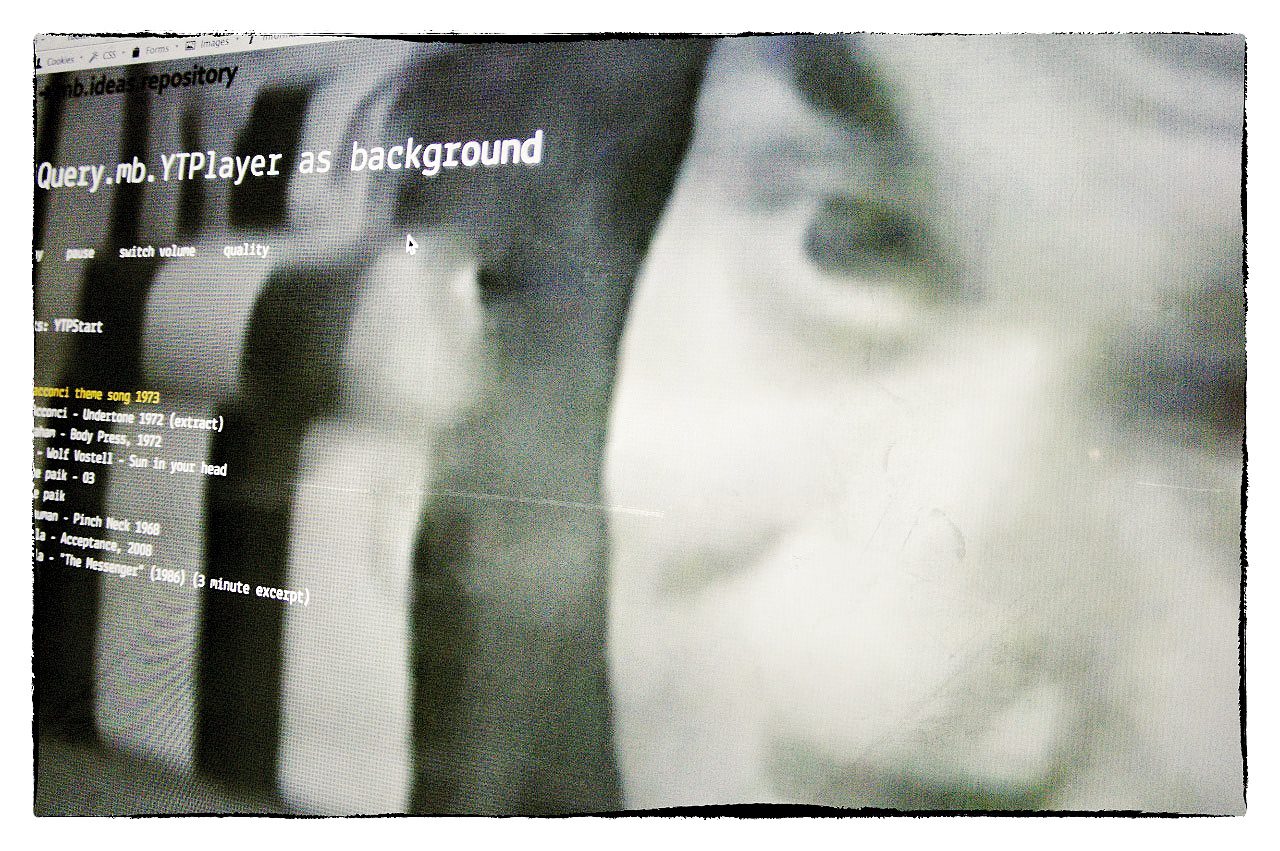
jquery.mb.YTPlayer

mbExtruder

A chrome-less player for Youtube movies!
Use this player to show your favourite Youtube movies on your page!
Or easily transform your Youtube movie into a HTML background!

This jquery component let you have a chromeless, customizable player for your favorite YT movies. It can be used as background of your HTML page.

v. 1.3

PayPalWhat’s new in 1.3:

  • Added several methods to control the player once it is set as background.
  • You can show the control bar also for background player.
Comments
166 Responses to “jquery.mb.YTPlayer”
  1. Fabio says:

    Hi,
    I use your script, but i have a problem with a bufferImg when isBgnMovie is false… not work… don’t view image when load youtube’s video…

    why?
    thanks in advance and sorry for my bud english

    • Ciao Fabio,
      non vedi l’immagine perché, per ora (ed è un bug! :-) ), l’immagine viene gestita solo se il video è in background…
      Ora è nella todo list, nella prossima release il problema sarà risolto.
      Ciao, e grazie per la segnalazione,
      Matteo

  2. xHunter says:

    This is a very nice plugin I’m looking for.
    Does this plugin support “seekTo” call (YouTube API)?
    If not, please guide me a bit how to extend it as I’m quite new to jquery.
    An example of simple calls would be appreciated.

    • Hi xHunter,
      there’s not a public method yet to seek the movie; all the existing methods are private to the component.
      You can anyway use the youtube API directly:

      $("#IDofYourMovie").get(0).seekTo(n);

      Bye,
      Matteo

      • xHunter says:

        That works. Many thanks!

  3. xHunter says:

    I got a problem of adding video player dynamically.
    The code below doesn’t work..

    $('video player').appendTo('#someDiv');

    Do you have any suggestion?

    • xHunter says:

      Sorry. some mistake.
      I mean the code below..

      $('video player').appendTo('#someDiv');
      
    • xHunter says:

      I can get it working now.
      Only after $(“.movie”).mb_YTPlayer(); is called again.

  4. jace says:

    Cool plugin!!

    Quick question, how can I stop a background movie playing through code?

    • jace says:

      Sorry my mistake, using your example I was calling

      $(“.movie”).stopYTP();

      instead I should have been referring to the movie id rather than the class

      $(“#bgndVideo”).stopYTP();

  5. Fabio says:

    Ciao Matteo,
    una domanda:
    lo script è compatibile con l’ipad? Perchè lo sto utilizzando in un sito, su pc nessun problema, su ipad non vedo il video… al suo posto vedo un trattino (come se fosse un link)

    grazie.
    ciao.
    ps.complimenti per il tuo script.

    • Ciao Fabio,
      come saprai Apple ha scelto di non integrare flash nel proprio OS per le Device e le API di Youtube non espongono metodi per recuperare i video in formati diversi da .flv, rendendo attualmente impossibile la compatibilità con le device; penso comunque che a breve sarà possibile accedere anche ai formati che stanno usando per la visualizzazione in modalità HTML5, compatibili con iOS…

      Saluti,
      matteo

  6. Ian says:

    Hi,

    I like this plugin, it gives me some inspiration ! Thanks.

    One question, the annoying overlaid adverts along the bottmom of the youtube video, is there a way of closing them with code, as you cant click the “x” of course if its in the background?

    Thanks

    Ian

    • Hi Ian,
      never tried it with videos with overlayed ads…
      I’ll let you know.
      Bye,
      Matteo

  7. Ian says:

    Hi Matteo,

    thanks for the prompt reply !

    Just to clarify Matteo, I’m referring to the “ads by google” semi transparent overlay bar that pops up over the bottom of the youtube videos. It has an x to close of course but I fancies using your plugin to run a video as full background behind some other content, but of course google ads spoils your effect !

    thanks again

    Ian

    • laurent says:

      Hi Ian,

      Did you find a way to clear that advertisement problem?
      thank you in advance.
      best
      l.

  8. Celeste says:

    HI! Thank you for the plugin! It’s amazing! I’m just having a problem with…there’s a black band on the left and right sides. How do I get rid of that?

    Thanks again,
    Celeste

    • Hi Celeste,
      the black bands came out if the aspect ratio of the screen is different from the video one; you could solve this by giving a fixed width to your movie, but in this case you’ll lose part of the movie…
      Here is the code to give a fixed width to the movie:
      class="movie {opacity:.8, isBgndMovie:{width:'1920',mute:true}, ratio:'16/9',quality:'default'}"

      Bye,
      Matteo

  9. Celeste says:

    I see. Okay. Will try that. Thanks, Matteo!

  10. patrick says:

    Ciao,
    i find your script brillant ! I just wonder how to embed dirtect .flv from my server.
    i guess you should implement another vido API in the YTPLAYER.js on this line swfobject.embedSWF(“http://www.youtube.com/apiplayer?enablejsapi=1&version=3&playerapiid=”+ID,ID

    Am I wrong ??

    Could you have a look at it …
    thanks body

    Pat

  11. João Pedro says:

    This is great! A month ago I didn’t know shit about using javascript an now I’m making a custom video player! I only couldn’t figure out how to change the player dimensions if not on “background” mode. Can it be done via CSS?
    Thanks a lot!

    • Hi Joao,
      you can set the width of the player by setting the with property on the metadata:

      <a id="myMovie" href="http://www.youtube.com/watch?v=HPH4cKbZEcQ&quot; class="movie {width:500, opacity:.8, isBgndMovie:false, ratio:'4/3'}">video player</a>

      The height is automatically evaluated by the script.
      Bye,
      Matteo

  12. MechanisM says:

    it’s great script, but my content (posts animated with css3 transforms and transitions) doesn’t works when video behind them.
    I tried to add css z-index properties for my content, but it’s still not works.

  13. Maurizio says:

    Ciao Matteo,
    ho scaricato e scompattato il pacchetto “jquery.mb.YTPlayer.1.2.1.zip” nel mio sistema (Windows XP).
    Sono connesso a internet e provo ad eseguire con i browser Firefox/3.6, IE8.0 e Opera10.62 i file di esempio:
    - demo_background.html
    - demo_element_background.html
    - demo_player.html
    che sono all’interno dal folder “jquery.mb.YTPlayer.1.2″ dove sono presenti anche i folder
    - css
    - images
    - inc
    - licenses
    ma non riesco a vedere i filmati; riesco invece a vedere il filmato caricando la pagina:
    http://pupunzi.com/#mb.components/mb.YTPlayer/YTPlayer.html
    Sto sbagliando qualcosa?
    Spero che le informazioni fornite siano sufficienti per l’analisi del problema, in caso contrario sarei felice di fornirti ulteriori dettagli.
    Ti ringrazio anticipatamente per il tuo supporto.
    Saluti
    Maurizio

    • Maurizio says:

      Ciao Matteo,
      ho risolto semplicemente facendo l’upload del codice su un server web.
      Ora funziona perfettamente.
      Grazie per lo spendido codice.
      Saluti.
      Maurizio

  14. Your code is extraordinary! Great work.

    • Thnx Arturo

  15. Faseeh says:

    I used this script, found very useful.
    But it overlap whole content and navigation does not work.
    please see the demo where I try this
    http://buygranites.com/youtube/demo_background.html

    • Hi Faseeh,
      add some css property to your body tag:
      body {
      background:url("images/06.jpg") repeat scroll 0 0 transparent;
      margin:0;
      position:relative;
      z-index:10;
      }

      The component should have done it but I don’t know why it doesn’t happen in your case…

      • Faseeh says:

        Thanks Matteo
        Its Great, It works well now.

        This is an awesome script, I will let you know the website where I will use it.

      • Phet Maly says:

        Hey Guys,

        I have the same problem as Faseeh did. My navigation dims out and is rendered unusable. I’ve been trying stuff for a week now and not positive results. Can anyone help me on this?

        http://dl.dropbox.com/u/17204238/Media-page/index-test-4.html

        Here is the source files : http://dl.dropbox.com/u/17204238/Media-page/index-test-4.zip

        Thanks for the help!

  16. lordantus says:

    Ti rimgrazio della risposta all’altro post che non trovo più, cosi ti scrivo qui, complimenti per il tuo lavoro che è notevole e ho pubblicato su un dominio inutilizzato il mio codice e ti posso mostrare dove mi sono arenato, il risultato finale che mi piacerebbe ottenere è come tu hai fatto qui:
    http://pupunzi.com/#mb.components/mb.YTPlayer/YTPlayer.html
    quindi immagini che cambiano o filmato con 2-3 extruder come ho montato qui
    http://www.avenue77rimini.com/viking2/demo.html
    i due extruder left e il top che non ho ancora modificato, il punto è che non appena metto il codice del video vanno in conflitto (il codice lo inserisco pezzettino per pezzettino e quando arrivo a function$ l’extruder mi “crolla” ) ti sono molto grato per il tuo aiuto.

    Ps se mi contatti in privato ti vorrei chiedere un preventivo per un altro sito e per un eventuale proposta.

    Grazie Andrea

    • Ciao Andrea,
      scarica questo file di esempio per l’integrazione dei due componenti: http://dl.dropbox.com/u/1976976/extruder%2BYTPlayer.zip.

      Ciao,
      Matteo

  17. lordantus says:

    Perfetto, ti ringrazio molto della disponibilità.
    L’ ho montato e funziona tutto bene
    http://www.avenue77rimini.com/viking2/demo.html
    secondo te l’ estruder posso usarlo come menu oppure c’è il rischio che qualcuno non lo capisca?
    grazie ancora
    Andrea

    • lordantus says:

      Abuso ancora un po della tua pazienza se posso, nel extruder top pensavo di mettere un pannello per le prenotazioni online e ad ogni click (ne servono) 3 lui si chiude che comando posso usare?

      grazie

      Andrea

  18. I want to set video as header only how to change width & height also i dont want to display logo of you tube how to do it?

    • Hi Abhijit,
      Into the .zip file you can find an example of the mb.YTPlayer inside an element of the page;

       <a id="bgndVideo" href="http://www.youtube.com/watch?v=BsekcY04xvQ"
      class="movie {opacity:.7, isBgndMovie:{width:900,mute:true}, ID:'bgndEl', ratio:'16/9',quality:'default'}">video</a>
      

      as you can see one of the property setted to the anchor is the “ID” of the element you want the movie to be placed ( ID:’bgndEl’).
      Giving it a width (isBgndMovie:{width:900,mute:true}) the movie will force it’s dimention to the given width, in that way the YT logo became hidden.

      Hope this helps you,
      Bye,
      Matteo

  19. Actuly i want to change hight & width also i want to hide youtube logo.

    I want of Width1280 pxl X 420 pxl hight

    • Hi Abhijit,
      the code I post to your previous answer is what you need to get your issue.

      Just give the correct dimention to the header where you want to load the mb.YTPlayer (1280 x 420) and give a width of 1280 to the movie (… isBgndMovie:{width:1280,mute:true}… ).

      Bye,
      matteo

  20. Daniel says:

    Ciao Matteo!
    Ho provato il tuo script ma sembra che non funziona bene in IE. il suono si sente ma video e fermo..
    sara mia colpa o potrebe esere cosi con IE?
    Funziona benissimo con firefox e opera comunque

    Grazie!
    Daniel

    • Ciao Daniel,
      Come sempre IE ha le sue pretese :-) ; sui computer su cui ho fatto debug funziona abbastanza bene, non bene come su FF o Chrome, ma il video si vede.
      Te su che macchina lo stai provando? e quale versione di IE?
      Ciao,
      Matteo

      • uzzi says:

        i dont understand italian but can you please tell me why it isn’t compatible with IE ? :(

  21. Actually i m developing website http://webitsoul.com/test/ in this site i want to set background of tree as yt player movie plz give me code for it.

    Also can i play particular movie on time base like 1 no movie must play in 8am to 12pm, 2no movie 12 to 4pm

    • Hi Abhijit,
      If you download the zip file you’ll find the code you need for your site: http://github.com/downloads/pupunzi/jquery.mb.YTPlayer/jquery.mb.YTPlayer.1.2.1.zip
      Yo can find documentation on how to use it at: http://wiki.github.com/pupunzi/jquery.mb.YTPlayer/
      Actually you cant invoke the YTPlayer passing an URL directly so you can’t do what you need using the mb.YTPlayer as is; but you could create your own function that choose the link to initialize based on the current time and remove the others from the page.
      ex.:

      <div id="videos">
      <a id="bgndVideo1" href="[video1]" class="movie {opacity:.7, isBgndMovie:{width:900,mute:true}, ID:'bgndEl', ratio:'16/9',quality:'default'}">video1</a>
      <a id="bgndVideo2" href="[video2]" class="movie {opacity:.7, isBgndMovie:{width:900,mute:true}, ID:'bgndEl', ratio:'16/9',quality:'default'}">video2</a>
      </div>
      ...
      <script>
      $(function(){
          $("#videos").hide();
          var now=new Date().getUTCHours();
          if (now<12 && now>8)
               $("#bgndVideo1").mb_YTPlayer();
          else
               $("#bgndVideo2").mb_YTPlayer();
      }
      </script>
      

      Or something like that.
      Hope this can help you,
      Matteo

  22. Dennis says:

    First of all: Thanks, great script!
    I’m wondering if it’s possible to set the width to window, so you will loose some of the movies height when the aspect ratio changes? That way you will never see the black bars right?

  23. David says:

    Hi,

    What a wonderful plugin!

    I tried to put it in a WordPress site, and the video is ON TOP of the text.
    see the link: http://dreamsdesigners.com/wp/?page_id=24

    Tried to put z-index: -1; in the Div, but it didn’t work. How to I place the video in the background?

    • Samir Kharchi says:

      Hey,

      you must use the metadata as shown in the demos or in the documentation. set isBgndMovie:true and take a look at the demos in the archive and at the docs.

    • Luis says:

      David: I am a totally new person to word press and jquery. I am planning to write a blog that will have a lot of graphical information, mainly charts and stuff like that, and came across ytplayer by chance, and I think it will add a lot of value to some of the thing I’ll have. The problem is, I don’t have ANY idea about how you add the necessary files to wordpress so I can test ytplayer. Would you mind giving me some feedback? I appreciate it very much. Cheers!

      • Hi Luis,
        never implemented components for WordPress but I’m sure it’s possible.
        Get documented on how to implement custom plugins on the wordpress API doc site.

        Bye,
        Matteo

  24. Math88 says:

    Very good plugin!

    I wanted to ask two things:
    1) How to put controls play, pause, etc? Could you give an example?
    2) Can you put more than one video?

    Thanks!

    • Hi Math,
      if you are running it as background you actually don’t have controls and you can have only 1 movie shown. if you run it as player you’ll have controls and you can have as many movies as you need on the page.
      I’ll publish an update with controls capabilities for background movies.
      Bye,
      Matteo

      • Matthew says:

        I see the html elements for the controls on github, but not sure hot to implement these to have control over the background video, was their an update to this?

      • Hi Matthew,
        the HTML controls can be used only if the player in not set as background for the moment. I’ll improve this feature for te ext release.
        Bye,
        matteo

  25. Samir Kharchi says:

    Hi,

    first of all, I am a huge fan of your tools and am using a lot of them for my own website. Very good work and thank you very much for sharing them.

    However, this youtube player does not seem to work in IE8. In Firefox and Safari it works just fine but in IE it doesn´t show. Could you give me an advice on how to make it work?

    Thanks in advance

    • Hi Samir,
      Isn’t it because you are trying it locally?
      does the demo on pupunzi.com works for you on IE?
      do you have errors on the page with IE?

      Bye,
      Matteo

      • Samir Kharchi says:

        Hi Matteo,

        thank you for your response. I am running it on my server (strato) and unfortunately the demo on pupunzi.com also does not work. I don´t get any error messages or error icons from IE either. My exact IE build is 8.0.7600.16385. I believe I have the latest version. :-/

        But from your answer you say it should work? Maybe I need to activate something in my IE settings that is off by default?

        Thanks for taking the time
        Best
        Samir

      • Hi Samir,
        Yes, it use to work on IE too… I tested it, but, as you know, Explorer seams to behave differently from computer to computer… so…
        What version of Flash is installed?

        Here, at home, I’m using a Mac and I’ve a VirtualBox with the latest Explorer 9 where it works perfectly; I’ll make a new test on monday at office.
        Bye,
        Matteo

      • Samir Kharchi says:

        Hi Matteo,

        I have the latest flash player version installed (always everything latest.. ;) ), but you are right, with IE9 it works flawlessly! Probably previous IE versions simply are not so supportive (as always). Will have to make it a minimum requirement then in that case, no problem. The users that visit my website are mostly users with latest versions of everything installed so that will work.

        thank you again for the support
        Best
        Samir

  26. acit says:

    hi.. nice script.. this working.. but i cant enable youtube sound..

    class=”movie {opacity:.8, isBgndMovie:{width:’window’,mute:flase}, ratio:’16/9′,quality:’default’}”

    mute:false -> is not working..

    im sorry for my bad english..

    thanks

  27. Philippe says:

    Really nice stuff Matteo!

    Can you tell me how to use this script with a video on my server instead of youtube?

    Regards
    Cio
    Philippe

    • Hi Philippe,
      The mb.YTPlayer use the YouTube chromeless player via API to render the videos and that can be applied only to YT videos. I’m working on a generic chromeless player to be used for videos on local servers. Hope soon.
      Bye,
      Matteo

  28. Bruno Maiorini says:

    Hi, congrat´s by your script, it´s so cool!

    So, i have a problem with Internet Explorer…the YouTube video simply dont loop….
    Are you any idea about fix it?

    Thanks!

    • Hi Bruno,
      This component uses the YouTube API. When the state is 0 (video is ended) and the video is set as background, the video start over. All this logic is at line 297 of the script and the control is made by the “onStateChange” eventlistener at line 152 (provided by the YT API).
      Don’t know why IE (the worst browser ever) can’t catch the event. If you find out a solution plis let me know.

      Here you can find Docs for YouTube API: http://code.google.com/intl/it/apis/youtube/js_api_reference.html#Playback_status
      Bye,
      Matteo

      • Bruno Maiorini says:

        Hi Matteo,

        I found a way to fix it! Just, remove the “&& !data.isBgndMovie” and now the loop works in IE, FF and Chrome!

        Thank you so much!

  29. Fran says:

    Hi,
    I need to use jQuery.noConflict(); , the reason is because I need to use prototype, also with other of your components works fine, just with this is not working, could you help me to fix it?

    jQuery.noConflict();
    (function($) {
    $(function() {
    // mas codigo usando $ de jQuery

    $(“.movie”).mb_YTPlayer();

    });
    })(jQuery);

    • Hi Fran,
      Do you get any specific error when you run the script?

      Bye,
      matteo

      • Fran says:

        Hi Matteo,
        sorry I am a little bit late, I did have a lot of job the last weeks, let me ping you the html code and the error below.

        URL: http://euroseating.org/euroseating.com/indexTest.htm
        Error: The URL contained a malformed video ID. Sorry about that.
        HTML

        body{
        background: url(“images/06.jpg”);
        margin:0;
        }
        #content{
        color:white;
        font:40px/40px Calibri;
        text-align:center;
        padding-top:120px;
        text-shadow:#666666 2px 2px 4px;
        }
        .movie{
        display:none;
        }
        .dida{
        position:fixed;
        bottom:0;
        font: 12px/14px Arial, sans-serif;
        color:white;
        padding:10px;
        }

        jQuery.noConflict();
        (function($) {
        $(function() {
        // mas codigo usando $ de jQuery

        $(“.movie”).mb_YTPlayer();

        });
        })(jQuery);

        video player

        video player

      • Fran says:

        Hi Matteo
        I added a try catch for the function onYouTubePlayerReady(playerId)
        Error in the line 300 var player=$(“#”+playerId);, but I can not see what is exactly the error.
        297 function onYouTubePlayerReady(playerId) {
        298 try
        299 {
        300 var player=$(“#”+playerId);
        301 player.mb_setMovie();
        302 }
        303catch(err)
        304 {
        305 txt=”There was an error on this page.\n\n”;
        306 txt+=”Error description: ” + err.description + “\n\n”;
        307 txt+=”Click OK to continue.\n\n”;
        308 alert(txt);
        309 }
        310}

  30. Hello mb, marvellous work…
    I am going to flood my website with your scripts….

    How can I play the YTvideo inside an mbExtruder? I tried setting the ID attribute of the YTplayer as the id of one of the extruder. Also tried tweaking width, quality and other attributes with no success… Kindly show me how can I play a video inside the extruder, no matter which panel is open or closed it should not distort the video in the bg.

    Again, great work from you…!

    Regards,
    Vijay

    • Hi Vijay,
      here you can download a demo with a YTPlayer inside an mbExtruder: http://dl.dropbox.com/u/1976976/extruder%2BYTPlayer.zip
      Bye,
      Matteo

      • Hello, Thank you for your reply.
        The demo in the zip loads the video in the background. What I was trying to do is to load the video inside an extruder.

        div id=”extruderLeft1″ class=”{title:’Projects’, url:’mb/mbExtruder/parts/extruderLeft1.html’}” /div

        a id=”bgndVideo” class=”movie {opacity:.8, isBgndMovie:{width:300,mute:false}, ID:’extruderLeft1′, ratio:’16/9′,quality:’default’}” href=”http://www.youtube.com/watch?v=BsekcY04xvQ”>background movie /a

        With the above code, I can hear the music but cannot see anything inside the extruderLeft1. Kindly have a look into it and help me how can I place a video behind the links inside the extruder.

        Note: I have stripped the tags.

        Best Regards,
        Vijay

      • Here is a demo with the mb.YTPlayer inside the extruder: http://dl.dropbox.com/u/1976976/jquery.mb.extruder%2Bmb.YTplayer.zip

      • You are awesome!
        The mistake that I was doing is I was not calling the $(“#bgndVideo”).mb_YTPlayer(); in the ExtOpen function().. Now it’s working fine. Posting the code, it might help somebody else.

        $(“#extruderLeft”).buildMbExtruder({
        position:”left”,
        width:300,
        extruderOpacity:.8,
        hidePanelsOnClose:false,
        accordionPanels:false,
        onExtOpen:function(){$(“#bgndVideo”).mb_YTPlayer();},
        onExtContentLoad:function(){$(“#extruderLeft”).openPanel();},
        onExtClose:function(){}
        });

        Thank You,
        Vijay

  31. Martin says:

    Hi, thanks for this! Would it be possible to adjust this so that it can load a local movie file instead of using youtube?

    • Hi Martin,
      This component uses the YT API to display videos into a chromeless player and it works only for YT videos.
      However I’m working on a chromeless player so you can use whatever videos from your server. Hope soon available.
      Bye,
      Matteo

  32. Nenad says:

    Hello great work, i am interested can i create web page where users will insert name of YT video and it will start playing in background. Thanks

    • Hi Nenad,
      here is the code to change the bgnd movie on the fly:


      $.fn.changeMovie=function(url){
      var player = $(this).get(0);
      var data = $("#"+player.id+"_data").get(0);
      data.movieURL=(url.match( /[\\?&]v=([^&#]*)/))[1];
      player.loadVideoByUrl("http://www.youtube.com/v/"+data.movieURL, 0);
      };

      you can use it as follow:

      $("#videoPlaceHolderID").changeMovie("YouTubeMovieURL"); // "videoPlaceHolderID" id the ID given to the "a" used to get the movie in your page

      Bye,
      matteo

      • Nenad says:

        Thanks for that, one more question can i put video as background but i want that my video is about 10 – 15 pixels shorter in width and height so i can add border around it. Thank you very much.

      • Matthew says:

        I don’t quite understand how to implement this. It keeps showing “player is undefined and not an object” when I insert it after $.fn.manageYTPProgress = $.YTPlayer.manageYTPProgress;

        Thanks

      • Hi Matthew,
        Sorry but I can’t understand what you would implement…
        Do you have problems using this component on your pages?

        Bye,
        Matteo

      • Matthew says:

        I have no problem using the YT player, but being able to change the videos on the fly is giving me trouble. Not sure how to use the above code in your plugin to have videos change through a submit of code.

        Thanks,
        Matthew

      • Ok,
        As the jquery.mb.YTplayer is built up on the YT API you can use their method to play a new video into the player:

        first get the player:
        var player= document.getElementById(playerID) //where playerID is the id of the element used to initialize the mb.YTPlayer;
        or via jQuery
        var player= $("#playerID").get(0) //where playerID is the id of the element used to initialize the mb.YTPlayer;

        than change the URL:
        player.loadVideoByUrl(videoURL, 0); // where videoURL is the URL of the YT page of the video and 0 is the start point in milliseconds.

        Your new video should start in a while.
        Bye,
        Matteo

  33. First of all, very nice plugin! I found it very useful for a project of mine!

    But, let me ask you something. How can I add mouseOver and mouseOut functions to my ‘bgndVideo’ elements? The flash object keeps getting in front of the div and I can’t apply the mouseOver/Out functions =(

    I would really appreciate some help here if you could. Thank you!

  34. Hi Matteo,

    thanks for this great plugin. I’m trying to minimize the source file with Google closure compiler but get the following errors:

    JSC_PARSE_ERROR: Parse error. missing name after . operator at line 250 character 12
    player.goto=(timeBar.outerWidth()*totalTime)/progressBar.outerWidth();
    ^
    JSC_PARSE_ERROR: Parse error. missing name after . operator at line 251 character 26
    player.seekTo(player.goto, true);

    I think this is because “goto” is a future reserved keyword.

    Is there any other way to minimize the source file?

    Thanks.
    Stephan

  35. Rafael says:

    Hello there,

    This plugin is very good, but I have a question. When the video “freezes” in the middle of the execution, the image is gone and gets back only when the buffer is ready.

    Is there a way to put a loading.GIF like youtube while video is buffering? Or keep the last frame active while buffering?

    In my application, the video image can’t disappear while video-background playing.

    Thank you! I would appreciate some help here! See ya!

  36. Richard says:

    Thank you for this awesome plugin!

    I’m trying to implement it into a wordpress site. I think I have it almost working, however the youtube video won’t play, it just remains a black screen. Could you perhaps have a look and see what I’m missing here?

    http://ifanetwork.nl/wp/perspectives/

    Cheers,
    Richard

    • Hi Richard,
      As I can see it’s working now, so you solved your problem :-)
      Really nice use of mb.YTPlayer,
      Let me know when it will be public and if I can link to it as an examle of use.

      Bye,
      Matteo

      • Richard says:

        Hi Matteo,

        Yeah, I have it working now :) Updating the jquery library script to the latest release solved the ‘problem’.

        Sure you can link to it as an example, I will let you know when the website goes public!

        Another small question. I was wondering if it is possible for a future release of your plugin to implement an x and y pixel offset option in the meta data. So that I can position the video in it’s parent div. At the moment I have it set globally, by setting a negative margin-top pixel value on the #bgndVideo div. But an ability to set it per video in the meta data would ofcourse be a far better solution.

  37. Fatih says:

    Hi,

    I also have my server Flv or swf video format… How do i add instead of youtube link? I do not want to use youtube. I want to play your own swf or flv files…

    Sorry for my bad english

    Best Regards,

    • Hi Fatih,
      Actually you can include only videos from You Tube with this component.
      I’m working on a new componet that let include videos from your server as .flv, .mp4 or mov.
      Hope to publish it soon.
      Bye,
      Matteo

  38. Fabian says:

    Hi Matteo,

    Thank you for sharing this great piece of work! :)

    I was wondering what the fine black dots we see over the video.
    Is there a way to turn them off?

    Best regards,
    Fabian

    • Hi Fabian,
      before initializing the component set: $.mbYTPlayer.rasterImg=false;

      Bye,
      matteo

      • thomas says:

        Hi Matteo,

        have been trying to do that but not getting the desired result. Could you maybe post an example code, I am sure I missing something pretty obvious.

        Thanks and keep up the good work!

        cheers

  39. Daniel says:

    Hi Matteo ,well no need to mention that great staff you have here as all other guys wrote already.

    I can see few people asked about overlay flash movie in background coming in front of text,so ok I understant that we need to use wmode somewhere but wheere kind-a lost here sorry,is it ok if I ask that you put example of code where this wmode transparent command should come in html page? or I am getting something wrong here.

    Thanks in advance

    • Hi Daniel,
      Even if few people asked about that problem this seems to be to be a bug; in some case the script is not able to set the right attributes to the body tag to let the component works as it should.
      You can solve this issue by adding :

      position: relative;
      z-index: 1;

      as style of your body tag (or via CSS).
      It is not a wmode="transparent" issue.

      Bye,
      Matteo

  40. Didi says:

    Hi all ,

    Can someone help me with wmode=transparent where I should put this as my menu is going now behind background movie,as I understand Matteo we need to add wmode=transparent somewhere but where?

    Any help is welcome

    cheers

    • Hi Didi,
      I just replayed to Daniel the solution.

      “You can solve this issue by adding :

      position: relative;
      z-index: 1;

      as style of your body tag (or via CSS).
      It is not a wmode=”transparent” issue.”

      Bye,
      Matteo

  41. Didi says:

    Sorry found solution above from mateo problem was I dindt had also css like above this fixed my problem now movie is in the background:
    add some css property to your body tag:
    body {
    background:url(“images/06.jpg”) repeat scroll 0 0 transparent;
    margin:0;
    position:relative;
    z-index:10;
    }

    The component should have done it but I don’t know why it doesn’t happen in your case…

    Thanks Matteo

  42. Ian says:

    Hi Matt.

    Firstly, thanks for this great piece of work. I’m really liking the effect of background video in an element.

    I’m having a problem that’s driving me crazy though, perhaps you can help please?

    WHAT IM DOING:
    ====================================

    I am building a site which has a header and footer which start together at page top then animate apart and content is shown between them. As different content is selected they animate together then seperate again.

    Within the header/footer I wish to have background video, the SAME video, but using CSS I am offsetting the video position/size such that the whole video is seen when the header and footer are together, but the video appears to split as the header/footer separate !

    see here http://www.turnturtlemedia.co.uk/main/

    I have therefore two elements into which I am putting two ytplayers, one in each as below.

    #

    #

    NB they do have different IDs bgndVideo1 and bgdVideo2

    THE PROBLEM:
    ======================

    All looks fantastic except for the fact that the two players dont always complete video loading simultaneously so the two video elements often end up playing out of sync.
    This is more frequent in some browsers than others, notably safari and IE the worst.
    Sometimes the time difference is maybe just 1 second, no big deal. But sometimes one of the elements loads video 5 or more seconds later or fails entirely.

    MY THOUGHTS
    ===================
    Ok, I’m happy to sacrifice video on occasions where a crap browser or connection speed fails the user, call it a day and let them enjoy just the buffer image….

    BUT… I’d be happy to wait until both are loaded then show them, even if a delay ensues.

    QUESTION:
    ==========================
    Is there a way I can detect if both elements have initialised and have video ready?

    I figured if I can detect them both loaded and playing, then I can then pause them, seek to zero (using YT api seek method), then start them playing, THEN show them on the screen.

    But, I have tried for hours working in your js adding tests in the State section, trying to pause each player once playing, set vars for each, only when both are paused then reset them, then play.
    No real success so in the end I gave up, removed my attempts, set a simple seek to zero up triggerred by the home button and thought I’d ask the guru !! ;-)

    Could the issue simply be loading the same video into two elements simultaneously?
    Is there a way I could load one, THEN, load the other?

    Any help gratefully received, again a great script. Take a look at what I’m working on here….

    http://www.turnturtlemedia.co.uk/main/

    Cheers

    Ian

    • Hi Ian,
      The best aproach I can figure out to solve your problem is to work as you told with the YT API pausing the videos and start them all just when both have a sufficient buffer to start.
      You can first pause the video using player.pauseVideo() and than check the status of the player via player.getPlayerState(). When the video is cued and ready to play it will broadcast a video cued event (5).

      In our case the player is:

      var player= $("#playerID").get(0); // where playerID is the id given to the ancor containing the video URL

      For a complete YT API reference go to: http://code.google.com/intl/it/apis/youtube/js_api_reference.html

      Hope this can help you.
      Bye,
      Matteo

  43. Paulo says:

    Hi…

    how set a button for show the fullscren mode.?

    tks

  44. Hello!
    How to make a video on html website that the picture was no frame. Only the totally video series
    Thank you.

  45. Bob says:

    I cannot get the video to play using both your samples and trying to use the source that you have on your background demo page.
    Any suggestions?
    The youtube logo shows up but the screen remains black.

    • Hi Bob,
      Wich browser are you testing it with?
      Does it happens also on the on line demo page?
      Bye,
      Matteo

  46. LuisC says:

    I have trying to implement your jquery, but i have no success, i have trying watching it with Chome 10, IE9, FF4 and Safari, a none of them is playing the background video, what is wrong? Thanks for this plugin. Keep it up! Cheers!

    • Hi Luis,

      If you are trying the component locally on your computer you should probably set some permission to FLASH to allow the player get the YT video. If you try it on the server it will work.
      Bye,
      Matteo

  47. Ben Rigsby says:

    Awesome plugin. Really dig the uses for it. Is there anyway to control the colors of the overflow bars? For example force them from black to white?

    • Hi Ben,
      No, I’m sorry…

      Matteo

  48. SpeciMen.Tk says:

    There would be nice to actually can set the volume of the video…

  49. walid says:

    hi! Thanks for your script, it’s doing a great job!!

    However, i have video content in a div which I show and hide, and when i show it again i get the following error:

    player.getVideoStartBytes is not a function

    then obviously, it doesn’t load the video content…

    any idea why, and how to get rid of that error?

    Thanks!!

  50. Hernan says:

    Hi, is excellent !!!

    I was trying to avoid the Youtube logo, so I have changed the size from “window” to “1280″ but it doesn´t load fast enough. Maybe is there another way to escape to the logo and the black bands from boh sides?

    Regards

    Hernan

    • Hi Hernan,
      That is the only way you have to remove the YT logo; the load issue you are referring to is related to Firefox only; if you try it on Chrome the movie is quite fluid.
      Bye,
      Mateo

      • Hernan says:

        Thanks Mateo !
        Congratulations !

  51. Hernan says:

    Hi mateo,

    Is there anyway to control the buffering time? just to ensure that evryone will see it right?

    Thanks

  52. A says:

    Hi, I was having some trouble getting the code to work. I copied the page http://pupunzi.com/mb.components/mb.YTPlayer/demo/demo_element_background.html to my computer, downloaded the javascript code, and reset the links to the local copy of the javascript code.

    I can see the black box, but no movie is playing.

    could you help? Thanks!

    • A says:

      Just another test I tried: I downloaded the jquery.mb.YTPlayer.1.2 zip file from your website, unzipped it, and opened demo_player.html.

      The page looks fine, and I see a black box with the youtube logo, but no movie plays. Is there something I am not doing correctly?

      Thanks for your help!

  53. Pedro says:

    Hi Matteo,
    Grazzie mille per questo pluggin.

    I am using your script for this small project for a small website that I’m making. Here check it out.

    Link to actual site: http://pedrojorellana.com/clientpreview/#/intro

    Link to video: http://pedrojorellana.com/clientpreview/videoembeds/themanwhowasnt.html

    Just one question, is there a way to stop the video from looping?

    Thanks!

  54. Joris says:

    Hi Matteo,

    Great plugin! Thanx. Just what i needed.

    One thing. In your download version 1.2 of the jquery.mb.YTPlayer is enclosed instead of the latest version 1.2.1.

    Thanks, and keep up the good work.

    Joris

    • Thnx Joris,
      I’m going to publish the new 1.2.6 release soon; so it will be fixed. :-)

      Bye,
      matteo

  55. Matthias says:

    Hi Matteo
    That’s a really cool Tool-box!
    I ‘am so sorry but i have the same problem like a view other guys! If I use your toolbox as a background-movie, the rest of my side doesn’t work anymore. I already added the position:relative and the z-index:1 in my css-code but i only see the movie (not the rest of my page)
    I think the problem is the position:relative. If i activate this property of the body-tag without using your tool-box it also doesn’t work anymore.
    You can see the side at
    http://www.individuum.co.at/index3.html

    Do you have an idea where the problem is?

    Best regard
    Matthias

    • Hi Matthias,
      first you are including the jquery.js two times: one as local library and one from google; you should remove one of that. Than I made some test and if you remove the script js/index.js it seams to work, so the conflict is somehow there…
      Bye,
      Matteo

      • Matthias says:

        Hi Matteo

        Thank you very much! That was the Problem. It looks realy cool now.
        It’s a realy cool toolbox.

        bye

      • You still have an error because you are including js/startseite.js that uses jquery befor the jquery inclusion; just place it after.
        Bye,
        Matteo

      • Matthias says:

        Hi Matteo
        It’s me again. Thank you for your help!
        I am so sorry but I have still another problem. The tool works with every browser perfectly, only the internet explorer 9 makes (sometimes) troubles. The sound of the movie is playing all the time. The video not. Sometimes it comes a view seconds later as the sound or it is dark for the hole time.
        Do you have an Idea?

  56. Ciao Matteo.
    Un ottimo plug-in che vorrei usare in un sito per un’agenzia di viaggi. Per il momento tutto funziona bene , ma vorrei cambiare il video in background ( che è gia in play ) quando l’utente scatena un evento , per esempio premendo su un bottone.
    Nella pagina degli esempi ho visto che che usi la funzione changeVideo
    $(‘#bgndVideo’).changeMovie(‘http://www.youtube.com/watch?v=MR9av-I35ME’);

    Io ho provato ma non funziona.
    Volevo appunto chiedere se la funzione “changeMovie” l’hai aggiunta tu o è già inclusa nella libreria.
    Se lo è occorre usare qualche particolare accorgimento per cambiare in video “on the fly” ?

    Comunque complimenti , veramente un ottimo plug-in.
    Spero tu voglia aggiungere nuove funzionalità :)
    Ciao…………

    • Ciao Francesco,
      la funzione è implementata nel plugin; prova a scaricare l’ultima versione da gitHub: https://github.com/pupunzi/jquery.mb.YTPlayer/zipball/master
      ciao,
      Matteo

      • Grazie per la risposta così rapida.
        Ho scaricato l’ultima versione che mi hai consigliato ma credo che il plug-in ha qualche problema , a me non funziona.

        Per il momento vado avanti con la versione 1.2.1 di YT_mp anche se non riesco a cambiare in nessun modo il video on the fly. Proverò aggiungendo dinamicamente nella pagina il nuovo video.
        Comunque grazie , seguirò gli sviluppi :)

  57. John Heberer says:

    Great plug-in—I am using it to develop a new site for my business. But I have noticed in testing it seems to be working properly everywhere except in a few instances.

    1) The video doesn’t play on an iPad or iPhone. I expected this, so when it breaks, it does so nicely and the user doesn’t notice any issue.

    2) On Android—the video is playing in front of my page content. The content is there because my links are click-able through the video (which is interesting). But I can’t seem to solve this for my Android device.

    My has the following:
    body{
    margin:0;
    position:relative;
    z-index:1;
    background-attachment: scroll;
    background-color: #036;
    background-image: url(images/space.gif);
    background-repeat: repeat;
    background-position: 0 0;
    }

    Here’s a link to the testing site:
    http://manettoroad.com/visualniche/

    Any thoughts?

  58. I’m trying to combine the ytplayer with prettyphoto, but when I add the prettyphoto script, the ytplayer stops working and shows only a link. Does anyone know the way around it?

  59. PeterDNYC says:

    Is it possible to have controls on the demo background page? I would like to have a play, and pause button, similar to how it is on youngbucktv.com. Thank you for your work much appreciated.

  60. Matteo Ricci says:

    Hi Matteo, I have a problem. I used your code to implement a background on an element. In that page I use also fancybox to open other video links. The problem is that since I had implemented this video, fancybox stopped working. Can you help me?

    in Italiano me la cavo meglio:

    Ciao Matteo, innanzitutto complimenti per il lavoro svolto, in secondo luogo: aiuto!

    Ho ‘montato’ un video in background di un elemento… nella pagina però ho dei link ad altri video che si aprono con fancybox. Ebbene, da quando ho montato il video in background, fancybox non funziona più.

    C’è un modo per risolvere questo problema?

    Grazie

    • Matteo Ricci says:

      … aggiungo una cosa. Il click sul link con fancybox non funziona fintanto che il video è presente nella schermata, ovvero, se scrollo giu la pagina facendo sparire il video in background dal monitor, i link funzionano!

  61. Rey Grunt says:

    Hello,

    I was wondering, I’m using 2 javascripts in 1 page, but it seems they don’t want to work, its ether one of them or none, im useing your ytplayer + easyslider, so I was wondering how to fix that…

  62. Mahmoud says:

    This is amazing!

    Thank you very much, I am now a fan of you!

    I have a question, I know someone has already asked about having more than one video but I would like to know if there is a way to include multiple YT URLs so that when the webpage is refreshed the site randomly uses one of the URLs specified?

    GREAT WORK!

    • Hi Mahmoud,
      here you can download the latest version: https://github.com/pupunzi/jquery.mb.YTPlayer.
      You can make your own function that plays randomly one of the proposed video url. Look at the code of the demo in this latest release.
      Bye,
      Matteo

  63. steve says:

    Hi

    This is a great plug in, but, why do the buttons appear “behind” the video? In your demo, they do not appear behind it, but, when I donwloaded it to my directory, they do. See the test stie for an example please: http://www.directorb.com/

    Any suggests are most welcome. My goal is to have text and links appear on top of the video and us the video as a background. Thanks!

    • Hi Steve,
      you can try adding manually to the body tag: style="position:relative; z-index:1". It should have been done by the component itself; I don’t know why it’s not working as it should.
      Bye,
      Matteo

  64. Pablo Covarrubias says:

    Hello! I have only one question, is there a way to still have the video playing in the back but my website to keep working? let’s say I have a background video with your script running on http://asiseve.mx but I don’t want to deactivate the other functions I already have on that webpage, is that possible?

    Kudos on the plugin, it’s awesome!

    • Hi Pablo,
      As what you are saying it seams that the problem is how your body tag is rendered; just add “style=’position:relative;z-index:1′” to the BODY tag and everything should work.
      Bye,
      Matteo

  65. robsmitties says:

    hello i’v got a question..

    I need the video to play in full width with a fixed height without getting black borders in my video when i resize my browser

    on my trial: http://pixal.nl/project/demo_element_background.html i have managed to fit
    the video perfect in full width..

    But If i change the width to 2000px it only shows the top of my video (not the center) .. Because the height of the movie is to big

    Is there a way to somehow change the position of the mask so it shows the center of my video?
    Or in a better way auto scale the width (when resize browser) without getting black borders?

    Hope you can help me, for now on you helped me a hell of a job with this great video player.

  66. ak says:

    Hi Matteo,

    Firstly thank you for being open with your code creation and supporting an open source web environment – it is a fantastic piece of work!

    I was just wondering how you managed to toggle the sound on and off in your examples where the video appears as a background of the body? I have been unable to replicate this?

    any info would be most appreciated, thanks.

    ak

  67. Kostas says:

    Hello ! thank you fot this amazing plugin. Thats exactly what i need cause my old video background was using immense bandwidth from my server.Now youtube’s server do that.:). Anyway im having a little problem .. im changing the background-vd dynamically with an ajax request.Script works fine on all browsers except on IE(of cource). i only have a div container and i only add the player in the html .like this:
    1. data=”
    “;
    when my ajax request is complete i start the vd:
    2. $.ajax({…..success:
    3. $(“#datacontainer”).html(data);
    4. $(“.movie”).mb_YTPlayer();
    If you have any idea what diffrense IE has frm the others browsers.. i could use yr help.If u dont who cares about IE…im gonna use it anyway since my server cant afford the bandwitdth cost on hosting my background-vd. Thanks again and keep up the nice work.

    • Kostas says:

      Hello again, i just wanted to add that i found what was the problem.IE cant handle the transparency of the video(if its inside an element like “div”).If the transparency is set to 1 , video plays smoothly. So i just made a function to check if the user had IE and change the value of opacity to 1.If anyone has problems with IE versions just be certain to have opacity:1.Sorry for my bad english…and a big thanks to Matteo .

  68. wordman says:

    Hello!

    I have downloaded your plugin and when I go to run the demo page you have included, I get an Adobe Flash Player error. A screencap can be seen here:
    http://www.xoverr.net/testsite/error2.jpg

    Is this something I’m experiencing because I am opening a local document on my computer, but end users on the internet will not encounter?

    What’s worse is the pop-up that gives me options to ‘override’ this Adobe Flash error because I have not a clue as to what to check, and even then they give no clear-cut explanations on what to do to get past this.

    If internet users won’t be affected by this, I suppose I’ll just install it on my server for testing.

    Thank you for what promises to be a great plugin…in the meantime…can you help?

    Many thanks in advance!

    Sincerely,

    wordman

    • Hi,
      if you are testing this component locally on your computer you need to allow flash to get data from youtube. That’s why you have this window. This will never happen online.
      Anyway you can solve this problem clicking on settings of the opened window and add the path of your local page to the allowed list.
      Bye,
      Matteo

  69. indy says:

    Can we hire you or can you suggest someone to help implement this on our site ?

    • Hi,
      write me an e-mail explaining your problem at: mbicocchi[at]open-lab.com

      Bye,
      Matteo

  70. laurent says:

    Dear Matteo,

    Thank you very much for sharing your work.
    I’ve been trying with no success to add “switch sound” button with no success a my background video.
    It’s deliver in your demo file but, first desapear behind the video when i open in dreamweaver and even if i change the z-index to have access to it then the button doesn’t cut the sound.
    If you had a little time your answer would be most appreciated as i’m becoming sleepless to find the solution. Best
    laurent

  71. Joris says:

    Hi Matteo,

    This plugin rocks! Thank you for sharing…

    I’ve implemented it on http://www.sciencemedia.nl/home2 but i’ve been told the flash menu on top of the full video background is not working on a Mac with Firefox. Do you have any idea why this flash menu is not working?

    Best regards,
    Joris

    • Hi Joris,
      Thnx.

      I just took a look at your page (really nice!) on Firefox Mac; try adding a transparent DIV under the flash menu:

      <div id="menu-activator" style="position:relative">
      <div style="background: none repeat scroll 0% 0% transparent; height: 400px; position: absolute; top: 0pt; width: 100px;"></div>
      <object type="application/x-shockwave-flash" data="flash/menu.swf" width="150" height="500" id="flash-menu" style="visibility: visible; "><param name="wmode" value="transparent"><param name="quality" value="high"><param name="menu" value="false"></object>
      </div>
      

      It works for me.
      Bye,
      Matteo

  72. hkhan says:

    I love the way its functioning, but i dont know how to use. i downloaded the file. when i click the demo_background.html and then the video links nothing happens

    • Hi,
      If you are testing this component locally on your computer the problem could be the local flash permission policy.
      Try your page either on a local webserver (localhost), or try publish your page on your server.

      Bye,
      matteo

  73. luc says:

    Hi Matteo. Is there a way to play a list of videos using YTplayer in a body backgound ? I was looking for an event listener to know if the video is finished but I found nothing. I would like to do something like on this website fredfarid.com. Thanks

    • Hi Luc,
      If you download the latest commit on gitHub you’ll find several improvments included triggering events from the player (if running as background).

      Here is the url:
      https://github.com/pupunzi/jquery.mb.YTPlayer/zipball/1.3.1

      This release is not public yet and could be buggy… :-)

      To play several videos consecutively you should first initialize the player with the first video;
      then add this code after the $(“#bgndVideo”).mb_YTPlayer() changing the array content with your URLs:

      			var videoURLs=['http://www.youtube.com/watch?v=mAf6zKRb1wI','http://www.youtube.com/watch?v=dZaD9CHZecE','http://www.youtube.com/watch?v=3ovA7zeviRo&amp;feature=related'];
      			var idx=0;
      			$(document).bind("YTPStop", function(){
      				idx++;
      				$('#bgndVideo').changeMovie(videoURLs[idx]);
      				if(idx==videoURLs.length-1)
      					idx=-1;
      			});
      

      Where “bgndVideo” is the ID of the anchor with the first video to be initialized.

      Let me know if it works for you,
      Bye,
      Matteo

  74. Henrique says:

    Hi Matteo! First of all, thanks for sharing this great script with us! I’m making a new project, and i need the page to play the video and then, redirect to another page, like an intro video. Is this possible? I did this same question yesterday, and didn’t found it, so i’m sorry if I’m asking twice.
    thanks again

  75. keith says:

    Hi, thanks for the amazing plugin!

    I found a strange error on the latest version i downloaded from github. on line 381 of the js file it seems there is an extra “.” that was giving me lots of problems. i removed it and all seems to work properly now.

    thanks again!

    -Keith

    • Thnx keith,
      I’ll fix it as soon as possible.
      Bye,
      Matteo

  76. Emre says:

    Hi,
    I am using your plugin for a school project and it is really amazing :) Thanks for your hard work.
    My question is: I need to load another movie when the current one finishes. But it loops the video. Is there an event for that ?

    • Hi,
      In the latest gitHub update I introduced triggers for player events you can use to change your video once the playing one end; there’s also a “loop” boolean paramenter you can add to the videothat let you decide if the video should restart once finished or not.
      You can downlad this pre-release (not public yet) here: https://github.com/pupunzi/jquery.mb.YTPlayer/zipball/master

      How to use it?

      $(document).bind("YTPEnd", function(){ $('#bgndVideo').changeMovie('http://www.youtube.com/watch?v=mAf6zKRb1wI')"});

      If you have a list of videos than first define an array whit the URLs of your videos:
      var videos=["video1URL","video2URL","video3URL","video4URL",...]
      than add to the “YTPEnd” event a function that change to the next URL at each end:

      var videoIDX=0;
      $(document).bind("YTPEnd", function(){
      $('#bgndVideo').changeMovie(videos[videoIDX])";
      videoIDX++;
      if(videos.lenght<=videoIDX) videoIDX=0;
      });

      Hope this can help you,
      Matteo

  77. Alan says:

    hey man, great plugin, thanks for sharing!

    I’m having one problem with the plugin, when I start playing my youtube video the program sends GET requests every second or so to ther server for the pause image, the image refreshes it self which is really annoying. I have noticed that after a while, when the video downloads over 50% or so after refreshing the site a few times, the problem is gone, meaning the program does not request the image anymore. Don’t know how to fix this strange behavior. please help, thanks

  78. Claudia says:

    HI
    Thanks for this really great Playerand for sharing! … I have just a Problem when i use it as background i cant click on the HTML thing anymore and i cant find the error Why ?
    http://www.amara.at/Homepage2/start.html
    I want to put the Navigation over the video, do you have any ideas why this happen?

    • Hi Claudia,
      The component should manage this, but if it doesn’t just add “position: relative; z-index: 1;” to the BODY tag as style.
      This forces the content to be higher than the YTplayer.
      Anyway you should download the latest gitHub version from here: https://github.com/pupunzi/jquery.mb.YTPlayer/zipball/master; I think that this problem is fixed there.

      Bye,
      M

Trackbacks
Check out what others are saying...
  1. [...] Start by including the JS libraries as it follows: (you can download them here: http://pupunzi.open-lab.com/mb-jquery-components/jquery-mb-ytplayer/) [...]

  2. [...] Una implementación que nunca se me ocurrió relacionada con los vídeos de Youtube es la de utilizarlos como fondos, esto lo podemos lograr muy fácilmente utilizando un plugin jQuery llamado jQuery.mb.YTPlayer. [...]

  3. [...] esta ocasión me he topado con jQuery.mb.YTPlayer que es un plugin jQuery para utilizar videos Youtube como fondo de nuestra página [...]

  4. [...] jquery.mb.YTPlayer [...]


Leave a Reply

Fill in your details below or click an icon to log in:

WordPress.com Logo

You are commenting using your WordPress.com account. Log Out / Change )

Twitter picture

You are commenting using your Twitter account. Log Out / Change )

Facebook photo

You are commenting using your Facebook account. Log Out / Change )

Connecting to %s

Follow

Get every new post delivered to your Inbox.

Join 133 other followers