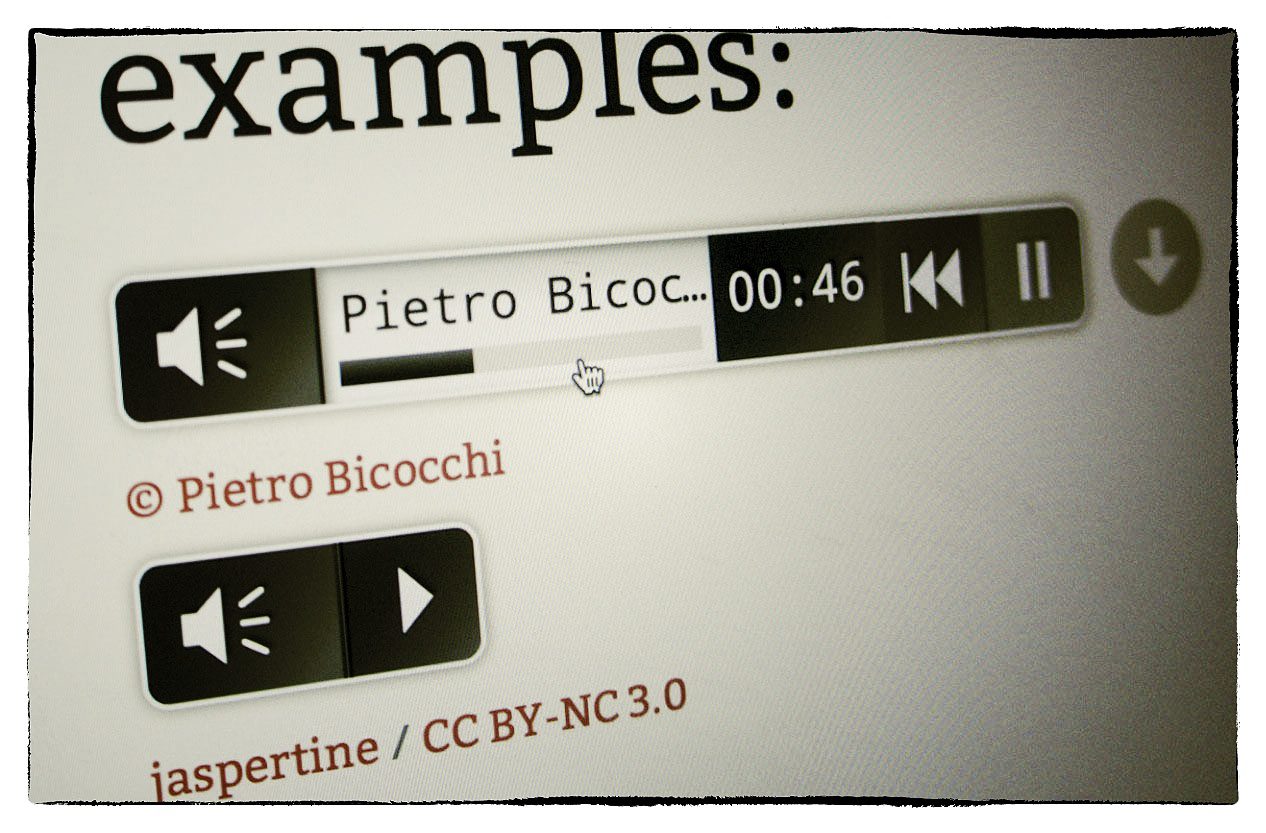
jquery.mb.miniAudioPlayer

An HTML5 player for your music!

This is a GUI implementation of Happyworm jPlayer plugin, an HTML5 audio engine, developed on jQuery framework, that let you listen mp3 and ogg file over the html5 audio tag where supported or using an invisible flash player where not supported. For more informations about html5 browsers’ support go to jPlayer documentation site.

v. 1.2

PayPal

What’s new in 1.2 release:

Now it works with jquery.jplayer.js 2.0

Comments
61 Responses to “jquery.mb.miniAudioPlayer”
  1. kamal sharma says:

    hi
    i tried to put up a page (html) with your audio ui part . but the page doesn’t show up and shows up a js error as ”
    .audio.mb_miniAudioPlayer is not a function.

    what am i missing??

    Pls help.

    Thanks

    • Hi Kamal,
      from the error it seams you are not including the jquery.mb.miniaudioplayer.js file into your page.
      Check inclusions path.
      Bye,
      Matteo

      • I am getting the same : “.audio.mb_miniAudioPlayer is not a function” error. Though I have checked through browser and it does include the appropriate files. But it seems to work when I use relative paths instead of absolute. Unfortunately I cannot have relative paths because I am using an mvc framework. Is there any other way of doing so?

        Also, sometimes absolute paths work, they have for the past couple days then all of a sudden just doesn’t work.

        Thanks,
        //Daniel

  2. andy says:

    great job! question, how could I disable the sliding animation when playing? for example, when the page loaded, the player would be fully extended, and stay fully extended when clicking play?

    I figured it had something to do with


    $controls.css({display:"block",height:20}).animate({width:player.opt.width},200);

    • Hi Andy,
      This plugin is realized to slide in and slide out on play/pause actions; to make it always opened you should chage all the logic you find inside the $playBox.toggle(…) from line 137 to line 192…
      Take a look there and if you implement it please let me know.
      Bye,
      Matteo

      • Guy Massamba says:

        Hello Matteo B. i should like to get video backgrounds pugin please if you don’t mind could you help me to get them?

      • Hi Guy,
        did you download the source code?
        There you can find examples.

        download: http://github.com/downloads/pupunzi/jquery.mb.YTPlayer/jquery.mb.YTPlayer.1.2.1.zip
        Documentation:http://wiki.github.com/pupunzi/jquery.mb.YTPlayer

        Bye,
        Matteo

  3. louie says:

    Is there a possibility to have the audio auto play?

    Thx

    • Not yet…
      On next release.

  4. yousef says:

    I am having trouble adding my own music file! does anyone have an idea how i can code my own mp3 into it from a file on my HD?

    I would appreciate any help. Thanks

  5. saldicess says:

    Hi!!
    i downloaded this plugin some days ago, i implemented ir in my website, thats wonderfull
    i neet to pause the audio player at some events but i don’t find how can i do it.

    could you help me please?

    thanks a lot
    regards

  6. Jimmyracing says:

    Thank you for this amazing player! Any idea when new version will come out!? Can’t wait for it :) Having some issues sometimes with .mp3 :(

    • Hi Jimmy,
      Which kind of problem do you have?

      Bye,
      Matteo

      • Jimmyracing says:

        Well I think we mananged to fix the .mp3 issue. now it works I think, there were some problems with source file. But seems we cant get the player working with any other browser beside firefox. Any idea how to solve this problem?

      • Hi Jimmy,
        the player should work with amost all new browsers (FF, Chorme, Safari, Opera, IE7+); it is built on the jPlayer framework and it provides flash fallback if your browser doesn’t support HTML5 AUDIO; If you are testing it locally on your computer, flash has sicurity issue that doesn’t allow local file to be loaded till you explicitly autorize the path.
        You can do that by browsing: http://www.macromedia.com/support/documentation/en/flashplayer/help/settings_manager04.html and adding the flash player path you find in the component folder.
        Hope this solve your issue,
        Bye,
        Matteo

  7. Jimmyracing says:

    We tried both on localhost and on server, with the swf paths set correctly. We just can’t get the player work on any other browsers beside firefox. The player does not even appear…. Any ideas ? We got the demo pack working fine though.

  8. Omid says:

    I had a question,

    I implemented the player in my website…
    one problem im having is that the player buttons are not showing up!
    instead of mute and play i get a P and VM…
    so if you can assist me i would appreciate it.

    • Hi Omid,
      You miss the mb_audio_font path; be sure that in the css file the @fontface elements are pointing to the correct path to the font.
      Bye,
      Matteo

      • Omid says:

        Thank You so much for the quick response,
        that totally fixed my problem :)

        Thanks.

      • Omid says:

        one more thing is you dont mind :)
        can i increase and decrease the size of the player?
        i know it should be possbile with in the css file…it would be nice to know exactly what to change.

        Thanks Matteo

  9. charles says:

    Great job.It’s the best player html 5 that i found ! It work on iphone but ….

    On safari iphone the autoplay doesnt work if the autoplay is set as true we have to pause and play and then it works:) if you fix it .. let me know

    • Hi Charles,
      On all iOs devices the autoplay can’t work due to their policy: anything that can consume band must be approved by the user, so a phisical click is needed to start playing.
      Bye,
      Matteo

  10. marcolin0 says:

    Hi, is there any possibility to integrate this nice audio control plugin in the “mbGalllery” plugin?
    I’m implementing a web page for a tablet pc to be used by visitors on museum tours, and I’d like to use mbGallery + audio…

  11. avi says:

    it doesnt work with jquery.jplayer.js 2.0
    i downloaded v1.2, and replaced two files in the inc folder with the new versions.
    then opened the demo.html, didnt work.
    i got this error when loading the page:
    Unable to get value of the property ‘jPlayer’: object is null or undefined
    jquery.mb.miniPlayer.js, line 133 character 13

    • Hi,
      Are you including the jquery.jplayer.min.js correctly?
      The error you get reveal that the jPlayer js file is not available in the page…

      Bye,
      Matteo

  12. EQ says:

    would it be possible to get a snippet here of the most minimal example of usage. I am having problems specifically with the java script functions. I would real like to realize this as the primary audio player for a nice new forum software and can’t get past a few road blocks.

    Thanks

    • Hi,
      If you take a look at the demo included in the downloadable files you cna find the demo page where there are different inclusion of this component.
      Bye,
      Matteo

  13. Hi,

    Is there some event I could subscribe to? For example, I need to do something when the user stops the music or when the player finishes the track. Any ideea on how can I do this?

    Thanks,
    Cosmin

    PS: great work!

  14. I was wondering how I could use a list of song’s as a playlist almost…only just clicking the names of the songs would trigger the adjacent audio player to start up….

    Basically i would like a song title to act as a play button for the audio player widget next to it….

  15. Sully says:

    So I’m able to get my mp3 files working but I’m having trouble with ogg. The request is being made and my server is processing it and sending the file back to the player, but the player fails to play it. Could it have anything to do with the url not having .ogg?

    Here is an example of my url to pull the ogg file.

    http://myserver/id=102111&r=&u=5TQFdXaVBa79iHuZwu606g%3d%3d&p=RsAnNePTwCjftQ%2bgXwSOtA%3d%3d&type=ogg

  16. Teddy says:

    It’s really good.
    But how to make it could auto replay?

  17. Ross says:

    Matteo,

    Thanks a ton. You saved me a huge amount of time and effort.

    I haven’t been able to find a cause for a problem I’m having in FF – hoping someone here can point me in the right direction.

    I’m using this player on a site built on WordPress (possibly relevant, possibly not). I have a dev version of the site at http://dev.trainsmoke.com, and everything works great.

    However, at http://www.trainsmoke.com, the icons are not displaying – the text fallbacks display, instead. I saw a response above about this saying the problem is that the path to the audio font is incorrect, but all paths are good, and font files are in the expected locations.

    I’ve gone through and made sure I don’t have any paths that reference the dev subdomain (though, I wouldn’t expect that to cause a problem).

    Has anyone had any similar issue – player displays correctly on subdomain, but not on main domain?

    Thanks to anyone who can provide some insight – and thanks, again, Matteo.

    Ross

    • Hi Ross,
      It seams the font is not loaded correctly…
      I don’t know why; maybe the CSS file has some encoding problem.
      If you want to replace this fonts with images you can do that by removing the iPhone / iPad condition at line 71 (or around). In that case it will always get images in the inc/img folder instead of printing out a font.

      Bye,
      Matteo

      • rhtxgravatar says:

        Thanks a lot, Matteo. Really appreciate the quick reply.

        Ross

  18. artisanic says:

    Nice and practical Player. Have some questions. Is possible to auto repeat a play-list? And is possible to generate the play-list from media names using a pattern or reading the id3 tag infos? I know, the last one is more complicated to achieve but will be a time-saver.

    • Hi,
      This is a really simple plugin made to let people play an audio file on their web page either on a PC or on a smart phone using the native HTML5 TAG instead of a Flash player.
      It has not a really definition of Playlist so there are no specific methods implemented; the id3 info, using HTML5 are viewable only by Firefox; no other browser can get actually infos directly from the file. So it’s not implemented.
      Bye,
      Matteo

  19. Larry Irons says:

    The files appear to be encrypted when I unzip them. Is that right? I’m getting a 404 unauthorized error in FF when it attempts to load mb_audio_font_woff

    • Hi Larry,
      Files are not encrypted… don’t know why you are getting this error on FF.
      Sorry,
      Matteo

      • Larry Irons says:

        thanks for the reply Matteo. I really would like to use the miniplayer in the app I’m developing. I used the advanced properties in Win Explorer to get rid of the encryption and now FF tells me that it can’t find mb_audio_font_woff even though it does find the rest of the files in the mbaudioFont folder. I recently upgraded to JGM beta 2. Do you think that is related?

  20. david says:

    i’m trying to use the player and i have no program that will read the instructions with the suffix md; can you suggest how to access those instructions?

    thanks very much,

    david

  21. Steve says:

    Excellent Player!
    One problem though, any idea why it’s not working for me in Internet explorer 9?
    Works fine in other major browsers, testing in mozilla, chrome, safari.

    Even the official demo page doesn’t work in IE.
    It loads the player but doesn’t play any music when you click “PLAY” button.

    Thanks!

    • Steve says:

      Nevermind it works again. lol
      I rolled back to IE 8, and it worked there, so then re updated to EI 9 and it was working again.

  22. zethatk says:

    how i can put this on wordpress ? i don’t know how it’s work like plugin or widget ?

    • If you are using wordpress.com than there’s no way.
      If you have installed it on your server you should read how to implement components in wordpress on the wordpress support section.

      Bye,
      Matteo

  23. Hank Rearden says:

    Very very confused.

    I replaced “http://www.miaowmusic.com/ogg/Miaow-07-Bubble.ogg” with my own .ogg sound file on my server.
    I’ve triple checked the links and it’s correctly pointing to my .ogg file, but it won’t load it for some reason unknown to me.

    Any idea why it wouldn’t load another .ogg file?

    *http://www.miaowmusic.com/ogg/Miaow-07-Bubble.ogg” when inputted directly loads a player and song plays.
    When I input my own .ogg file address it gives me an Open/Save As box.

    Very much appreciate any tips. Thank you!

    -Hank

    • Hi Hank,
      This could happens because your server servs ogg files with the wrong header mime type (audio/ogg).
      If you can, try uploading your file somewhere else (for ex. on DropBox) and point to that instead. Otherwise, if you have access to the server configuration, add the correct mime type to the header response (see: https://developer.mozilla.org/en/Configuring_servers_for_Ogg_media).
      Bye,
      Matteo

      • Hank Rearden says:

        A million thanks Matteo!! Your suggestion worked like a charm, player is working fine now that I’m using Dropbox, and thanks to your advice, I can start configuring my server for ogg files.
        You’re the best!!! Thank you again!

  24. Filip Broman says:

    Hi, awesome mediaplayer. However I have the opposite problem that Jimmyracing have. I have the media player working perfectly on all browsers EXCEPT firefox. the media player is there but when you click play nothing happens.

    Any ideas?

    • Hi Filip,

      if you are trying it locally on your computer Flash should be authorized for external file usage. If you include an .ogg file than the fallback to flash would not be called and the player should work. Here is the URL to authorize your local player path: http://www.macromedia.com/support/documentation/en/flashplayer/help/settings_manager04.html.

      If that is not the problem, than I don’t know what it could be…
      Bye,
      Matteo

      • Jonathan says:

        I’m having the exact same problem. It work on chrome, safari, and IE, but Firefox won’t load…

        http://keystoneconcertband.com/dev/cd.php is the page that is having problems…

      • Hi Jonathan,
        As you are loading .mp3 files Firefox is the only one that wants .ogg; the palyer should fall back to the Flash player to play the audio file in this case. Maybe the path to the flash player is incorrect…
        Check out if the swfPath parameter of the function has the correct path.
        Bye,
        Matteo

      • Jonathan says:

        After some digging around, I noticed that the Jplayer.swf file was 25k on my site, but only 7.5K on yours. I downloaded your Jplayer.swf file and now it plays on firefox…weird!

  25. Lisa says:

    Help. Is there someone out there that understands javascript and how to integrate this into Joomla? I’ve read the docs and just don’t understand what to do because I am not a programmer. We need an audio player that we can use in a web site where I have a different audio file for each page. Here is the site on the test server — bludovedemo.com/exac If you notice, there’s an audio button indicating where the audio controls will be shown… this button doesn’t work. The audio needs to load and autoplay when each page loads. Ideally this would be a module, plugin or component that we can use for the joomla site. So that in the module we can specify the file that needs to play for each page. I will gladly pay someone.

  26. andy wong says:

    awesome player!!!but player css style does not work well for the IE, if it can be fixed, it is prefect!!!

  27. john says:

    is there a way to code both the mp3 and the ogg file when using ‘change track’?

  28. Hi, Matteo

    Many conmpliments!
    IE9 online doesn’t work.
    Why?

    Franz

    • Ciao Francesco,
      mb.miniAudioPlayer estende graficamente il componente jPlayer di Happyworm; ho l’impressione che il problema sia nella loro gestione dell’audio… se provi qiesto link http://jplayer.org/latest/demo-01/ il player su IE9 non funziona…
      Provo ad indagare e ti faccio sapere…
      Ciao
      Matteo

  29. Nice post. It would be even better if this site featured stand demos of these features so that users can get a clean look at the code. Please add a demo section containing a working implementation plus an explanation of the code.Buying and taking that plugin of html5 media player and integrating it into WP is really good for beginers

Trackbacks
Check out what others are saying...
  1. [...] HomeAbout memb.jquery.componentsjquery.mb.bgndGalleryjquery.mb.miniAudioPlayerjquery.mb.valueSliderjQuery.mb.verticalSliderjquery mb.extruderjquery mb.menujquery mb.containerPlusjquery mb.galleryjquery mb.maskedGalleryjquery.mb.mediaEmbedderjquery.mb.YTPlayerjquery mb.tabsetjquery mb.tooltipjquery mb.imageNavigatorjquery mb.scrollablejquery mb.flipTextwhere I livewhere I work [...]

  2. [...] DEMO – DOWNLOAD – URL [...]

  3. [...] JQuery Audio Player – miniAudioPlayer   miniAudioPlayer 下載 Share this:StumbleUponDiggRedditLike this:LikeBe the first to like this post. Leave a [...]


Leave a Reply

Fill in your details below or click an icon to log in:

WordPress.com Logo

You are commenting using your WordPress.com account. Log Out / Change )

Twitter picture

You are commenting using your Twitter account. Log Out / Change )

Facebook photo

You are commenting using your Facebook account. Log Out / Change )

Connecting to %s

Follow

Get every new post delivered to your Inbox.

Join 134 other followers