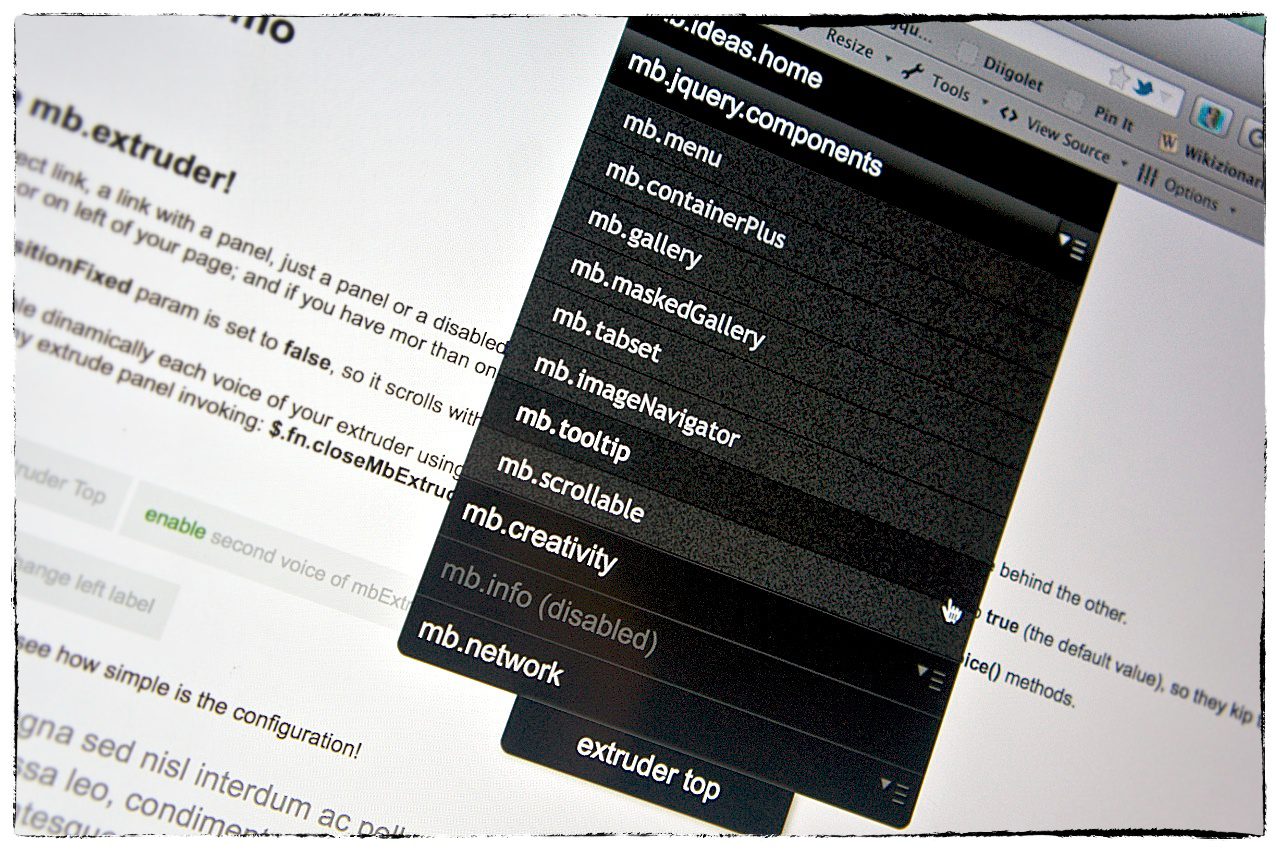
jquery mb.extruder

mbExtruder

A good way to have extra content or a navigation tool in your page!

This jquery component let you easly build a sliding panel where to insert any kind of content; it has builtin all the functionalities for managing menu lines and sub panels with accordion effect. It can get the content via ajax and therefore you can dynamically build it by passing DATA via request using the metadata attribute settable on the extruder container.

v. 2.5

see the demodownload itsee the documentation

PayPal

What’s new in 2.5:

  • jQuery 1.9 compatibility issue

349 Responses

  1. Anibal
    Anibal May 10, 2013 at 8:34 pm · Reply

    Hello, I would like to know how to put a jquery datepicker in one of the panels on the right side specifically, because I have tried several things and I could not make it work. The datepicker works out in the body but not within the . I’ll be doing something wrong?

    1. Anibal
      Anibal May 13, 2013 at 3:33 pm ·

      Hello again, thanks for your prompt response
      No I am not loading the content via ajax, I just want to capture the date to return my datepicker to an input. something like

        the datepicker is associated like this in the documentation of Jquery
      http://jqueryui.com/datepicker/
      actually works but outside panel

  2. Jake Drew
    Jake Drew April 21, 2013 at 7:19 pm · Reply

    Hello! I love your extruder :) I would like to report a small bug on IE 9. The left flap text does not display at all. This problem happens on my website and on your demo. I will keep trying to resolve it myself, but I thought you might know the solution?

    Thanks for all of your great jquery plugins!

    Jake Drew
    http://www.jakemdrew.com

  3. Titanium
    Titanium March 8, 2013 at 4:44 pm · Reply

    some java script are missing in (inc) folder….

    1. 23211
      23211 March 8, 2013 at 4:52 pm ·

      like jquery.mb.flipV.cryp.js! this script is missing where can i download it?

  4. Chriss
    Chriss January 18, 2013 at 1:18 am · Reply

    Demo and donwladed files doesn’t work with Firefox and Safari.

    1. Matteo Bicocchi
      Matteo Bicocchi January 18, 2013 at 1:53 am ·

      Hi Chriss,
      With the latest query update to version 1.9 there are some issue with this component that prevents the correct behavior generating javascript bugs.
      You can solve the problem using the previous version of jQuery (1.8) changing the inclusion in the header of the demo page from:
      [sourcecode]
      <script type=’text/javascript’ src=’http://ajax.googleapis.com/ajax/libs/jquery/1/jquery.min.js?ver=3.5′></script>
      [/sourcecode]

      to:
      [sourcecode]
      <script type=’text/javascript’ src=’http://ajax.googleapis.com/ajax/libs/jquery/1.8/jquery.min.js?ver=3.5′></script>
      [/sourcecode]

      This will solve your problem.
      Soon I’ll publish an update fixing the incompatibility.

      Bye,
      Matteo

  5. 57 web design most commonly jQuery Case Web Page Design | Web Page Design Templates | Html5 Template

    [...] A NAVIGATION TOOL IN YOUR PAGE ( Demo | Download [...]

  6. santosh
    santosh December 11, 2012 at 12:57 pm · Reply

    Hi I am developing a html page that conatins google map in background with three right extruders.
    I am facing a issue in mozila firefox browser as follows.

    The problem is when I open all three extruders one after first time that will open properly. But from next time when I open first extruder, then second & third extruder buttons are visible over first extruder panel.
    can anybody solve this issue !!!!!!

    1. Matteo Bicocchi
      Matteo Bicocchi December 12, 2012 at 11:13 am ·

      Can you provide me a public URL where I can see that problem?

1 17 18 19

Leave a Reply