A flexible photo gallery as background of your web pages!
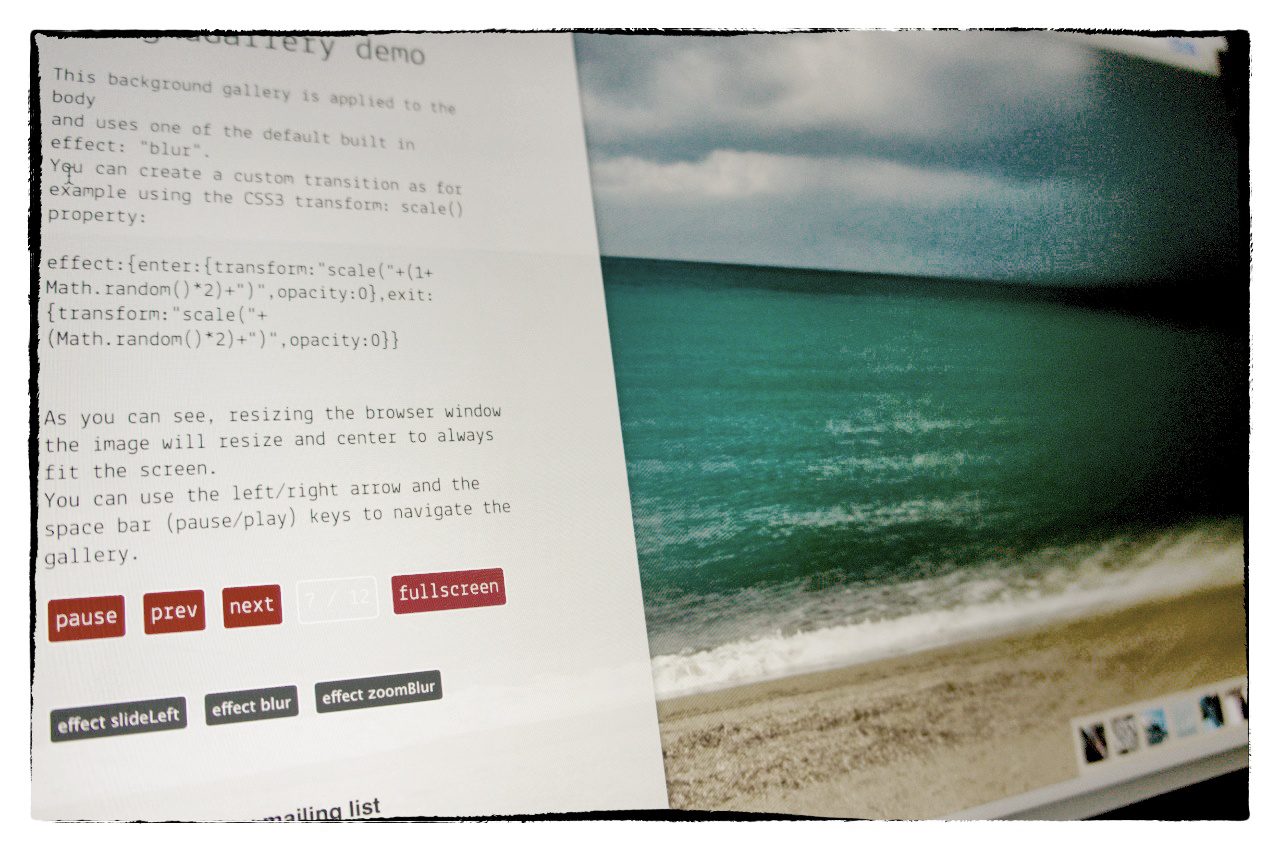
With this jQuery plugin you can make suggestive slide show of images as background of your page; the images will adapt their size to the window size fitting always at the best.
You can either navigate the gallery with your keyboard or with a control panel displayed where you whant in the page.
v. 1.6.5
see the demo download it see the documentation
What’s new in 1.6.5 version:
demos ave been updated with a new look and feel; the code have been updated to make lookups to the “folderPath” possible on any gallery event; for example (as you can see in the demo_lookUp.html file), you can add images into the specified folder and the gallery will autoupdate showing the new entries in the cycle. This option is available only if the page runs under a web server and if the “folderPath” option is used instead of the images array one.


Hi Matteo,
great Plugin! Awesome!
But one question: is there a functionality to dynamically add images to the gallery, or something like “refreshing” the index?
I’m using the loadFromSystem method, and the images in the folder are dynamically populated from a camera, but I don’t want to start over the gallery every time a new image has been populated.
Thanks!
Hi Matteo,
Or is there any possiblity to start over the gallery when finished the loop?
This is very important
Thanks!
Hi Sebastian,
For the first question actually the plug-in checks for images only when it’s initialized so any new image will be ignored.
For the second, the gallery already starts over once the last image is reached.
I’ll see to add a method to check periodically for new images and add those to the queue.
Bye,
Matteo
Hi Matteo,
thanks for your answer.
But I think I expressed myself a bit wrong. I want the Gallery to reinitialize after the last picture, so it gets all the new pictures.
It would be really, really awesome if we find a solution until tomorrow, 12:00! Do you think there is one?
Hi Sebastian,
At the time you can’t do what you are looking for…
Sorry,
Matteo
Oh, that’ a pity
But thanks anyway, I’ll do a workaround and reload the page every X minutes.
Hi Sebastian,
I just implemented what you where asking for.
You can download the development version from gitHub: https://github.com/pupunzi/jquery.mb.bgndGallery/archive/master.zip
In the demo_lookUp.html file you can find how to initialize the gallery with the lookup for new images in the folderPath.
Replace the mb.bgndGallery.js file too.
Bye,
Matteo
Firefox 16.0.2
I don’t understand mbBgndGallery
http://pupunzi.com/mb.components/mb.bgndGallery/demo/demo.html
is using an old version with jquery.mb.CSSAnimate.js included.
This old version does some kind of autoplay, the new version does not.
The old version scales the image, the new version does not.
How to get the same functionality with the new version?
Thank you
Hi,
(I know there are bugs with IE10 and I’m going to fix those once I’ll have a windows 8 system available).
You are right, the demo on line is using the previous version of the mb.bgndGallery.
But the new version does the same but better
The demo.html file on the package should have the same plugin configuration as the one on line (autoStart and effects) and I don’t have errors or strange behaviours running it on Chrome, Firefox, Safari and Opera (all the latest version). If you can’t see any image you should try uncommenting the images array instead of the “folderPath” parameter:
//folderPath:"elements/",images:[
"elements/1.jpg",
"elements/2.jpg",
"elements/3.jpg",
"elements/4.jpg",
"elements/5.jpg",
"elements/6.jpg",
"elements/7.jpg",
"elements/8.jpg",
"elements/9.jpg",
"elements/10.jpg",
"elements/11.jpg",
"elements/12.jpg"
],
The “folderPath” parameter works only if the directory listing is allowed by your web server (Useful as the image array is automatically generated depending on the images in the specified in the “folderPath” parameter). If you are running the demo locally (as file) than it can work only defining the image list into the “images” array.
Bye,
Matteo
Hello Matteo,
Question, When using this plugin, is there a way to detect errors on load of image, and then allow me to properly handle the issue? Aka, I have a list of various remote images, and one of them attempts to load but returns a 404, or is otherwise un succesful. I tested this senario on my local test page and the background just freezes w/ black. I would love to load a defualt image on such an issue or be able to call my own js actions incase something of this nature happens in real life. Any ideas or places I can look in your code to throw in a quick hack? Let me know @calvincs or email! Thanks a ton, love your stuff
Hi Calvin,
Actually there’s no catching for image load errors in the code.
You could add your code in the “changePhoto” method (line 228 to 284) where the image is loaded.You could add Something like:
image.error(function(){
var image=$(this);
image.attr("src", el.opt.placeHolder);
})
after line 272
And specify the “placeHolder” property in the $.mbBgndGallery.defaults object with the URL to the default image you want to load instead.
Bye,
Matteo
Hi,
I had this working on my site:
http://www.arialboundaries.com/ourbeach/
But it is failing. The images are not loading..it was working..can you help me figure out why?
Thanks,
Michael
Hi Michael,
As our page is including the latest jquery and with the last update they removed some methods used by the script; you should roll back to the previous version:
from:
to
bye,
M
Sorry mate…I uploaded the current version of your plugin…and I uploaded jquery 1.9, and removed the animate js…but the images are still not loading….I’m really puzzled…I can’t see the links you posted in your response.
Hi,
Looking at the source of your page it seams that the mb.bgndGallery.js file is corrupted;
it contains only the last few lines of code and that’s why you still have errors in the page.
Bye,
Matteo
Hi there, i love your plugin and i want to use it but how do you implement this with a bullet list to switch between the slides? On the onStart i now do a
(click bullet) {
var whichSlide = $(this).prevAll().length;
var gallery = $(“.visual”).get(0);
$.mbBgndGallery.changePhoto(opt.images[whichSlide],gallery);
}
But im getting into timing issues when the autoplay continues and its a mess. Could you help me with this? Thanks
Nice Gallery design relay useful for designer and corded…..keep it up.
As a temporary solution, using jQuery 1.8.3 and hotlinking to the latest released development version of the jQuery Migrate plugin that migrates older jQuery code to jQuery 1.9+, (loading the plugin after the 1.8.3 version), also does the thing, I would imagine.
I love this plugin, but you should be aware that when I downloaded the plugin today (1/29/2013) the demos were broken. After comparing to the files on your site, it seems that you need to insert:
$.browser = {};
into line 42 of jquery.mb.CSSAnimate.js
Hi Nate,
Yes, I know; With the last jquery update the $.browser has been removed. I’m going to update all the mb plugins soon; For the moment you can patch this using the jquery.mb.browser plugin you can download here:
http://pupunzi.open-lab.com/2013/01/17/jquery-mb-browser-reintroduce-the-removed-browser-object-in-jquery-1-9/
Place it just after the jquery inclusion in your page to reintroduce the $.browser object.
Bye,
Matteo